Atlabs AI Review: The AI Video Tool That Directs Instead of Just Generating
By: AI Collection
At a glance

Atlabs AI
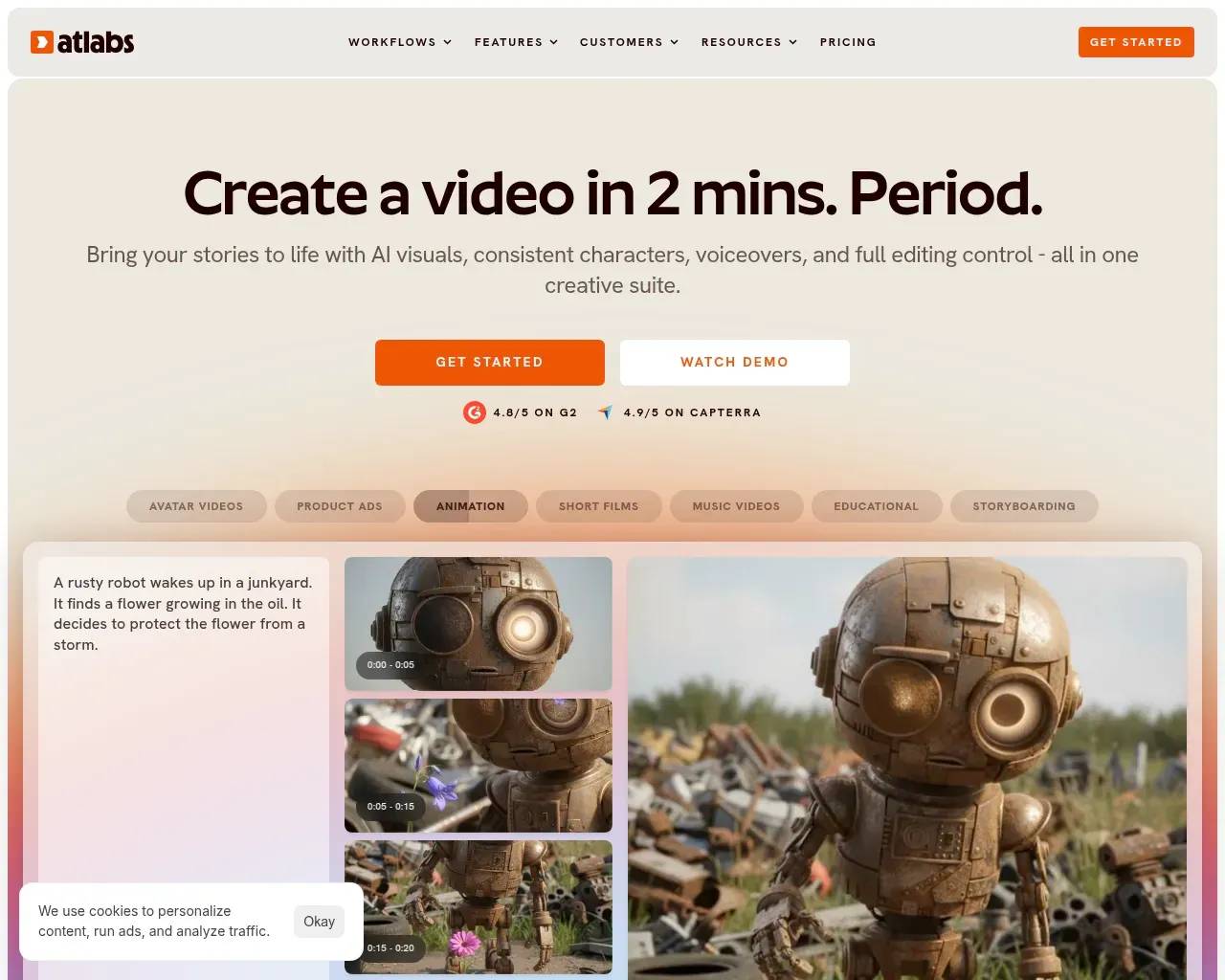
PaidMost AI video tools hand you a clip. You type a prompt, wait, and get a few seconds of footage that rarely lines up with the shot before it — a different face, a different room, a different mood. Atlabs is built around the opposite idea. Instead of spitting out isolated clips, it tries to direct a whole production, and it keeps the same characters and settings intact from one scene to the next. That single distinction is what most reviewers end up fixating on, and it's the honest place to start a review of it.
A studio that plans before it renders
Atlabs calls itself an "agent-orchestrated studio" rather than a prompt-to-clip generator or a drag-and-drop template editor. In practice, a creative agent interviews you first — style, setting, tone, length, characters — and produces a full production plan (characters, locations, a screenplay, a shot list) before a single frame renders. From there it picks the right model for each shot on its own, drawing from a stack of more than 50 frontier models: Veo 3.1, Sora 2, Kling, Seedance, ElevenLabs for voices, and others. You don't have to know which model is strong at what, which is usually the part that trips up newcomers.
The first pass isn't meant to be final. Atlabs is upfront that the agent gets you roughly 80% of the way, then hands each scene to an editor where you can swap a clip, regenerate a shot, fix a single frame, or adjust the voiceover, lip sync, and captions — all without leaving the platform. That middle ground, between full automation and a blank timeline, is the whole pitch.
Where it stands out
The capability reviewers keep returning to is consistency. You can save a character, a location, or a visual style once to a reusable library, reference it later with an @mention, and have it stay visually identical across scenes, episodes, and entire series. Independent reviews describe this as the thing Atlabs gets right where most AI video generators fall apart — keeping a face the same from shot to shot has been a stubborn problem in this category, and it's the feature that comes up first in third-party write-ups.
A few other things are worth knowing:
- 40+ languages for voiceovers, subtitles, and dubbing, with one-click translation of a finished video.
- 20+ purpose-built creative agents aimed at specific genres — narrative, performance, indie "own-face" music videos, kids edutainment, animated cartoons, even faith content — rather than one generic pipeline.
- AI avatars for talking-head and UGC-style presenter videos, with lip sync.
The music-video angle
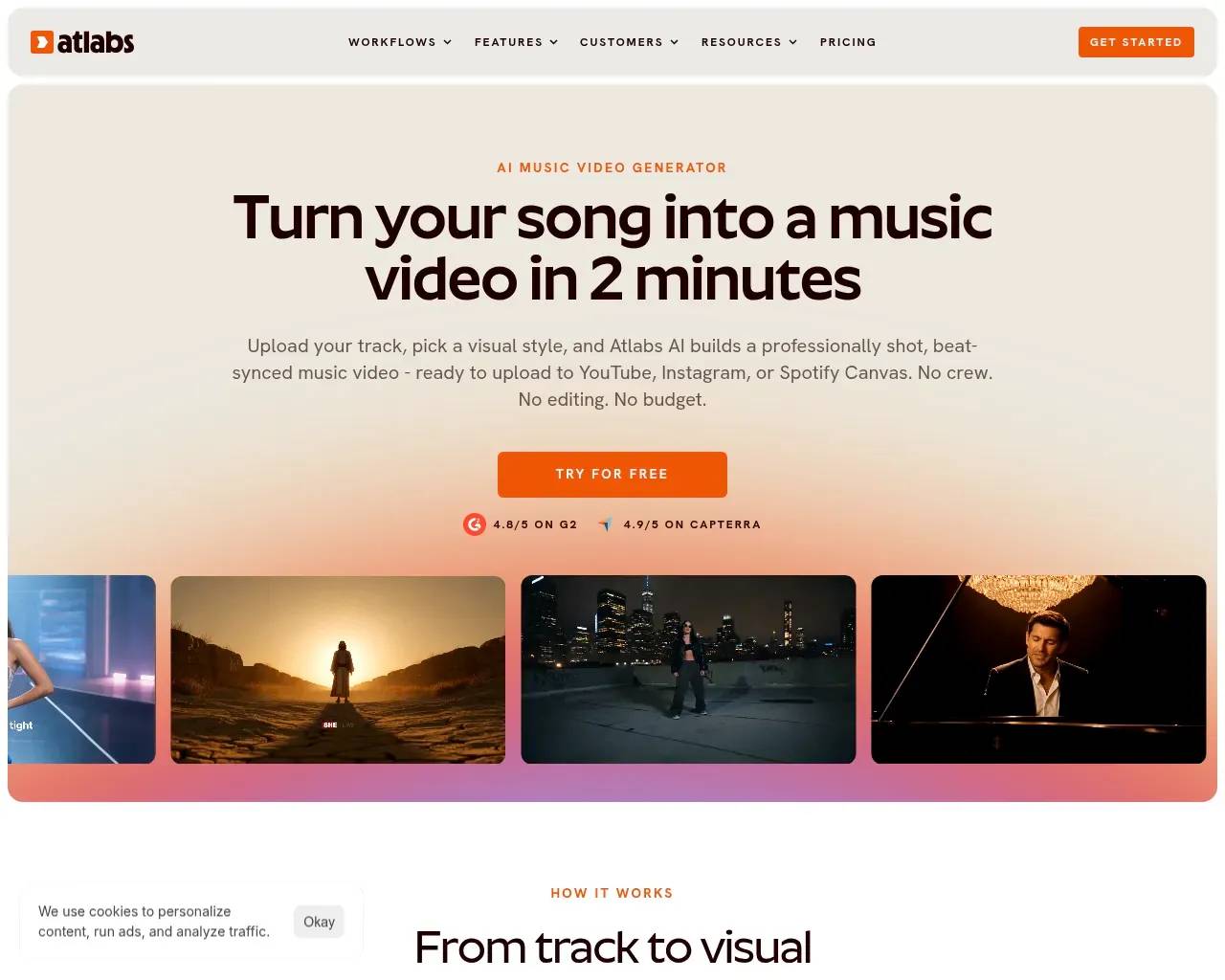
Atlabs leans hard into music videos, and the approach is more considered than the usual "render something over the audio." It uses beat-synced stem separation — isolating vocals, drums, bass, and melody — so the visuals track the actual structure of a song instead of a flat waveform. Feed it a track from Suno, Udio, or a plain MP3, choose a visual style (cinematic live-action, 3D, anime, lo-fi, neon, and more), and you can cast yourself or friends in the result. For an indie musician with no video budget, that's a genuinely useful shortcut, and it's a clearer use case than most general-purpose generators bother to build for.
Pricing: credit-based, and worth doing the math
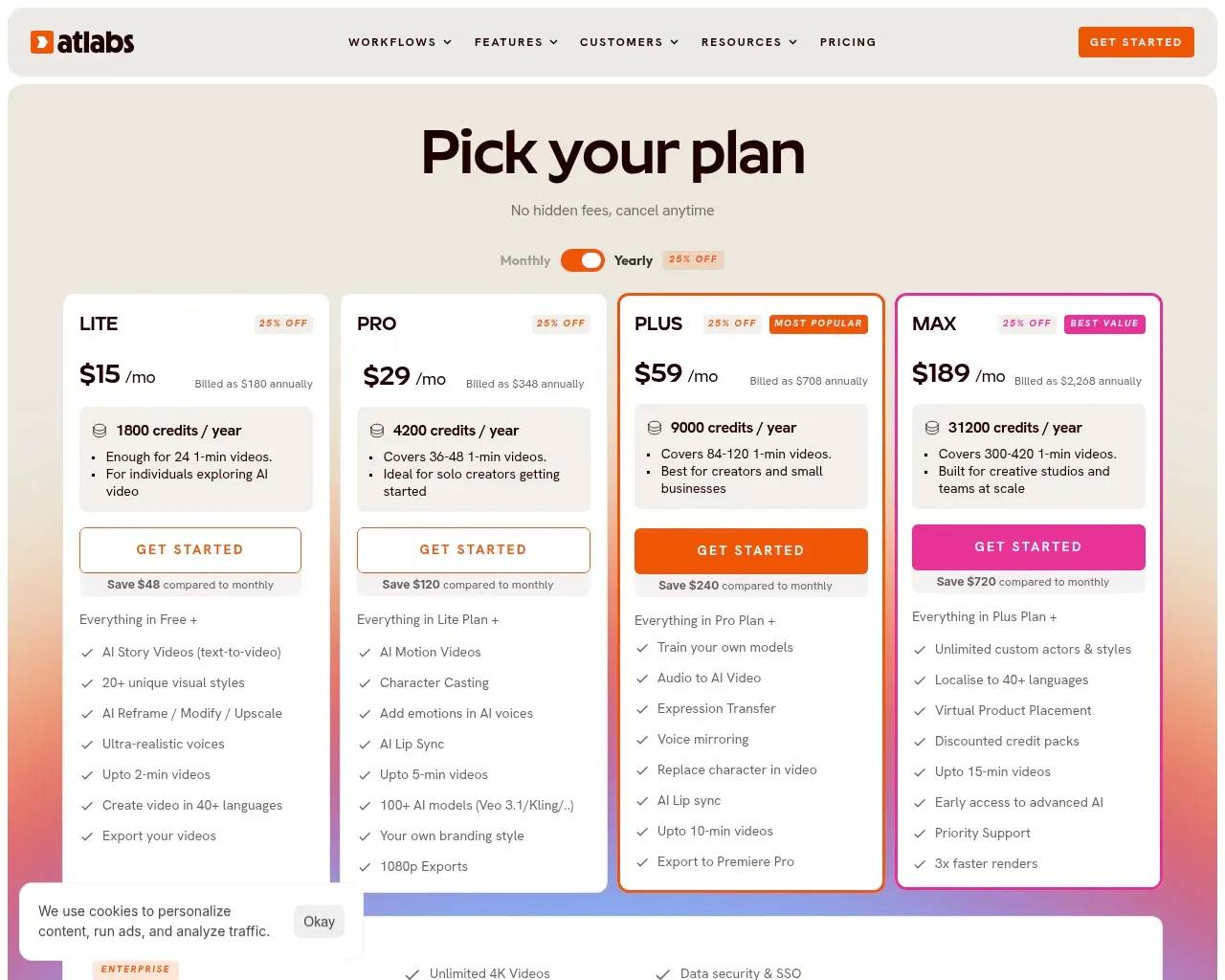
There's a free plan to test the waters. Paid tiers are credit-based and run from Lite at $15/month (billed annually) up to Max at $189/month, with custom enterprise pricing on request; paying annually trims about 25% off the monthly rate.
The part to look at closely is what those credits actually convert to. Lite's 1,800 credits a year work out to roughly 24 one-minute videos — fine for the occasional project, tight if video is part of your weekly routine. Pro ($29/month) raises that to around 36–48 one-minute videos and unlocks the larger model library, lip sync, and 1080p exports. Longer pieces burn credits faster, so if you're planning ten-minute explainers rather than 30-second clips, map your real monthly output against the allotment before you commit to a tier. The headline prices are reasonable; the credit ceiling is the thing that decides whether a plan fits.
The honest trade-offs
No tool is all upside. Reviewers note that the reliance on AI can miss specific creative nuances, leaving you to make manual adjustments, and that it offers fewer fine-grained customization options than a manual editor. That's the cost of the agent-driven model: it's fast and it's opinionated. If you want frame-level control over every element of every shot, a traditional editing suite will feel less constrained.
Community signal is also still thin. Atlabs appears on the usual review aggregators — G2, Capterra, Trustpilot — but there isn't much organic discussion on developer forums yet, so those aggregator reviews and your own free-plan trial are the most reliable ways to judge fit. For what it's worth, the company has been online since at least late 2023 and was founded by IIT and LBS alumni — not a fly-by-night, but young enough that the product is still moving quickly, which cuts both ways.
Who should try it
Atlabs makes the most sense if you're producing narrative or multi-scene video and you care about continuity: indie musicians turning tracks into videos, creators building animated or kids' series with recurring characters, training teams assembling explainers, and brand or agency folks shipping UGC-style ads at volume. If all you need is a single quick clip with total manual control, it may feel like more structure than you want. But if you've been burned by AI video that can't hold a character's face steady from one shot to the next, Atlabs is squarely aimed at that problem — and the free plan costs nothing to test against your own footage.
Sources consulted
- Atlabs homepage — positioning, core product, and the agent-driven workflow
- Atlabs llms.txt — feature set, creative agents, language support, founders, and plan range
- Atlabs pricing — current tiers, credit allotments, and annual discount
- Atlabs music-video workflow — beat-synced stem separation and supported inputs
- Atlabs AI Video Creator reviews — G2 — independent user sentiment
- Atlabs AI review — Slashprompt — independent feature review
- Atlabs review — TopVidTools — independent strengths and limitations
- Wayback Machine — first capture (December 2023) for a longevity signal
Published on: June 22, 2026
Vous cherchez des alternatives à Atlabs AI ? Voir toutes les alternatives à Atlabs AI →
Have an AI tool of your own? Submit it below and get a free, in-depth product review article — just like this one.
Ajoutez votre outil IA en quelques secondes
Collez votre URL et nous préparerons la fiche. Vous relisez et modifiez chaque champ avant l'envoi.