- Category
- Chat Bot
- Pricing
- Free
- Alternatives
- 6 similar tools
- Last updated
- 2 weeks ago
- Source
- Official site ↗
AI Collection Top Picks

Chat Bot Category Picks

About AI PDF Assistant
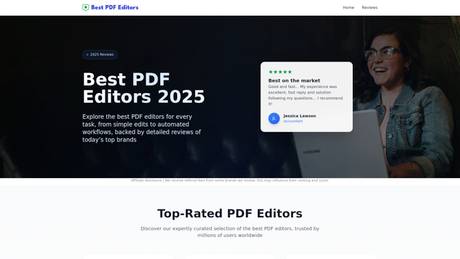
Discover the best PDF programs of 2025. Compare online PDF solutions offering seamless editing, secure signing, fast file conversions, and more.
AI PDF Assistant's Pricing Plans
AI PDF Assistant may change prices at any time. Here's our latest information:
Free
Free
0
What you get
Additional Information
Key Features of AI PDF Assistant
1. Smart task-based recommendations
The assistant analyzes user requests and suggests PDF services tailored to specific needs, such as eSigning, editing, compressing, converting, or merging PDF files.
2. Simple chat-based interface
Users interact with the AI through a conversational dialog box, making the experience intuitive and accessible even for non-technical users.
3. Time-saving workflow
Instead of testing multiple tools, users receive instant recommendations, allowing them to complete their tasks more efficiently.
4. Wide range of PDF use cases
From basic actions like signing documents to more advanced PDF editing needs, the AI assistant covers a broad spectrum of PDF-related tasks.
5. No learning curve
Users don’t need prior knowledge of PDF software — they simply describe what they need, and the AI does the rest.
Use Cases of AI PDF Assistant
1. Signing PDF documents
Users can type a simple request like “I need to sign a PDF”, and the AI assistant will recommend the best eSignature tools for quick and secure document signing.
2. Editing PDFs
Whether it’s modifying text, images, or layout, the assistant helps users find reliable PDF editors that match their requirements.
3. PDF conversion
Need to convert PDFs to Word, Excel, or other formats? The AI assistant suggests suitable conversion tools instantly.
4. Merging and splitting files
Users can easily find services for combining multiple PDFs or splitting large documents into smaller parts.
5. Everyday productivity
AI PDF Assistant is ideal for students, freelancers, office workers, and professionals who regularly work with PDFs and want a faster way to choose the right tools.
Frequently asked questions
What is AI PDF Assistant used for?
Best PDF Editor 2025 | Detailed Reviews to Find the Right Tool.Is AI PDF Assistant free?
AI PDF Assistant is free to use.Where can I get AI PDF Assistant?
AI PDF Assistant is available at https://bestpdfeditor.net/.What category is AI PDF Assistant in?
AI PDF Assistant is listed in Chat Bot.1. Smart task-based recommendations
The assistant analyzes user requests and suggests PDF services tailored to specific needs, such as eSigning, editing, compressing, converting, or merging PDF files.2. Simple chat-based interface
Users interact with the AI through a conversational dialog box, making the experience intuitive and accessible even for non-technical users.3. Time-saving workflow
Instead of testing multiple tools, users receive instant recommendations, allowing them to complete their tasks more efficiently.4. Wide range of PDF use cases
From basic actions like signing documents to more advanced PDF editing needs, the AI assistant covers a broad spectrum of PDF-related tasks.5. No learning curve
Users don’t need prior knowledge of PDF software — they simply describe what they need, and the AI does the rest. # Use Cases of AI PDF Assistant1. Signing PDF documents
Users can type a simple request like “I need to sign a PDF”, and the AI assistant will recommend the best eSignature tools for quick and secure document signing.2. Editing PDFs
Whether it’s modifying text, images, or layout, the assistant helps users find reliable PDF editors that match their requirements.3. PDF conversion
Need to convert PDFs to Word, Excel, or other formats? The AI assistant suggests suitable conversion tools instantly.4. Merging and splitting files
Users can easily find services for combining multiple PDFs or splitting large documents into smaller parts.5. Everyday productivity
AI PDF Assistant is ideal for students, freelancers, office workers, and professionals who regularly work with PDFs and want a faster way to choose the right tools.What is a PDF?
A PDF, or Portable Document Format, is one of the most widely used file types for sharing documents. No matter what device you open it on, the text, images, and layout always look exactly the same. Despite keeping all these details, PDFs are usually small in size, so they're easy to email or store without taking up much space. They're also versatile: you can make them interactive by adding links, notes, or images. And if you need extra security, you can protect them with a password to keep sensitive information safe.What does a PDF editor do?
A professional PDF editor is much more than just a tool for opening files. It lets you change text and images, add comments and highlights, fill out forms, sign important documents, and even convert PDFs to other formats like Word or Excel. You can also compress large files to make them easier to share, rearrange or remove pages, extract text from images with OCR, and more. Built-in apps usually cover only a few basic tasks, while online tools like PDF Guru and TheBestPDF give you a complete set of options in one place.What should you consider when choosing a PDF editor?
Basic free tools, like the built-in apps on your device, usually handle simple tasks such as minor text edits, basic drawings, or limited file format conversions. Paid online tools, on the other hand, offer a much broader range of features. When choosing from these, it's important to consider ease of use, security, price, and what other users say about their experience. With so many options available, picking the right program to edit PDFs can be hard. That's why we've chosen tools that are easy to use and offer many helpful features.Which PDF editor is best?
We've already done the hard work of finding the best PDF programs. Our team tests and reviews different tools so you can easily choose the one that fits your personal or professional needs.How do PDF editors handle signatures?
Electronic signatures in PDF editors save a lot of time and effort. You can create a document or receive one, sign it right away, and send it back without any printing or scanning. Our pick of the best PDF software makes signing quick and convenient. For example, PDF Guru gives you three easy options: upload an image of your signature, draw it directly on your device, or simply type it in.Can PDF editors convert PDFs to other file formats?
Of course, a PDF editing software makes it easy! Convert PDFs into Word, PowerPoint, Excel, or image formats like PNG, TIFF, WebP, and AVIF - and vice versa. But what makes the tools we've picked even more useful is that they go beyond PDF-related conversions. They can also handle everyday file changes like HEIC to JPG or GIF to PNG, which is especially helpful for designers, marketers, and photographers.How do cloud-based PDF editors differ from desktop applications?
Cloud-based PDF editors work online so that you can open and edit your files from any device with an internet connection. This means you can access and work on your documents anywhere, anytime without installing software. Desktop tools are installed directly on your device and give you advanced editing features, with the added benefit of working offline. The only thing to remember is that they usually need more effort for installation and occasional updates.Are PDF editors secure for handling sensitive documents?
Safe PDF editors clearly explain their security on their website, in blogs, or the FAQ. It’s a good idea to check if they use SSL certificates, server-side encryption, AES encryption, and Google Safe Browsing checks. You can also see what other users say on sites like Trustpilot. Security matters, so we’ve picked the best online PDF editors that people trust.
Compare AI PDF Assistant with…
Pick any tool to see a structured side-by-side: pricing, deployment, capabilities, and content policy.