- Category
- AI Art & Illustration
- Pricing
- Freemium
- Alternatives
- 6 similar tools
- Last updated
- 6 days ago
- Source
- Official site ↗︎
AI Collection Top Picks

AI Art & Illustration Category Picks
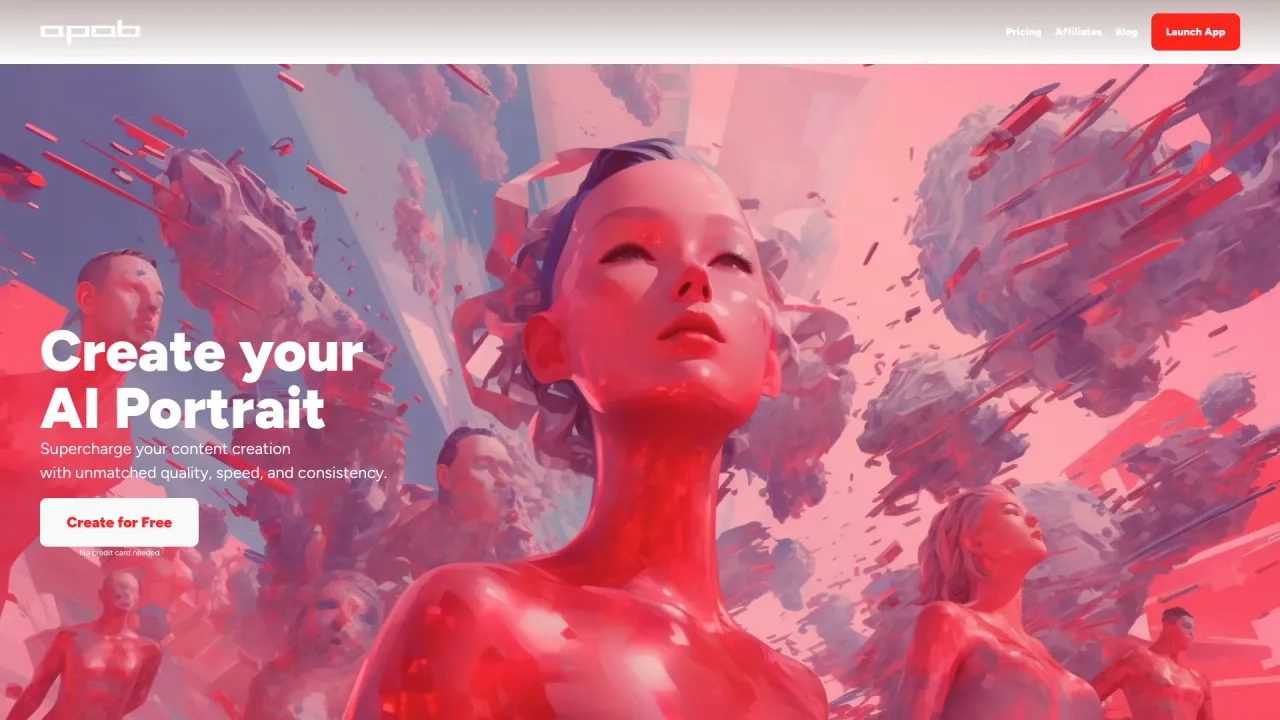
Supercharge your image and video content creation with unmatched consistency, speed, and quality.
About Artroom
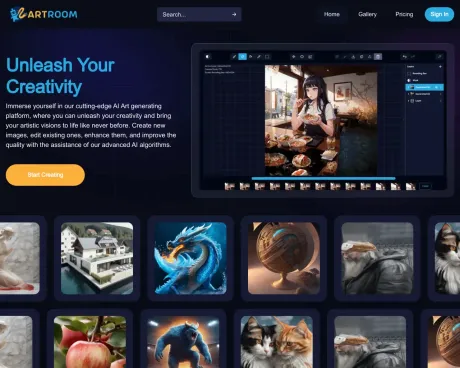
Immerse yourself in our cutting-edge AI Art generating platform, where you can unleash your creativity and bring your artistic visions to life like never before.
Artroom's Pricing Plans
Artroom may change prices at any time. Here's our latest information:
Choose the best bundle for your needs
Free
Best for power users and commercial purposes with a large shard quantity
$0
/month
- Same features as Basic
- 120 shards/day
- 100 MB storage
Basic
Affordable package for new or infrequent users to generate AI images
$9
/month
- 10000 shards
- Generate on cloud on premium GPUs
- 1K 1024x1024
- 10000 shards/month
- 10GB storage
- Queue up generations
- ControlNet
- Unlimited Loras
- Background Removal
Pro
Provide more shards for experimentation and moderate image generation.
$29
/month
- 35000 shards
- Generate on cloud on premium GPUs
- 2K 2048x2048
- 35000 shards/month
- 30GB storage
- Queue up generations
- ControlNet
- Unlimited Loras
- Background Removal
Premium
Best for power users and commercial purposes with a large shard quantity.
$59
/month
- Generate on cloud on premium GPUs
- 4K 3840x3840
- 80000 shards/month
- 100GB storage
- Queue up generations
- ControlNet
- Unlimited Loras
- Background Removal
What you get
Additional Information
FAQ
Can I make a feature request?
Certainly! Don''t hesitate to contact us through Discord or send an email to artur@artroom.ai to share your feature suggestions.
Where can I find more information about the available features?
You can explore our tutorial at https://artroomai.gitbook.io/tutorials/artroom-basics/overview, and you''re also welcome to join our Discord community, where you can directly interact with moderators and fellow users: https://discord.gg/puAeQ864
Am I allowed to create NSFW images?
Yes, you can generate NSFW content, but for the sake of maintaining a user-friendly environment, we do not allow the publishing of NSFW images. Our image moderation is strict, and generating illegal, harmful, or NSFW images of real individuals will result in immediate banning and reporting to the appropriate authorities.
Who has ownership of the images I generate?
You do! All the images you create belong to you.
Why can''t I find a specific Lora model that I saw on CivitAI within Artroom?
We only display Lora models that have been explicitly authorized for use by their creators. Other websites featuring these Loras may not have obtained the necessary permissions from the model creators.
Will you be introducing more model options?
Absolutely! However, we take the necessary steps to obtain permissions from model creators and compensate them for the use of their models. If you have a specific model in mind that you''d like us to incorporate or if you want us to host our own models, please contact us at artur@artroom.ai.
Why do I sometimes encounter double heads or extra limbs in my generated images?
Stable Diffusion was trained on 512x512 images. You''ll achieve better results by ensuring that at least one of your image dimensions is close to 512. We will soon introduce an upscaler that will allow you to customize your desired dimensions more effectively.
How does Controlnet function?
With Controlnet, you begin by uploading an initial image as your base. Then, you can specify which part of that image you wish to maintain in your generated output. For more details, you can refer to this link: https://artroomai.gitbook.io/tutorials/resources/extra-features-tutorials/control-net
How can I acquire more shards?
You can obtain shards by exploring our various subscription plans, participating in events, inviting your friends to join, and generating content that garners positive feedback from users!
Frequently asked questions
What is Artroom used for?
ArtRoom AI.Is Artroom free?
Artroom has a free tier; paid plans unlock additional features.What are alternatives to Artroom?
Where can I get Artroom?
Artroom is available at http://artroom.ai.What category is Artroom in?
Artroom is listed in AI Art & Illustration.Can I make a feature request?
Certainly! Don''t hesitate to contact us through Discord or send an email to artur@artroom.ai to share your feature suggestions.Where can I find more information about the available features?
You can explore our tutorial at https://artroomai.gitbook.io/tutorials/artroom-basics/overview, and you''re also welcome to join our Discord community, where you can directly interact with moderators and fellow users: https://discord.gg/puAeQ864Am I allowed to create NSFW images?
Yes, you can generate NSFW content, but for the sake of maintaining a user-friendly environment, we do not allow the publishing of NSFW images. Our image moderation is strict, and generating illegal, harmful, or NSFW images of real individuals will result in immediate banning and reporting to the appropriate authorities.Who has ownership of the images I generate?
You do! All the images you create belong to you.Why can''t I find a specific Lora model that I saw on CivitAI within Artroom?
We only display Lora models that have been explicitly authorized for use by their creators. Other websites featuring these Loras may not have obtained the necessary permissions from the model creators.Will you be introducing more model options?
Absolutely! However, we take the necessary steps to obtain permissions from model creators and compensate them for the use of their models. If you have a specific model in mind that you''d like us to incorporate or if you want us to host our own models, please contact us at artur@artroom.ai.Why do I sometimes encounter double heads or extra limbs in my generated images?
Stable Diffusion was trained on 512x512 images. You''ll achieve better results by ensuring that at least one of your image dimensions is close to 512. We will soon introduce an upscaler that will allow you to customize your desired dimensions more effectively.How does Controlnet function?
With Controlnet, you begin by uploading an initial image as your base. Then, you can specify which part of that image you wish to maintain in your generated output. For more details, you can refer to this link: https://artroomai.gitbook.io/tutorials/resources/extra-features-tutorials/control-netHow can I acquire more shards?
You can obtain shards by exploring our various subscription plans, participating in events, inviting your friends to join, and generating content that garners positive feedback from users!Can I request a feature?
Of course! Feel free to reach out to us on discord or send an email to artur@artroom.ai.Where can I learn more about the features?
You can check out our tutorial on https://artroomai.gitbook.io/tutorials/artroom-basics/overview as well as joining our discord community, where you can ask the mods and other users directly: https://discord.gg/puAeQ864.Can I make NSFW images?
Yes, but to keep the website more user friendly, NSFW images cannot be published. We strictly moderate the images. Generating illegal content, NSFW images of real people, or any harmful content will result in immediate banning and reporting to the appropriate authorities.Who owns the images that I make?
You do! All images that you create are your own content.Why don’t I see a lora that I found on CivitAI on Artroom?
We only show Loras that the model creators explicitly allowed for us to use. Other websites that have these loras go against the permissions of the model creators.Will you be adding more model options?
Yes! However, we personally reach out to make sure the model creators give us permissions to use their models as well as compensate the model creators for using their products.Why do I get double heads or extra limbs?
Stable Diffusion was trained on 512x512 images. The closer to stay to having at least one of your dimensions be close to 512, the better results you’ll get. We’ll introduce an upscaler that will let you hit the dimensions you want in the very near future!How does Controlnet work?
For controlnet, you upload a starting image that you want to use as your base. Then, you can select what part of that image you would like to maintain in your generation. You can find out more here: https://artroomai.gitbook.io/tutorials/resources/extra-features-tutorials/control-net.How can I get more shards?
You can get shards through the different plans we offer, participating in events, inviting your friends, and generating content that people like!
Compare Artroom with…
Pick any tool to see a structured side-by-side: pricing, deployment, capabilities, and content policy.