SlidesAI
Turn Text, Docs & Prompts into Presentations in Seconds.
- Category
- Slides & Presentations
- Pricing
- Free
- Alternatives
- 6 similar tools
- Last updated
- 2 days ago
- Source
- Official site ↗︎
AI Collection Top Picks

Slides & Presentations Category Picks



About SlidesAI
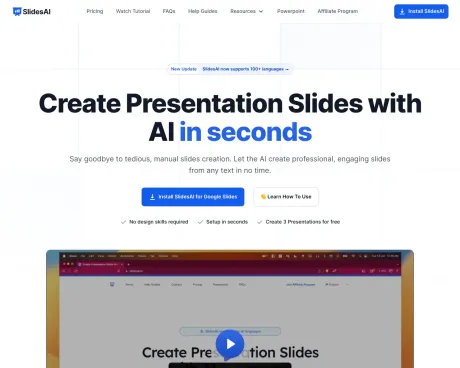
Turn notes, documents, PDFs and prompts into professional presentations with SlidesAI. Works in Google Slides, PowerPoint, ChatGPT and web. Try Now
What you get
Additional Information
SlidesAI is an AI-powered tool that streamlines the presentation creation process for users of both Google Slides and Microsoft PowerPoint. By simply inputting text or ideas, users can quickly generate complete presentations in a matter of seconds. The platform allows for customization of slides, including the ability to adjust layouts and incorporate images, making it highly versatile for any user.
Designed for educators, students, and professionals, SlidesAI eliminates the hassle of manual presentation design. With intuitive features such as AI-generated outlines, themes, and content refinement, users can focus on their message without getting bogged down in formatting. The tool integrates seamlessly with existing workflows, meaning users can use it without needing to learn new software.
Additionally, SlidesAI offers ChatGPT integration, allowing users to generate PowerPoint slides automatically from prompts. This feature simplifies the process for those who may struggle with presentation creation by automating slide design and content writing. Users can also upload personal images and leverage a variety of pre-made prompt templates to enhance their presentations further.
Overall, SlidesAI is designed to support a wide range of presentation needs, whether for classroom teaching, corporate presentations, or personal projects, all while offering flexible usage limits depending on the selected plan.
Frequently asked questions
What is SlidesAI used for?
SlidesAI | Turn Text, Docs & Prompts into Presentations in Seconds.Is SlidesAI free?
SlidesAI is free to use.What are alternatives to SlidesAI?
Where can I get SlidesAI?
SlidesAI is available at https://www.slidesai.io/.What category is SlidesAI in?
SlidesAI is listed in Slides & Presentations.Do I need to have a Google Workspace Account to use SlidesAI?
If you have a regular gmail account, you can use SlidesAI. You don't need a Google Workspace account. Just install SlidesAI from Google Workspace MarketplaceHow can I cancel my SlidesAI subscription?
You can cancel your subscription at any time. To do so, please go to the 'Your Account' tab, You can follow this guide also please share your feedback with us so we can improve.I still have questions, how can I contact?
Please send us a message via that Chat Button on the bottom left corner of the page and we will get back to you as soon as possible.How do I run SlidesAI from Google Slides?
Once you have installed SlidesAI from the Google Workspace Marketplace, click on Extensions > SlidesAI.io > Generate SlidesDo I need to create an account?
No, you don't need to create an account separately. You can simply run SlidesAI from a Google Slide Presentation, and your account will be automatically created.We don't use Google Slides, can we still use SlidesAI?
Yes! SlidesAI works seamlessly with both Google Slides and Microsoft PowerPoint. So you can use it regardless of your preferred presentation software. No need to learn a new tool, just use what you already know. Moreover you can even create slides just by chatting with SlidesAI chatGPT, no design skills required.Can ChatGPT make PowerPoint Slides?
Yes, with SlidesAI's ChatGPT integration, you can generate PowerPoint slides automatically from your prompts. Just describe your topic and preferences, and the AI will create a ready-to-use presentation using our SlidesAI ChatGPT presentation maker.What is the prompt for PPT in ChatGPT?
You can use prompts like 'Create a 10-slide PowerPoint presentation on renewable energy for high school students' or specify your topic, audience, and tone. SlidesAI will handle the rest!Are there any premade prompt templates that we can use?
Yes, SlidesAI provides a variety of prompt templates to help you get started quickly. You can choose from popular topics or customize your own prompt for best results.Are there any limitations per day or month?
Usage limits depend on your SlidesAI plan. Free users have a limited number of presentations per month, while paid plans offer higher or unlimited usage. Check our pricing page for details.Do we need to buy subscription to use this feature?
No, you can try SlidesAI's ChatGPT-powered presentation maker for free with limited usage. For more features and higher limits, you can upgrade to a paid plan.Is this available for free users?
Yes, the ChatGPT integration is available to all users. Free users can generate a limited number of presentations each month. Upgrade for more access and advanced features.What is an AI generated presentation?
An AI-generated presentation is a slide deck created automatically by artificial intelligence tools. You provide a topic or text, and the AI designs the layout, writes the content, and selects images for you.What is AI presentation maker?
An AI presentation maker is a tool that uses artificial intelligence to build presentations instantly. It automates slide creation, design, and content writing, saving you hours of work.How to generate the presentation using ChatGPT?
You can generate a presentation using ChatGPT by using SlidesAI's integration. Visit ChatGPT Presentation Maker page to learn how to turn your ChatGPT conversations into professional slides.Can I create an AI slides presentation without logging in or installing the addon?
Most AI presentation tools require a login or installation to save your work. SlidesAI offers a seamless experience with a simple installation for Google Slides or PowerPoint.Do we need to give the credits for the images used in presentation?
It depends on the image source. SlidesAI uses royalty-free stock images, so you generally don't need to provide credits, but it's always good practice to check specific licensing terms.Can I upload my own images in the presentation?
Yes, SlidesAI allows you to upload and use your own images to personalize your presentation and match your specific needs.Why should I use SlidesAI presentation maker?
SlidesAI saves you time, ensures professional design, and helps you overcome writer's block. It's user-friendly, versatile, and integrates directly with the tools you already use like Google Slides.Can I customize the presentation generated by the SlidesAI?
Absolutely! After SlidesAI generates your presentation, you can fully customize the text, layout, colors, and images to fit your style and requirements.How can I download my presentation?
Since SlidesAI works directly within Google Slides and PowerPoint, your presentation is already saved. You can easily download it as a PPTX, PDF, or other formats from the File menu.Can AI make my presentation?
Yes, AI tools like SlidesAI can create entire presentations for you. Just provide a topic or text, and the AI handles the structure, content, and design.Can ChatGPT make presentations?
ChatGPT alone generates text, but with SlidesAI, you can turn that text into fully designed slides automatically.How to make PPT for free?
You can make a PPT for free using SlidesAI's free plan. Simply install the tool, enter your topic, and generate a professional presentation at no cost.What is the best AI presentation maker?
SlidesAI is considered one of the best AI presentation makers due to its seamless integration with Google Slides and PowerPoint, ease of use, and high-quality output.
Compare SlidesAI with…
Pick any tool to see a structured side-by-side: pricing, deployment, capabilities, and content policy.