
Owlbot Review: A No-Code AI Chatbot Built on Your Own Data
By: AI Collection
At a glance

Owlbot
PaidOwlbot Review: A No-Code AI Chatbot Built on Your Own Data
"Chatbot trained on your own data" has become one of the most crowded corners of the AI tooling market. Drop in a few help-doc PDFs and a website URL, get back a widget that answers customer questions — dozens of products promise some version of that. Owlbot is one of them, and it makes a plain pitch: paste your content, pick a model, and have a working assistant on your site in a couple of minutes, no code required.
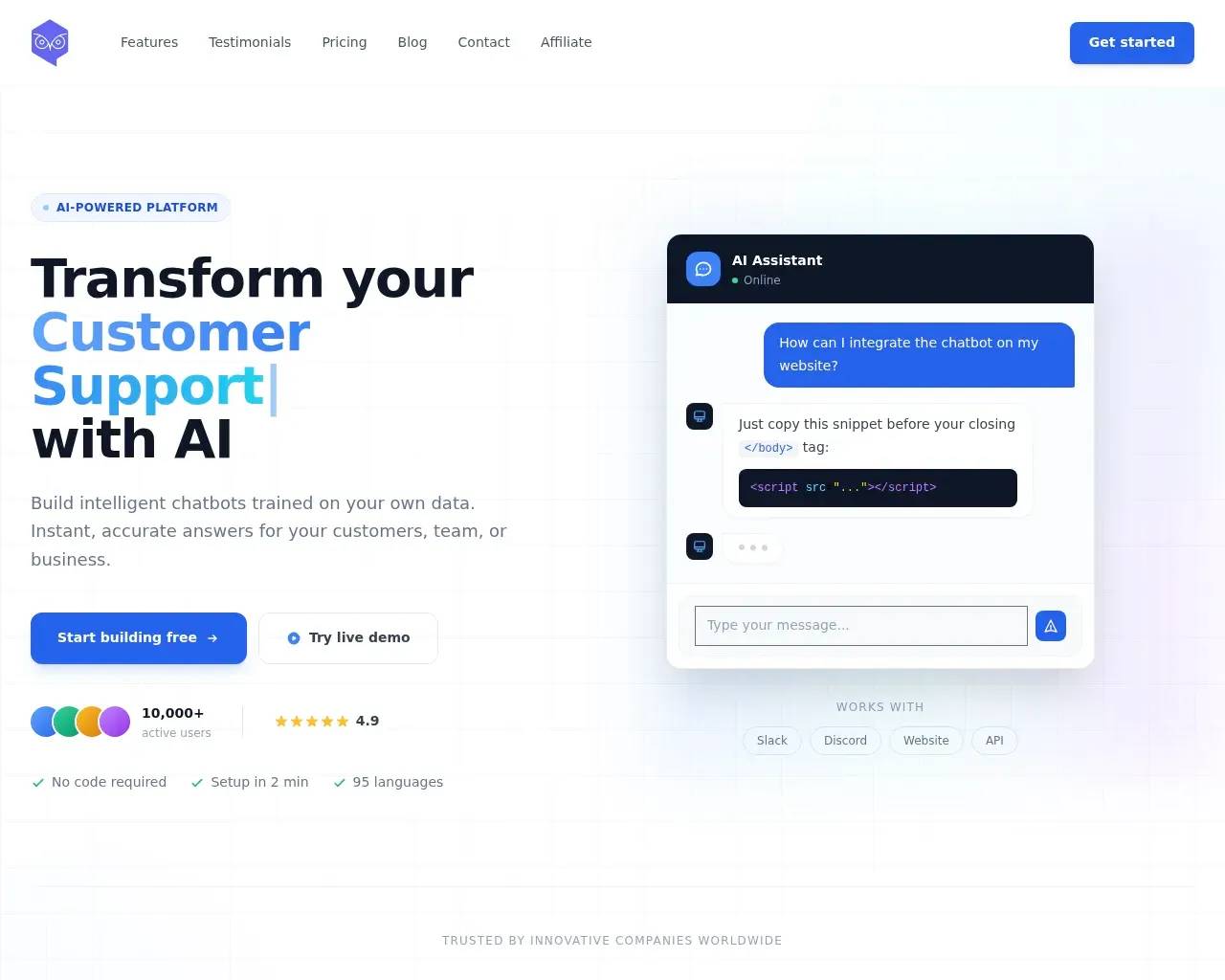
The homepage leads with customer support, but Owlbot really targets any team that wants a retrieval-style chatbot sitting on top of its own knowledge: support deflection, internal Q&A, lead capture. Here's how it holds up after a walk through the product, its pricing, and a handful of independent listings.
What you actually get
The core loop is the familiar one for this category, and Owlbot covers it cleanly. You import content from several sources — uploaded files, Markdown, PDFs and Word docs, a database, or by pointing it at a website to scrape — and it builds a chatbot that answers from that material. You can restyle the widget to match your brand, review conversations in a history view, and track usage analytics on how the bot performs over time.
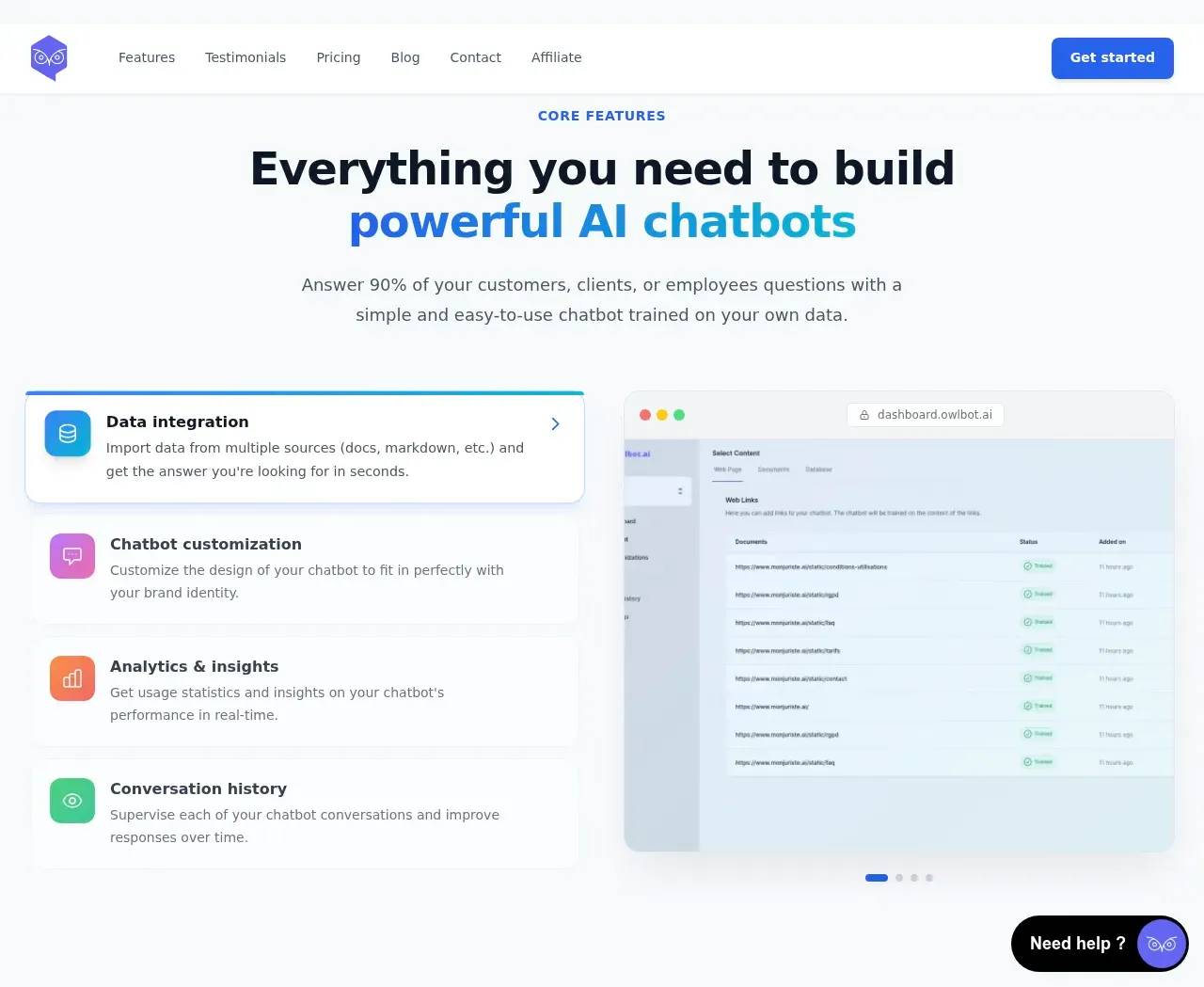
Two things push it past the bare minimum. First, model choice: Owlbot lets you pick from a dozen language models across providers including OpenAI, Anthropic, and Mistral, so you aren't locked to one vendor's pricing or behavior. Second, function calling — the bot can reach out to external systems to do things like fetch real-time data, run a calculation, or pull a record from a CRM, instead of only answering from static text. It also auto-detects a visitor's language (the site claims 95 supported) and can capture leads by asking for an email or phone number mid-conversation. Slack, Discord, a website embed, and a plain API are the listed integration points.
The pricing is the headline
Owlbot's most persuasive argument is the price.
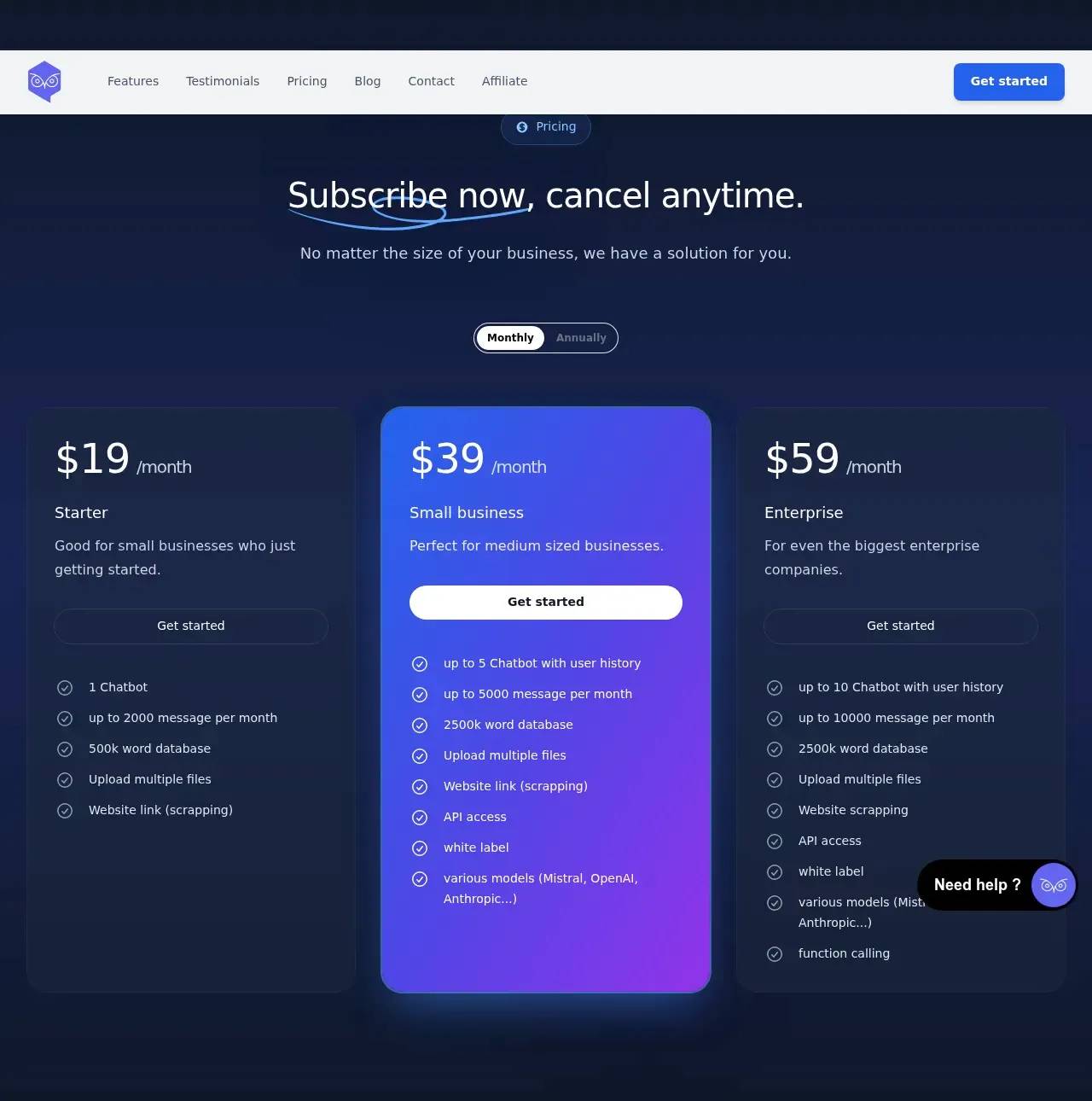
Three tiers, billed monthly or annually:
- Starter — $19/mo: one chatbot, up to 2,000 messages a month, a 500k-word knowledge base, file uploads, and website scraping.
- Small business — $39/mo: up to five chatbots with user history, 5,000 messages a month, a 2.5M-word knowledge base, API access, white-labeling, and the multi-model picker.
- Enterprise — $59/mo: up to ten chatbots, 10,000 messages a month, plus function calling layered on top of everything in the mid tier.
For a small site or a solo founder, $19 to get a branded, data-grounded bot live is genuinely cheap, and the step up to $39 for API access and white-labeling is reasonable. The catch is the naming: "Enterprise" here tops out at $59 and 10,000 messages a month, which is small-team scale, not enterprise scale. If you expect real volume, those message caps are the number to watch — and it's worth confirming what happens, and what it costs, when you cross them.
Where it fits
Owlbot suits small businesses, indie SaaS, and content-heavy sites that want a competent support or knowledge bot without engineering time or a per-seat enterprise contract. The no-code setup, website scraping, and the white-label option on the mid tier also make it a practical pick for agencies spinning up bots for clients. Owlbot's own site runs comparison pages against tools like Chaindesk, DocsBot, and SiteGPT, which is a fair read on the company it keeps — the RAG-chatbot middle market, competing on ease and price rather than deep platform depth.
Things to check before you commit
A few honest caveats. Third-party listings note there's no mobile app, so management is desktop-web only. Function calling, arguably the most interesting capability on offer, is gated to the top plan, so the cheaper tiers are standard retrieval bots. And the headline metrics — 10,000+ users and a 4.9 from 1,200+ reviews — are the company's own figures: a search of Hacker News and Reddit turned up essentially nothing about the product, so there's little outside discussion to corroborate them. That matters if independent validation is part of how you choose tools.
The marketing is also uneven in spots. The homepage sells customer support while the FAQ describes Owlbot as a data-analysis tool, the testimonials read generic, and some copy looks templated. None of that tells you how the bot actually answers — but it does mean you should lean on the free trial to judge response quality against your own content rather than the on-page claims. Given the low entry price, that test costs you almost nothing.
For a budget-conscious team that needs a data-grounded chatbot live quickly, Owlbot is a sensible thing to try. Size your message volume honestly, run your real docs through it first, and decide from the answers rather than the pitch.
Sources consulted
- Owlbot homepage — positioning, core and advanced features, model choice, integrations, self-reported user and rating numbers
- Owlbot pricing section — tier names, prices, message and knowledge-base limits, and feature gating
- Owlbot FAQ — product description and data-source/security claims
- Owlbot sitemap — documentation and competitor comparison pages (Chaindesk, DocsBot, SiteGPT)
- SERP AI Owlbot listing (via web search) — independent feature summary and the no-mobile-app limitation
- Wayback Machine — confirms the site has been live and was recently archived
Published on: June 24, 2026
Looking for alternatives to Owlbot? See all Owlbot alternatives →
Have an AI tool of your own? Submit it below and get a free, in-depth product review article — just like this one.
Add your AI tool in seconds
Paste your URL and we'll draft the listing. You review and edit every field before submitting.
More Product Reviews:
By: AI Collection
By: AI Collection