生产力与个人成长Free
Linegraphmaker.co
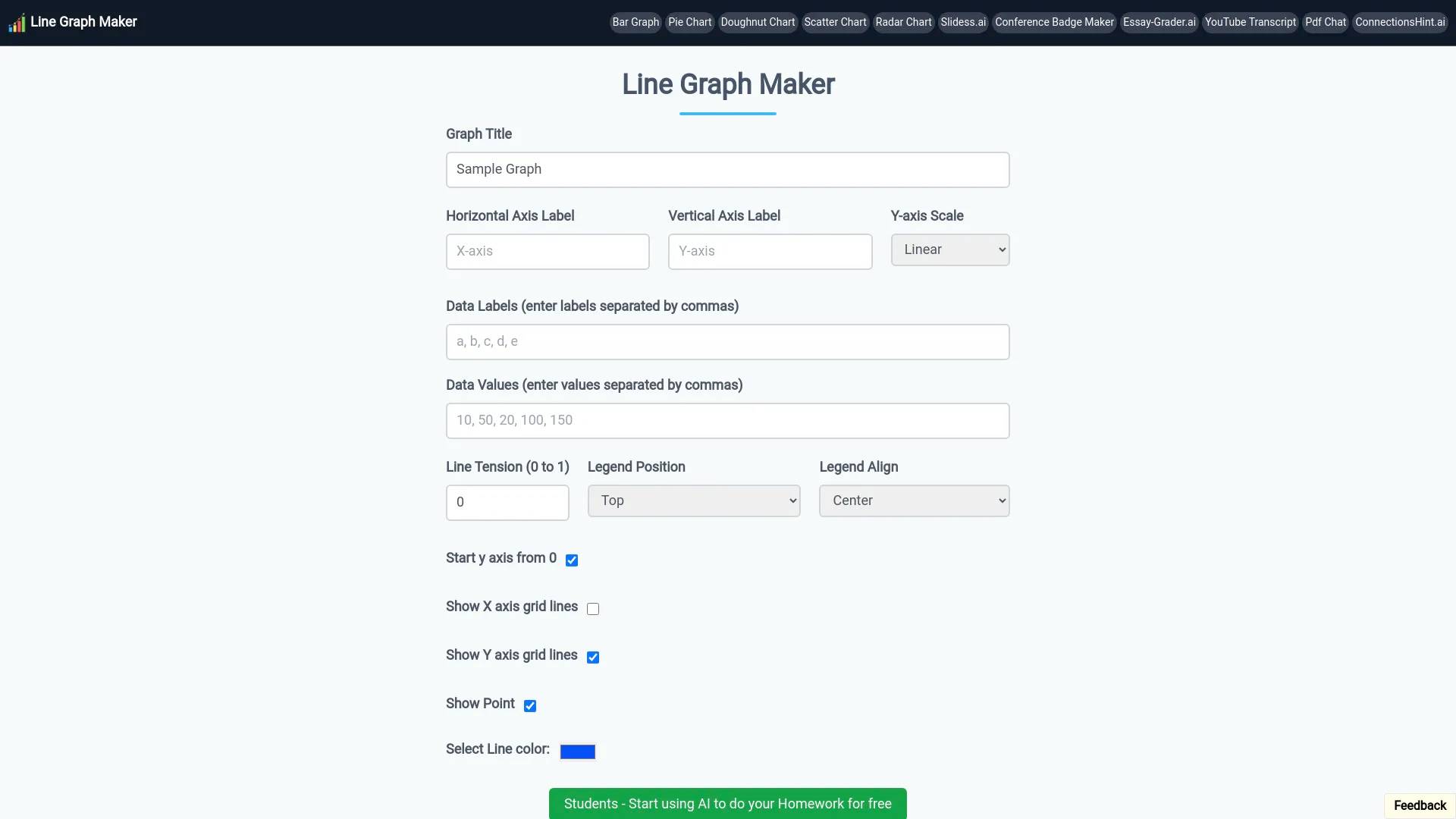
Linegraphmaker.co is an AI productivity tool. 该软件工具允许用户轻松地根据数据创建折线图。它具有可自定义的坐标轴、颜色和标签,可清晰地显示一段时间内的趋势。.
- Category
- 生产力与个人成长
- Pricing
- Free
- Alternatives
- 6 similar tools
- Last updated
- 1 years ago
- Source
- Official site ↗
About Linegraphmaker.co
该软件工具可以轻松地根据原始数据创建专业的折线图,帮助用户可视化一段时间内的趋势和模式。凭借其直观的界面,用户可以快速输入数据,自定义轴标签、颜色和线条样式以满足他们的需求。该工具易于修改,支持多个数据集,可以清晰地比较不同的变量。
How Linegraphmaker.co compares
Linegraphmaker.co alongside its closest alternatives in the 生产力与个人成长 category.
| Tool | Use case | Pricing | More |
|---|---|---|---|
| Linegraphmaker.cothis page | 该软件工具允许用户轻松地根据数据创建折线图。它具有可自定义的坐标轴、颜色和标签,可清晰地显示一段时间内的趋势。 | Free | — |
| Podwise | Podwise,面向播客听众的首选 AI 学习应用程序。 | — | Open ↗ |
| BeeDone: AI Productivity Game | 掌握任务管理,通过游戏化 AI 提高工作效率 | — | Open ↗ |
| ApplyPass | 借助我们的求职AI找到理想的工作。每周自动申请数百个工程职位!加入 ApplyPass 获得 100 个免费应用程序。 | — | Open ↗ |
What you get
附加信息
常见问题
如何创建折线图?
-为图表添加标题 -添加水平轴和垂直轴标签 -然后输入以逗号 (,) 分隔的数据标签 -类似地输入以逗号 (,) 分隔的每个数据标签的数据值 -根据你的选择增加线条张力 -然后根据需要选择图表标题的位置 -取决于您的图表起始值,从零开始 -最后添加/删除网格线 -最后以 jpg/png 格式下载你的折线图
Frequently asked questions
What is Linegraphmaker.co used for?
该软件工具允许用户轻松地根据数据创建折线图。它具有可自定义的坐标轴、颜色和标签,可清晰地显示一段时间内的趋势。.Is Linegraphmaker.co free?
Linegraphmaker.co is free to use.What are alternatives to Linegraphmaker.co?
Top alternatives to Linegraphmaker.co include Podwise, BeeDone: AI Productivity Game, ApplyPass, Interviews Chat, SwifDoo PDF.Where can I get Linegraphmaker.co?
Linegraphmaker.co is available at https://linegraphmaker.co.What category is Linegraphmaker.co in?
Linegraphmaker.co is listed in 生产力与个人成长.