用 AI 提交

DeepBrain AI (AI Studios) Review: Avatar-Led Video Without a Camera

By: AI Collection

At a glance

You have a script, a product page, or a slide deck, and you need a presenter to read it on camera — in three languages, by Friday, without booking a studio or a voice actor. That handoff is the exact job AI Studios is built for: you give it words, it gives you a person-shaped video.

One thing to clear up first, because directory listings (this one included) still file the tool under "DeepBrain AI." DeepBrain AI is the Seoul-based company; AI Studios is its flagship product, and the old deepbrain.io/aistudios link now redirects to aistudios.com. Same team, consolidated brand. If you landed here from an older bookmark, you're in the right place.

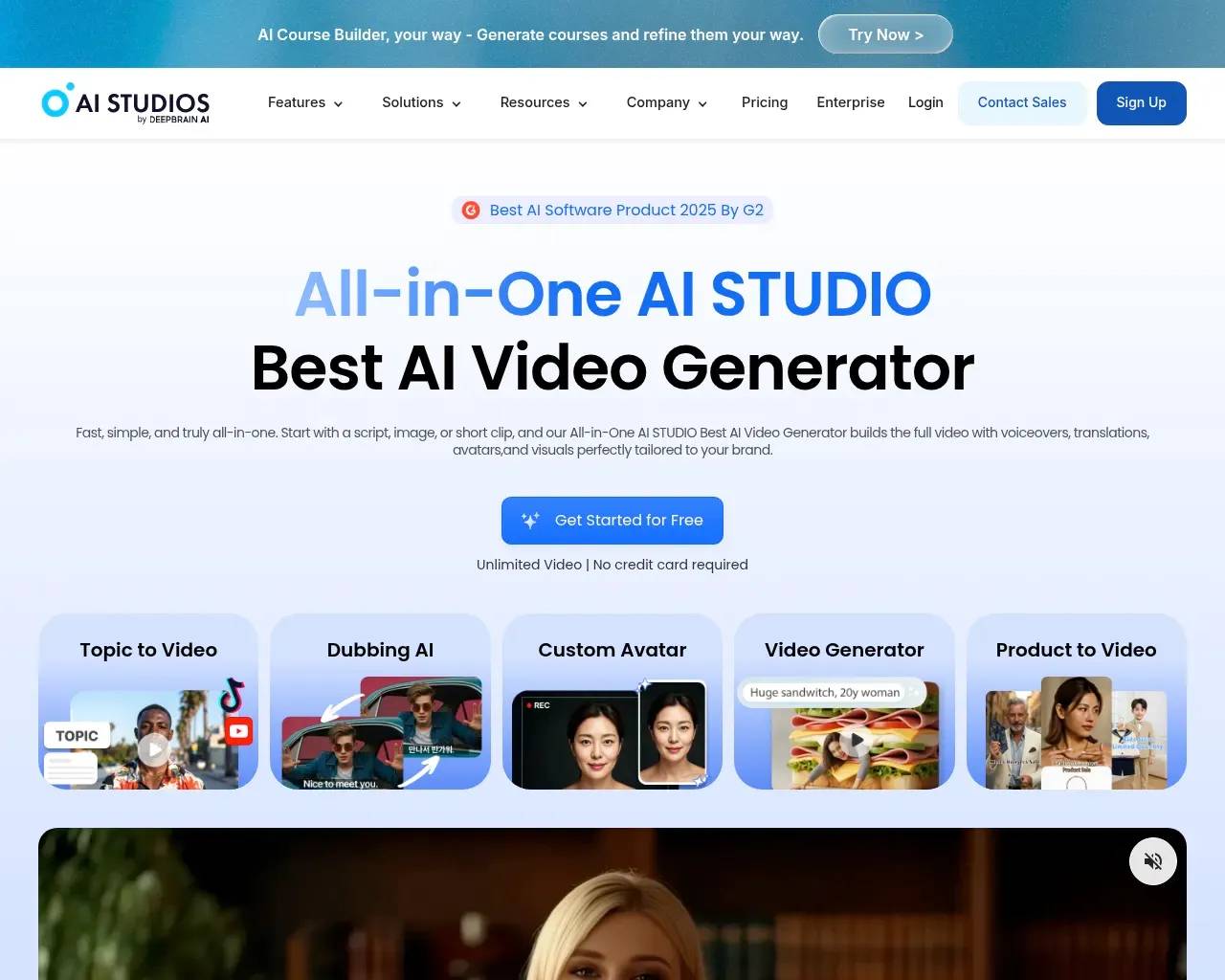
AI Studios (DeepBrain AI) homepage showing the All-in-One AI video generator hero with avatar, dubbing and template tabs

What it actually does

Strip away the marketing and AI Studios is a text-to-video tool organized around synthetic presenters. You start from a script, an image, or a short clip; it assembles a finished video with a voiceover, an on-screen avatar, captions, and template visuals. The company pitches it as an "All-in-One AI STUDIO" and says more than two million people have used it.

The center of gravity is the avatar. Instead of filming yourself, you pick a digital presenter, paste your script, and let the system handle the speaking, the lip movement, and the timing. For internal training decks, product explainers, and social clips where a talking head adds credibility but a film crew is overkill, that trade is the whole point.

Avatars, dubbing, and a very large template shelf

Three numbers do most of the selling here, and they're consistent across the homepage and feature pages:

  • 2,000+ ready-to-use avatars, plus the option to build a custom avatar from your own photos, videos, or even a product shot.
  • AI dubbing in 150+ languages, with voice cloning and lip-sync, so a localized version actually matches the mouth movements rather than floating over them.
  • 7,000+ editable templates and 150+ text-to-speech languages to start from.

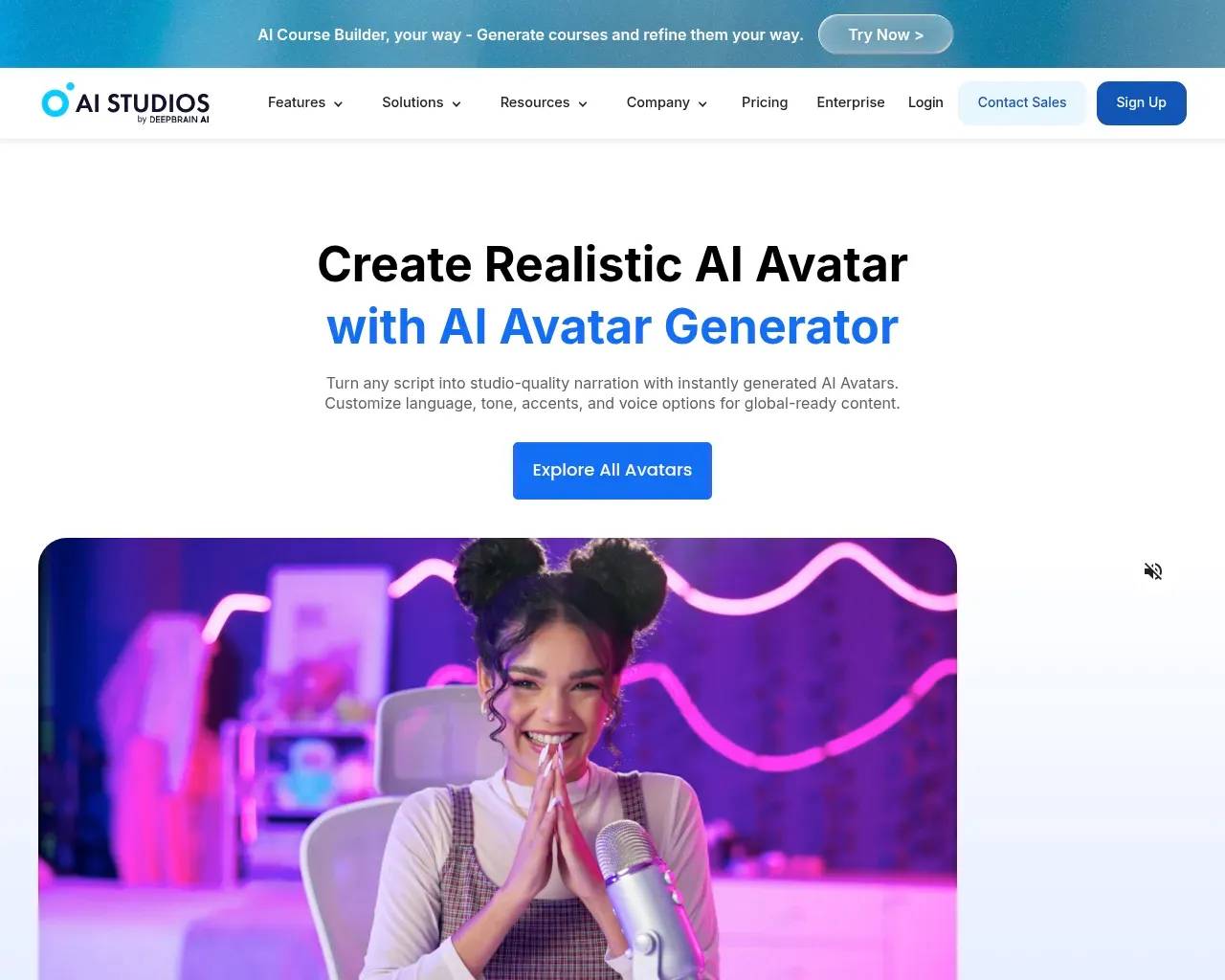
AI Studios avatar gallery — a grid of the 2,000-plus ready-to-use AI presenter avatars

The dubbing piece is the genuinely useful one for teams with an existing video library. Re-shooting a course in six languages is a budget line; running it through lip-synced dubbing is an afternoon. That's the kind of task where a tool like this earns its subscription rather than just being a novelty.

It's grown into a workspace, not a single trick

What stands out reading through the product is how wide it has spread. Beyond the avatar generator, AI Studios now bundles "X to video" converters for plain text, a topic prompt, a URL, a PDF, an article, or a product page, plus an AI image generator, an AI script assistant, a course builder, screen recording, and auto-captions.

There's also an Interactive AI Avatar line that's LLM-connected — the company markets it for conversational roles like an AI tutor, an AI news anchor, an AI customer-service agent, even an AI bank teller. And it ships an AI/deepfake detector, which is a slightly ironic but sensible bolt-on for a company in the synthetic-media business.

Worth flagging: AI Studios has quietly turned into a front-end for other models too. The site says its video generator can create clips "directly with top AI models like Sora 2, Veo 3.1," so part of what you're paying for is orchestration — one workspace that routes between avatar rendering and general-purpose generative video — rather than a single in-house engine.

What it costs

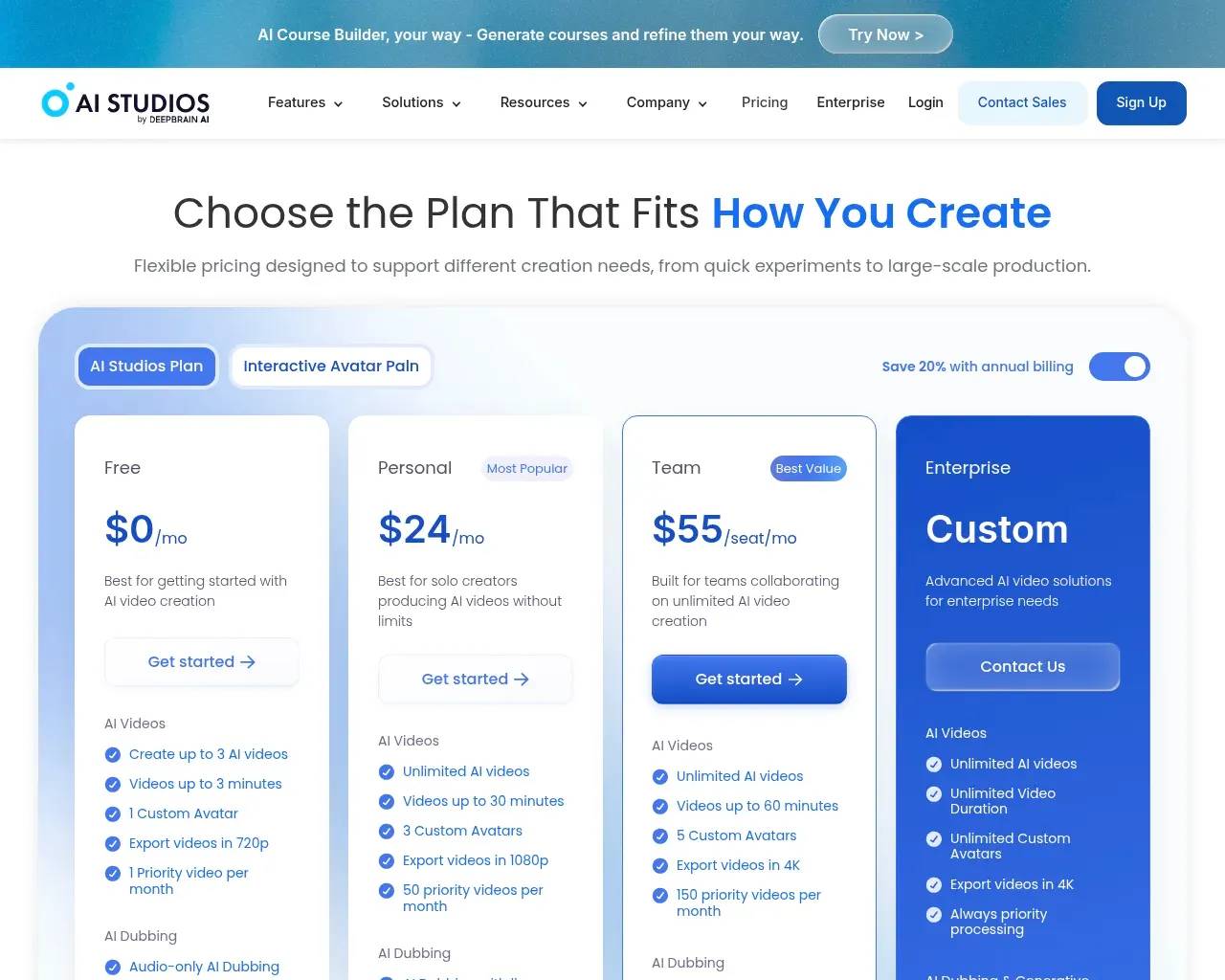
Pricing is credit-and-tier based, with a 20% discount if you pay annually.

AI Studios pricing page showing Free, Personal, Team and Enterprise plans with the annual-billing toggle

  • Free — $0: up to 3 AI videos, clips up to 3 minutes, one custom avatar, 720p export, audio-only dubbing, and 16 one-time generative credits. Enough to judge whether the avatars clear your bar.
  • Personal — $24/mo (marked "Most Popular"): unlimited videos up to 30 minutes, three custom avatars, 1080p export, lip-synced dubbing (120 minutes/month), and full access to the generative models.
  • Team — $55/seat/mo (marked "Best Value"): up to 60-minute videos, five custom avatars, 4K export, more dubbing minutes, and shared workspaces.
  • Enterprise — custom: unlimited duration and avatars, 4K, and API access.

The credit system is where I'd slow down. "Unlimited videos" on paid plans sits next to a monthly allotment of generative credits for the Sora/Veo-class outputs, so the heavier, model-generated work is metered even when the standard avatar videos aren't. Map your actual workload to that before assuming the flat fee covers everything.

Who it fits

This lands well for corporate learning-and-development teams, e-learning producers, and marketing or social teams that crank out a steady stream of short, narrated videos and want them localized. It's also a fit for solo creators who'd rather not be on camera. It's a weaker fit if you need cinematic, emotionally nuanced footage, or one-off hero videos where a real shoot would simply look better.

Where it falls short

The product is mature, and the reception reflects that — on G2 it carries roughly a 4.3-star average across 400+ reviews and was named G2's "Best AI Software Product" for 2025, a badge it also displays on its homepage. Reviewers there consistently praise the beginner-friendly interface and the script-to-video speed. But the same reviews surface two honest caveats: the avatars, while among the better ones available, tend to "all act the same," so variety and natural gesture range are still limiting; and cost climbs quickly for resource-heavy use.

A couple of buyer's-eye notes to add. The branding sprawl — DeepBrain AI, AI Studios, Re;memory, a detector, an interview product — can make it hard to tell what's core and what's a side bet, so anchor your evaluation on the avatar-video workflow you'll actually use. And as with any synthetic presenter, run your real script through the free tier and watch for the uncanny-valley moments before you commit a localization budget.

Quick questions

Is there a genuinely free option? Yes — a $0 plan with up to three short videos and one custom avatar, enough for a real test.

Can I use my own face and voice? Custom avatars (from photos or video) and voice cloning are supported on paid tiers.

How many languages? The site lists 150+ for both dubbing and text-to-speech, with lip-sync on the dubbed output.

Sources consulted

Published on: June 7, 2026

在寻找 DEEPBRAIN AI 的替代品? 查看所有 DEEPBRAIN AI 替代品 →

Have an AI tool of your own? Submit it below and get a free, in-depth product review article — just like this one.

面向开发者

几秒钟添加您的 AI 工具

粘贴 URL,我们将起草列表。提交前您可以审阅并编辑每一个字段。

More Product Reviews:

Browse all Product ReviewsBack to Blogs