happyhorse 1.0 video
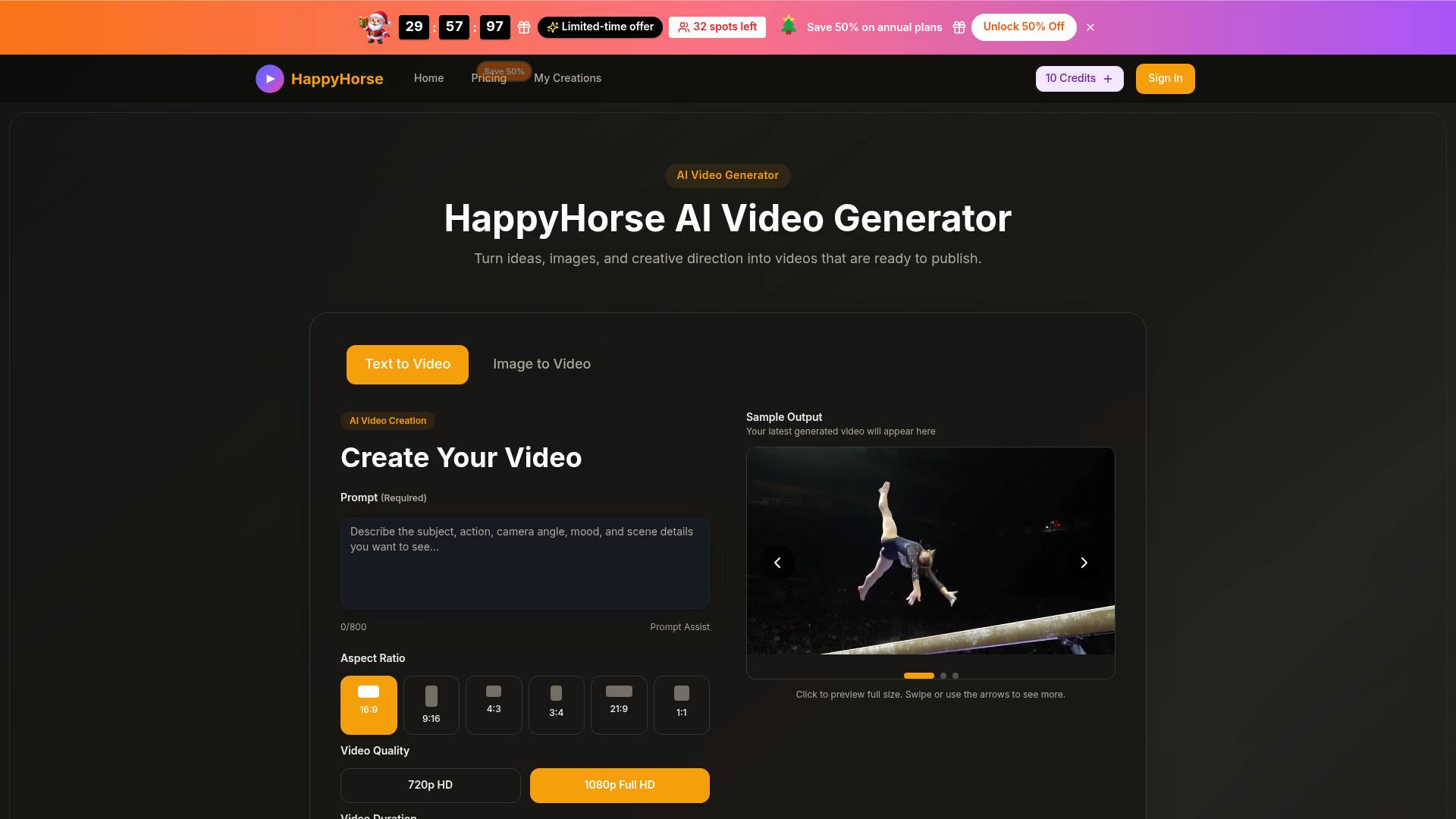
happyhorse 1.0 video is an AI tool. HappyHorse AI Video Generator Free | HappyHorse AI 1.0 & Pro & 2.0 Text to Video and Image to Video.
- Category
- Video Editing
- Alternatives
- 6 similar tools
- Last updated
- 5 days ago
- Source
- Official site ↗
AI Collection Top Picks
Video Editing Category Picks

VideoIdeas AI
VideoIdeas.ai is Your AI YouTube Content Factory. Generate viral-worthy scripts, fresh video ideas, and engaging content in minutes.
About happyhorse 1.0 video
HappyHorse is an AI video generator for turning prompts and reference images into polished short videos. Create ads, product demos, social clips, and visual concepts faster with HappyHorse AI.
happyhorse 1.0 video's Pricing Plans
happyhorse 1.0 video may change prices at any time. Here's our latest information:
happyhorse 1.0 video Pricing Plans
basic
19
Frequently asked questions
What is happyhorse 1.0 video used for?
HappyHorse AI Video Generator Free | HappyHorse AI 1.0 & Pro & 2.0 Text to Video and Image to Video.Is happyhorse 1.0 video free?
Pricing for happyhorse 1.0 video varies — see the Pricing section for details.What are alternatives to happyhorse 1.0 video?
Top alternatives to happyhorse 1.0 video include SellerPic AI, VideoIdeas AI, Klap App, AI video editor, Atlabs AI.Where can I get happyhorse 1.0 video?
happyhorse 1.0 video is available at https://www.happyhorse20.com.What category is happyhorse 1.0 video in?
happyhorse 1.0 video is listed in Video Editing.What is HappyHorse?
HappyHorse is an AI video generator for creating short videos from text prompts and reference images. It is built for creators, marketers, and teams that need useful video output without a long production process.What is HappyHorse AI?
HappyHorse AI refers to the creative engine and workflow behind the platform. It helps turn prompts, images, and simple direction into polished video clips faster.How does the HappyHorse model work?
Start with a prompt or upload a still image, choose your settings, and generate a clip. You can review the result, adjust the prompt, and render new versions until the output fits your goal.What is Happy Horse AI video generator best for?
It works well for product videos, social content, ad concepts, visual storytelling, launch assets, and quick creative tests where speed matters.Can I use HappyHorse for image to video?
Yes. Upload a still image, add motion direction, and HappyHorse will animate it while keeping the original visual as the starting reference.Is there a HappyHorse app?
HappyHorse runs directly in the browser, so you can use it from desktop or mobile without installing a separate app.What is the difference between Happy Horse 1.0 and Happy Horse 2.0?
Happy Horse 2.0 is the newer workflow and model direction, focused on better motion quality, stronger prompt handling, and a smoother creation experience than earlier Happy Horse 1.0 style outputs.What export settings are available?
You can generate videos in multiple aspect ratios, durations, and quality levels, then download the final clip when rendering is complete.How long does generation usually take?
Most videos finish within a short wait, but exact timing depends on queue load, duration, quality, and prompt complexity.
Compare happyhorse 1.0 video with…
Pick any tool to see a structured side-by-side: pricing, deployment, capabilities, and content policy.