AFFiNE
AI Note Taking, Writing, and Presentation Workspace | AFFiNE.
- Category
- Slides & Presentations
- Pricing
- Free
- Alternatives
- 6 similar tools
- Last updated
- 3 weeks ago
- Source
- Official site ↗︎
AI Collection Top Picks

Slides & Presentations Category Picks



About AFFiNE
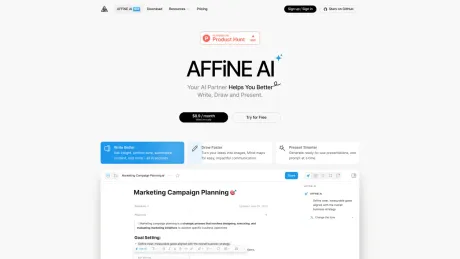
Use AFFiNE AI for note taking, summarizing, writing, brainstorming, and presentation building inside one local-first docs and whiteboard workspace with privacy.
Frequently asked questions
What is AFFiNE used for?
AI Note Taking, Writing, and Presentation Workspace | AFFiNE.Is AFFiNE free?
AFFiNE is free to use.What are alternatives to AFFiNE?
Where can I get AFFiNE?
AFFiNE is available at https://ai.affine.pro/ai.What category is AFFiNE in?
AFFiNE is listed in Slides & Presentations.How Do You Activate the Inline AI Assistant in Page Mode?
In Page Mode of a document, you can activate AFFiNE AI by selecting one or more blocks or text content and clicking "Ask AI" in the pop-up Format Toolbar. Additionally, after opening a document, you can click "Expand sidebar" in the top right corner to access the chat entry for AFFiNE AI in the sidebar.How to Use AFFiNE AI in Edgeless Mode of a Document?
In the whiteboard (Edgeless Mode), you can activate AFFiNE AI by right-clicking to select content or by clicking "Ask AI" in the Elements menu after selecting one or multiple elements. The chat entry for AFFiNE AI can also be found by clicking "Expand sidebar" at the top right corner after opening a document.How Does AFFiNE AI Handle My Data?
AFFiNE only sends relevant content to third-party AI vendors when you use AFFiNE AI. For detailed information, refer to our AI terms for policy usage and limits.Does AFFiNE AI Offer a Free Trial?
Yes, AFFiNE AI provides each AFFiNE Cloud user with 10 free trial experiences.Are There Any Limitations After Purchasing the AFFiNE AI Service?
Initially, users who purchase AFFiNE AI will enjoy unlimited usage, mainly targeting early adopters. Restrictions may be adjusted in the future.How to activate Inline AI assistant in Page Mode?
In a Doc's Page Mode, you can select one or more blocks, or select the text content, and click 'Ask AI' in the pop-up Format Toolbar to activate AFFiNE AI. Additionally, after opening a doc, you can click on the 'Expand sidebar' in the top right corner, where you will find the chat entry for AFFiNE AI in the sidebar.How to use AFFiNE AI in Edgeless Mode of a doc?
On the whiteboard (Edgeless Mode), you can activate AFFiNE AI by right-clicking to select content. You can also activate AFFiNE AI's function by clicking 'Ask AI' in the Elements menu that appears after selecting one or multiple elements. Additionally, you can also find the chat entry for AFFiNE AI in the sidebar by clicking 'Expand sidebar' at the top right corner after opening a doc.How does AFFiNE AI share my data?
AFFiNE only sends related content information to third-party AI vendors when you use AFFiNE AI. If you have any questions, you can refer to our AI terms for policy usage and limits.Does AFFiNE AI have a free trial?
Yes, AFFiNE AI provides each AFFiNE Cloud user with 10 trial experiences, so you can try for free without any charge.After purchasing the AFFiNE AI service, are there any limitations?
In the early stages of AFFiNE AI's launch, users who purchase AFFiNE AI can enjoy unlimited usage, which is mainly for early users of AFFiNE AI. Restrictions will be adjusted later on.
Compare AFFiNE with…
Pick any tool to see a structured side-by-side: pricing, deployment, capabilities, and content policy.