PhoText
Edit Text in Image/Screenshot Online for Free (AI-Powered) | PhoText.
- Category
- Image Editing
- Alternatives
- 6 similar tools
- Last updated
- 6 days ago
- Source
- Official site ↗︎
AI Collection Top Picks

Image Editing Category Picks

About PhoText
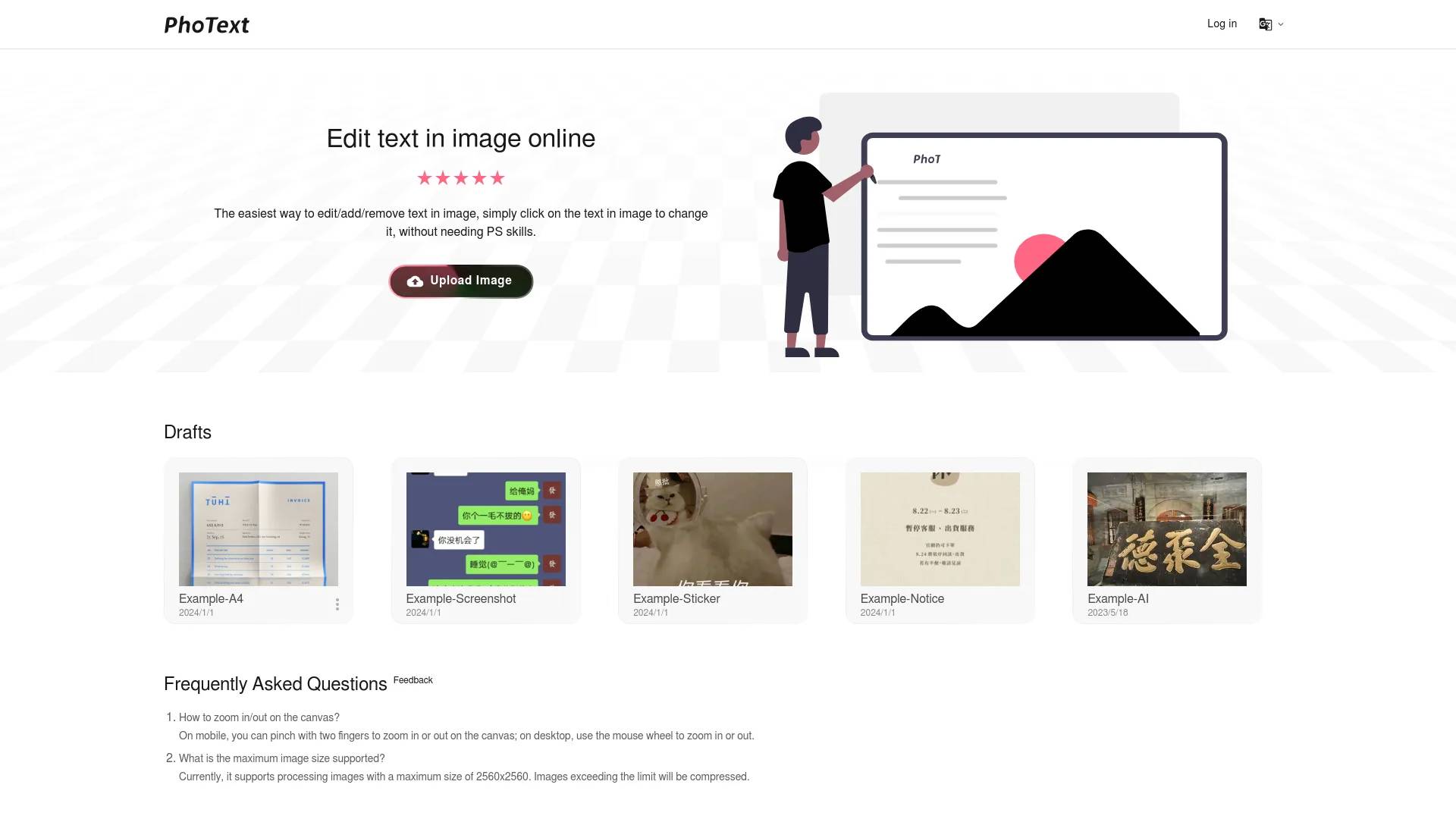
The Easiest way to Edit Text in Image/Screenshot, Click on any Text in Image to Edit it, without needing PS skills, with our AI-Powered Image Text Editor. Support JPG, PNG, JPEG, WEBP, BMP.
PhoText's Pricing Plans
PhoText may change prices at any time. Here's our latest information:
Pricing
Pricing
- Basic features are free with a generous trial for advanced features.
What you get
Additional Information
PhoText is an AI-driven online image text editor that allows users to easily edit text within images or screenshots without any graphic design skills. Users can upload images in formats including JPG, PNG, JPEG, WEBP, and PDF, and click on the text in the image they wish to modify. PhoText offers an intuitive, user-friendly experience that eliminates complex steps, making it accessible for everyone.
Key features include AI text editing using advanced semantic understanding, smart background repair, and style transfer techniques. The AI recognizes and matches fonts, colors, sizes, and positions seamlessly, ensuring the edits blend perfectly with the original image. The platform also includes high-precision optical character recognition (OCR), which supports multiple languages and can recognize complex designs and layouts.
In addition to text editing, PhoText provides various image editing options, such as filters, stickers, and word art. The platform ensures high-resolution image processing while maintaining the quality of the original content. With a focus on privacy, user photos and data are not collected, and edited images are automatically cleared after three days.
PhoText offers a free tier with basic features and a generous trial quota for advanced options. All fonts and content produced can be used for commercial purposes without copyright issues, making it a versatile tool for both personal and professional use.
Frequently asked questions
What is PhoText used for?
Edit Text in Image/Screenshot Online for Free (AI-Powered) | PhoText.Is PhoText free?
Pricing for PhoText varies — see the Pricing section for details.What are alternatives to PhoText?
Top alternatives to PhoText include Razdevai, Porn Alchemy, Candy AI, NSFW AI Generator by Sweet AI Tools, Kupid AI Girlfriend.Where can I get PhoText?
PhoText is available at https://photext.shop.What category is PhoText in?
PhoText is listed in Image Editing.How do I match the same font?
After selecting the text, click 'Identify Font' in the font section of the editing panel to recognize and match similar fonts.Spots during manual editing?
When manually editing, the background removal tool offers multiple schemes to achieve the best seamless background restoration. If there are spots, try a different removal result, or use AI conversational editing for a smarter and easier experience, absolutely no spots will appear.How do I fix just one word in a line?
When manually editing, you can precisely select the text in the image to edit it, or manually erase the target text and add new text at the corresponding position. The simplest and fastest way is to use conversational AI editing.How do I match the same font
After selecting the text, click "Identify Font" in the font section of the editing panel to recognize and match similar fonts.
Compare PhoText with…
Pick any tool to see a structured side-by-side: pricing, deployment, capabilities, and content policy.