AI Flowchart
Maker & draw.io Alternative - Text and Image to Flowchart Online | AI Flowchart.
- Category
- Workflow & Automation
- Alternatives
- 6 similar tools
- Last updated
- 2 weeks ago
- Source
- Official site ↗︎
AI Collection Top Picks

Workflow & Automation Category Picks

About AI Flowchart
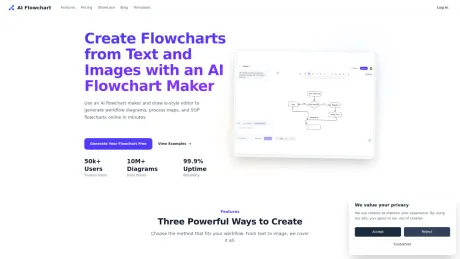
AI flowchart maker and draw.io alternative for turning text, prompts, SOPs, and images into editable flowcharts online. Create faster, keep diagrams editable, and export as .drawio.
What you get
Additional Information
AI Flowchart
About
AI Flowchart is a specialized directory platform dedicated to helping users discover, compare, and evaluate artificial intelligence tools through an intuitive flowchart-based navigation system. Unlike traditional directories that rely solely on search bars and category filters, AI Flowchart offers a visual, decision-tree approach to finding the right AI solution for specific needs.
The platform organizes AI tools across multiple categories, including content generation, image creation, video editing, code assistance, productivity, business automation, and more. Its unique flowchart interface guides users through a series of questions about their requirements, progressively narrowing down options until the most relevant tools are presented.
What AI Flowchart Does
AI Flowchart serves as a discovery engine for AI tools, combining the comprehensiveness of a directory with the interactivity of a decision tree.
For AI Tool Seekers:
- Use the interactive flowchart to find tools based on specific use cases and requirements
- Browse tools across dozens of categories, from writing and design to development and analytics
- Compare pricing models, platform availability, and key features side by side
- Access detailed tool descriptions, screenshots, and direct links to official websites
- Discover both popular established tools and emerging innovative solutions
For AI Tool Creators:
- Submit AI tools for inclusion in the directory
- Gain exposure to users actively searching for solutions in your category
- Receive a dofollow backlink from a relevant, curated platform
- Benefit from the unique flowchart discovery mechanism that matches tools with user intent
- Reach an audience of tech-savvy professionals and early adopters
Key Facts
| Metric | Value |
|---|---|
| Focus | AI tool discovery via flowchart-based navigation |
| Categories | Content, image, video, code, productivity, business, and more |
| Navigation Style | Visual decision tree / interactive flowchart |
| Submission Cost | Free (standard listing) |
| Link Attribute | Dofollow (for listing pages) |
| Audience | Professionals, developers, startups, AI enthusiasts |
Who Uses AI Flowchart
- AI enthusiasts exploring tools for personal or professional projects
- Developers seeking code assistants, APIs, and development frameworks
- Marketers looking for content generation and analytics tools
- Business owners wanting to automate operations and improve productivity
- Startup founders researching competitive tools and market trends
- Designers and creators seeking AI-powered design and media tools
Official Links
- Website: https://aiflowchart.net
Frequently asked questions
What is AI Flowchart used for?
AI Flowchart Maker & draw.io Alternative - Text and Image to Flowchart Online | AI Flowchart.Is AI Flowchart free?
Pricing for AI Flowchart varies — see the Pricing section for details.What are alternatives to AI Flowchart?
Where can I get AI Flowchart?
AI Flowchart is available at https://aiflowchart.net.What category is AI Flowchart in?
AI Flowchart is listed in Workflow & Automation.About
**AI Flowchart** is a specialized directory platform dedicated to helping users discover, compare, and evaluate artificial intelligence tools through an intuitive flowchart-based navigation system. Unlike traditional directories that rely solely on search bars and category filters, AI Flowchart offers a visual, decision-tree approach to finding the right AI solution for specific needs. The platform organizes AI tools across multiple categories, including content generation, image creation, video editing, code assistance, productivity, business automation, and more. Its unique flowchart interface guides users through a series of questions about their requirements, progressively narrowing down options until the most relevant tools are presented.What AI Flowchart Does
AI Flowchart serves as a discovery engine for AI tools, combining the comprehensiveness of a directory with the interactivity of a decision tree. **For AI Tool Seekers:** - Use the interactive flowchart to find tools based on specific use cases and requirements - Browse tools across dozens of categories, from writing and design to development and analytics - Compare pricing models, platform availability, and key features side by side - Access detailed tool descriptions, screenshots, and direct links to official websites - Discover both popular established tools and emerging innovative solutions **For AI Tool Creators:** - Submit AI tools for inclusion in the directory - Gain exposure to users actively searching for solutions in your category - Receive a dofollow backlink from a relevant, curated platform - Benefit from the unique flowchart discovery mechanism that matches tools with user intent - Reach an audience of tech-savvy professionals and early adoptersKey Facts
| Metric | Value | | :--- | :--- | | Focus | AI tool discovery via flowchart-based navigation | | Categories | Content, image, video, code, productivity, business, and more | | Navigation Style | Visual decision tree / interactive flowchart | | Submission Cost | Free (standard listing) | | Link Attribute | Dofollow (for listing pages) | | Audience | Professionals, developers, startups, AI enthusiasts |Who Uses AI Flowchart
- AI enthusiasts exploring tools for personal or professional projects - Developers seeking code assistants, APIs, and development frameworks - Marketers looking for content generation and analytics tools - Business owners wanting to automate operations and improve productivity - Startup founders researching competitive tools and market trends - Designers and creators seeking AI-powered design and media toolsOfficial Links
- Website: [https://aiflowchart.net](https://aiflowchart.net)What is an AI flowchart maker?
An AI flowchart maker turns text prompts, SOP steps, or images into editable workflow diagrams. Instead of placing every node by hand, you start with a description and refine the generated chart.Can I use it as a free flowchart maker?
Yes. The product supports a free entry plan, which is enough to test text-to-flowchart and image-to-flowchart generation before deciding whether you need more usage.What can I build with this online flowchart generator?
Common use cases include onboarding flows, approval workflows, SOP diagrams, bug triage, incident response, release management, and customer support escalation paths.Can I use this if I currently use draw.io?
Yes. If you are used to draw.io, you can keep a similar editing workflow here while adding AI generation from text and images. You can also export as .drawio for continued editing.Is this only for technical teams?
Not at all. Product, operations, finance, customer success, and engineering teams can all use the same flowchart maker for different workflow documentation and process mapping needs.Why add FAQ content on the homepage?
Because the site is already receiving impressions for broad, high-intent queries. FAQ content helps the homepage answer those questions directly and makes the landing page stronger for both users and search engines.
Compare AI Flowchart with…
Pick any tool to see a structured side-by-side: pricing, deployment, capabilities, and content policy.