- Category
- Ecommerce
- Pricing
- Paid
- Alternatives
- 6 similar tools
- Last updated
- 1 weeks ago
- Source
- Official site ↗︎
AI Collection Top Picks

Ecommerce Category Picks



About AI Product Photo
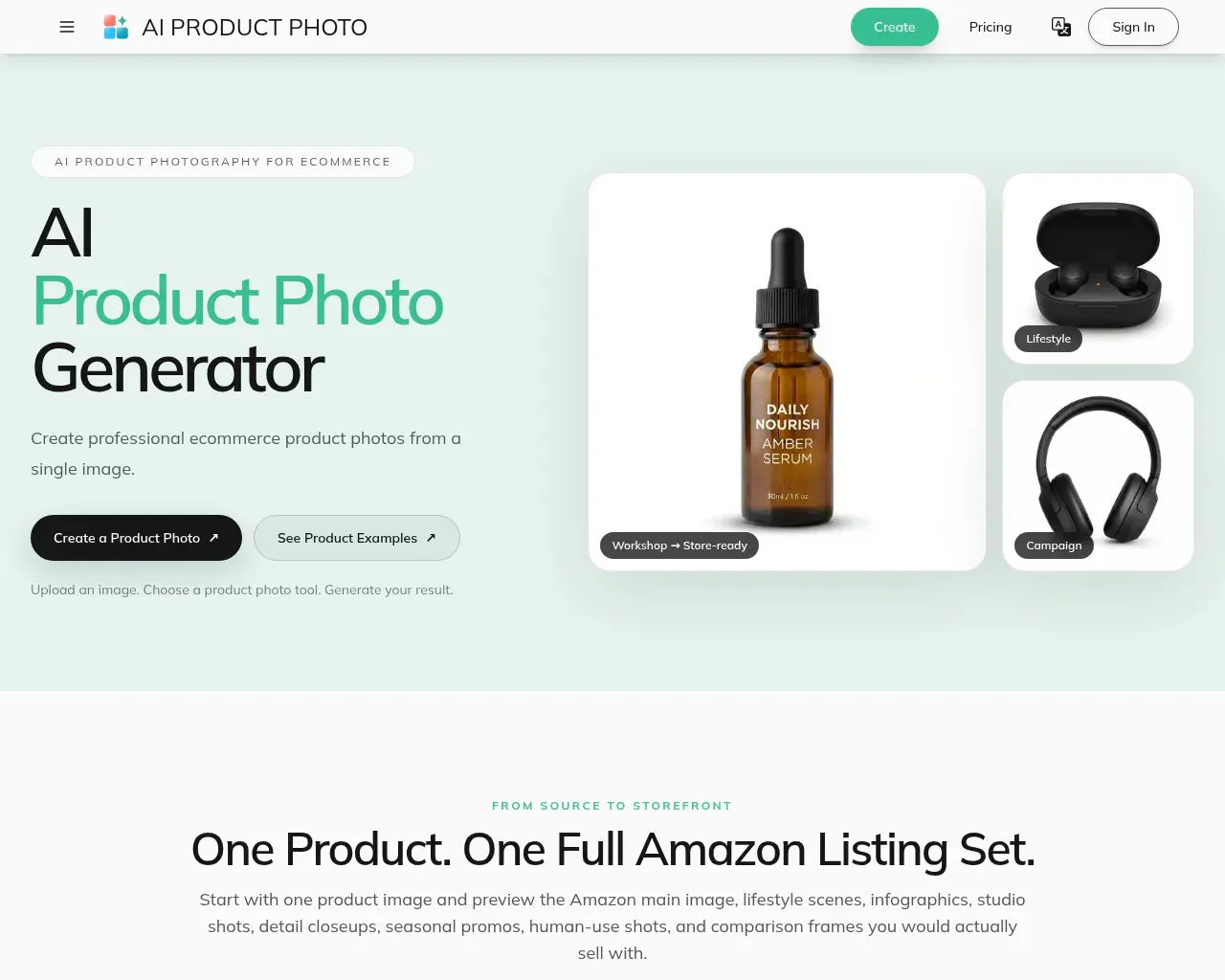
Create AI product photos for ecommerce. Remove backgrounds, generate white backdrops and scenes, improve lighting, add shadows, and run batch workflows.
AI Product Photo's Pricing Plans
AI Product Photo may change prices at any time. Here's our latest information:
Save up to 25% with yearly billing
Lite
for individuals
$29.99
monthly
- Monthly image credits (used for generation)
- Level 1 models
- No platform watermark on subscription outputs
- Commercial usage rights
- Unlimited private works
- Unlimited downloads
- Unlimited Super Enhance
- Level 2 models not included
- No concurrent generations
- No API access
Pro
for creators
$49.99
monthly
- Everything in Lite
- 4 concurrent generations
- 4K output on supported models
- Level 2 advanced models
Premium
for agencies and teams
$199
monthly
- Everything in Pro
- 20 concurrent generations
- API access
- All Level 1, Level 2, and Level 3 models
- Add-on credit packs are available for one-time purchase; credits reset monthly for subscriptions
Frequently asked questions
What is AI Product Photo used for?
AI Product Photo Generator for Ecommerce | AI PRODUCT PHOTO.Is AI Product Photo free?
AI Product Photo is a paid product. See the Pricing section for current plans.What are alternatives to AI Product Photo?
Where can I get AI Product Photo?
AI Product Photo is available at https://ai-product-photo.com/.What category is AI Product Photo in?
AI Product Photo is listed in Ecommerce.What is AI product photography?
AI product photography uses image-generation and editing models to transform an existing product photo into marketplace-ready assets such as white-background shots, lifestyle scenes, infographics, and detail closeups.How are my credits deducted for image generation?
Image generation uses your monthly credit balance; actual credit consumption depends on the chosen image model, resolution, and number of outputs you generate.How does batch processing and API automation work?
Use the Batch Workspace to run the same prompts, aspect ratios, and settings across many images, or connect via the platform API to automate repeatable product photo workflows.What kind of product image should I upload?
Use a clear image where the complete product is visible and reasonably well lit. Strong separation between the product and its background can help with cutouts, while a sharp source image gives the model more useful product detail to work from. For AI product photo workflows, the cleaner the source, the more reliable the output.Can I create a white-background product photo?
Yes. The Product White Background tool places an uploaded product on a clean white backdrop for storefronts, catalogs, and marketplace product pages. This is a common AI product photo format for ecommerce teams that want a consistent product photography style.Can I remove the background as a transparent PNG?
Yes. The Background Remover supports transparent PNG output. You can choose the standard model for everyday images or the Pro option for more difficult edges and fine details. That makes it easy to turn an ordinary product photo into a reusable asset.Can I generate a new background for my product?
Yes. Upload an image, describe the new setting, and use the Background Replacer to generate a different scene, color, or visual style around the subject. Results can vary with the source image, prompt, model, and settings, which is why product photography teams often test a few AI product photo directions before publishing.Can I improve product lighting or add a shadow?
Yes. Dedicated tools are available for improving exposure, contrast, highlights, and material definition, as well as adding grounding or studio-style product shadows. These edits help the final AI product photo feel more realistic and more commercially useful.Can I create multiple product images at once?
The batch workspace supports multiple generation tasks. You can test several prompts with a reference image, apply one prompt across multiple images when the selected model supports image input, and use repeatable batch workflows to keep large ecommerce updates organized. Batch limits and available settings depend on the selected model, but the overall AI product photo flow is designed to stay consistent.Do you support API processing for product photo workflows?
Yes. The product photo workflow can be handled through API-driven processing for automation and integration, so teams can connect product image generation, batch jobs, and internal tools into a repeatable workflow. That is useful for catalog refreshes, scheduled exports, and other product photography operations.Do I need Photoshop or professional editing experience?
No. The product photo tools use upload-first workflows with focused settings, so you do not need to perform manual masking or traditional photo retouching. That keeps AI product photo editing accessible even when your team is not using a full design stack.Can I use generated product images commercially?
Usage rights depend on how the output was generated. Under the current Terms of Service, output created with an active paid subscription benefit or paid credits is assigned to you to the extent permitted by applicable law. Output created with free access or free credits is licensed only for personal, non-commercial use. You are also responsible for ensuring that your input and use of the output do not infringe third-party rights, especially when the AI product photo is used in a commercial listing or campaign.Are AI-generated results always accurate?
No AI-generated result is guaranteed to be exact. Review packaging, labels, product shape, color, and small details before publishing an image. Results can vary by input image, prompt, model, and settings, so a final AI product photo check is still important.
Compare AI Product Photo with…
Pick any tool to see a structured side-by-side: pricing, deployment, capabilities, and content policy.