Careerflow AI LinkedIn Optimization Tool
Free AI LinkedIn Profile Optimizer | Chrome Extension | Careerflow.
- Category
- Resume & CV Builder
- Pricing
- Free
- Alternatives
- 6 similar tools
- Last updated
- 3 weeks ago
- Source
- Official site ↗︎
AI Collection Top Picks

Resume & CV Builder Category Picks


About Careerflow AI LinkedIn Optimization Tool
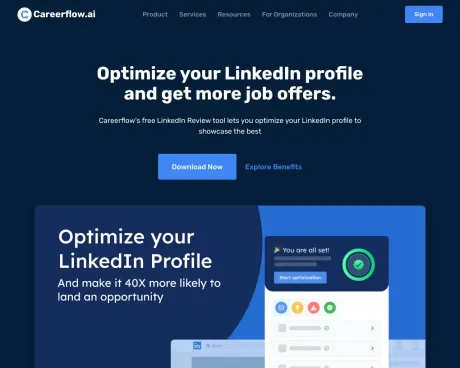
Optimize your LinkedIn profile with AI. Get an instant profile score, keyword recommendations, and tips to attract 3x more recruiters. Free Chrome extension.
What you get
Additional Information
Careerflow's LinkedIn Optimizer is a powerful tool designed to help users enhance their LinkedIn profiles to attract recruiters. By leveraging artificial intelligence, the tool provides personalized tips, actionable insights, and a real-time interactive walkthrough that guides users through optimizing each section of their profiles. Users can effortlessly track their progress and make necessary improvements with a thorough checklist tailored to their specific profile data.
One of the key features of the LinkedIn Optimizer is the ability to analyze the profile score, which evaluates various components of a LinkedIn profile based on factors crucial to recruiters. This score helps users identify strengths and weaknesses in their profiles, giving them clear direction on where and how to improve visibility.
The tool also includes features for generating attention-grabbing headlines, crafting impactful summaries, and even creating professional LinkedIn posts, all aimed at boosting a profile’s presence. Whether users are seasoned professionals or newcomers to LinkedIn, the tool offers guidance that assists in creating a standout online presence.
In addition to optimization features, users gain access to a library of resources and can even utilize a browser extension for on-the-go updates. By implementing the suggestions and utilizing the tools provided, users can significantly increase their visibility and connect with potential employers more effectively.
Frequently asked questions
What is Careerflow AI LinkedIn Optimization Tool used for?
Free AI LinkedIn Profile Optimizer | Chrome Extension | Careerflow.Is Careerflow AI LinkedIn Optimization Tool free?
Careerflow AI LinkedIn Optimization Tool is free to use.What are alternatives to Careerflow AI LinkedIn Optimization Tool?
Top alternatives to Careerflow AI LinkedIn Optimization Tool include ResumeUp.AI, AiApply, AI Resume Editor, JobWinner, Huntr AI Resume Builder.Where can I get Careerflow AI LinkedIn Optimization Tool?
Careerflow AI LinkedIn Optimization Tool is available at https://www.careerflow.ai/linkedin-review.What category is Careerflow AI LinkedIn Optimization Tool in?
Careerflow AI LinkedIn Optimization Tool is listed in Resume & CV Builder.What is Careerflow’s LinkedIn Optimizer?
Our LinkedIn Optimizer is a free tool that helps you improve every part of your LinkedIn profile using actionable tips, personalized checklists, and a real-time interactive walkthrough.How does the LinkedIn profile score work?
The profile score analyzes 14 key parts of your LinkedIn profile. Each section is weighed by its importance from a recruiter’s perspective, and the system assigns you a score that shows how strong your profile currently is.What is included in the personalized checklist?
The personalized checklist breaks down action items for each of the 14 core profile sections, including essential elements like your headline and photo, providing guidance on what’s missing or needs work.How does the tool help increase profile visibility?
The LinkedIn Profile Optimizer combines LinkedIn’s best practices with recruiter insights to guide users on filling sections in ways that enhance visibility.Can I use this tool if I’m new to LinkedIn?
Absolutely, yes! Careerflow’s LinkedIn Optimizer is especially helpful for newcomers, walking them through each major part of their profile.Does the tool support different languages?
Yes. Careerflow’s LinkedIn Optimizer can analyze profiles written in multiple languages.Will using the LinkedIn Optimizer get my account flagged?
No. Careerflow reads your public LinkedIn profile data through the browser extension without using LinkedIn’s API or automation that violates LinkedIn’s terms.How much can I improve my LinkedIn profile views?
Users who implement Careerflow’s recommendations see an average 2.5x increase in profile views and recruiter contact within 30 days.
Compare Careerflow AI LinkedIn Optimization Tool with…
Pick any tool to see a structured side-by-side: pricing, deployment, capabilities, and content policy.