- Category
- Translation & Transcript
- Alternatives
- 6 similar tools
- Last updated
- 2 weeks ago
- Source
- Official site ↗︎
AI Collection Top Picks

Translation & Transcript Category Picks



About Cavya ai
Cavya offers AI-powered solutions designed to enhance business processes and boost productivity.
What you get
Additional Information
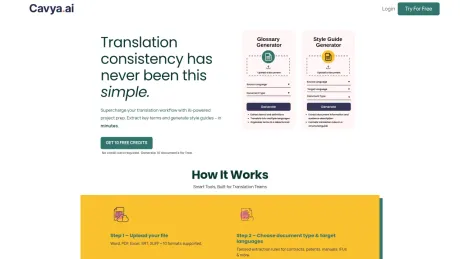
Cavya is an AI-powered localization platform designed to enhance the efficiency and accuracy of translation projects. It provides several tools for localization teams, including a Glossary Generator, a Style Guide Creator, a Smart Document Analyzer, and CavyaQA. By synthesizing AI capabilities with practical localization needs, Cavya ensures that teams can work faster and more consistently, managing different aspects of document preparation and quality assurance with ease.
The Glossary Generator extracts key terms from documents and provides context and translations, ensuring that terminology is ready for translation tasks. The Style Guide Creator develops comprehensive guides for tone, style, and consistency based on specific documents, assisting teams in maintaining uniformity across translations. The Smart Document Analyzer assesses the complexity of documents, offering insights into required expertise and potential challenges, thus optimizing workflow and resource allocation.
Cavya services a wide user base, including translators, localization managers, project managers, and content teams. It is suitable for both freelancers handling individual assignments and teams managing large-scale localization projects. The flexibility of using a credit-based system allows users to purchase only what they need, promoting efficient and cost-effective usage of the platform without the burden of subscriptions.
Emphasizing security, Cavya ensures that uploaded documents are encrypted and hashed, maintaining user privacy and data ownership. This commitment to data security is particularly critical for localization tasks involving sensitive internal documents.
Frequently asked questions
What is Cavya ai used for?
Empowering your business with AI.Is Cavya ai free?
Pricing for Cavya ai varies — see the Pricing section for details.What are alternatives to Cavya ai?
Where can I get Cavya ai?
Cavya ai is available at https://cavya.ai/.What category is Cavya ai in?
Cavya ai is listed in Translation & Transcript.What is Cavya.ai?
Cavya is an AI-powered localization platform. It gives teams four tools to work faster and more consistently: a Glossary Generator, a Style Guide Creator, a Smart Doc Analyzer, and CavyaQA.How secure is my data?
Security is a core part of how Cavya is built. All documents you upload are encrypted and hashed. Your data is never shared with third parties and is never used to train any AI model. You retain full ownership of everything you upload. Cavya takes privacy seriously, especially because localization work often involves sensitive internal documents.Do I need to pay up front to try Cavya?
No. You can try Cavya before committing to a paid plan. You get 10 credits after you sign up. No credit card is required to get started.Do you support non-English source documents?
Yes. Cavya is not limited to English source content. CavyaQA, Glossary Generator, Smart Doc Analyzer, and Style Guide Creator all work with multilingual source files. This helps teams analyze documents, generate glossaries, and run quality checks even when they do not speak or read the source language.What types of documents can I upload?
Cavya’s glossary generator, style guide creator, and document analyzer support 15+ common file formats, including patents, IFUs, technical manuals, DOCX, DOC, PPT, PPTX, PDF, TXT, TBX, CSV, XLSX, XLS, JSON, XML, SRT, XLIFF, XLF, PO, and more. CavyaQA supports XLIFF, SDLXLIFF, MQXLIFF, MXLIFF, and bilingual CSV files, with more file formats on the roadmap.Do I need a subscription to use Cavya?
No. Cavya runs on a simple credit system with no subscriptions and no hidden fees. You buy credits when you need them and use them at your own pace. A glossary or document analysis costs 1 credit, a style guide costs 2 credits, and CavyaQA costs 3 credits to run a project.Who uses Cavya?
Cavya is used by translators, localization managers, project managers, and content teams. It works for freelancers handling individual projects as well as teams managing high-volume localization workflows.
Compare Cavya ai with…
Pick any tool to see a structured side-by-side: pricing, deployment, capabilities, and content policy.