ChatFlowchart
AI Flowchart Maker & Diagram Generator | ChatFlowchart.
- Category
- Workflow & Automation
- Alternatives
- 6 similar tools
- Last updated
- 2 weeks ago
- Source
- Official site ↗︎
AI Collection Top Picks

Workflow & Automation Category Picks

About ChatFlowchart
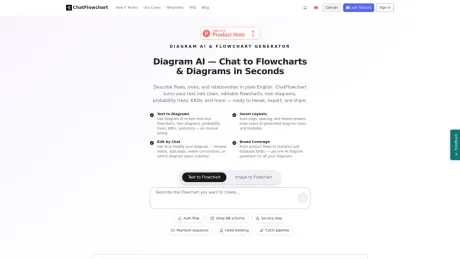
Use our AI flowchart maker to turn text, images into editable diagrams. No signup required. Edit and export to PNG, PDF, Draw.io, Excalidraw or Mermaid.
What you get
Additional Information
ChatFlowchart allows users to convert text, images, PDFs, and screenshots into editable flowcharts and diagrams. With its AI technology, you can generate new diagrams from simplistic prompts or recover old ones from various image formats. The platform supports multiple diagram types, including flowcharts, UML, ERD, mind maps, and more. Its intuitive chat-based editing feature enables real-time modifications, making it easy for users to adjust their diagrams effortlessly.
Users can upload images or PDFs to convert them into structured diagrams while editing the flow with conversational commands. This feature is particularly useful for professionals who need quick and clean visuals for presentations, documentation, or workflow management. ChatFlowchart’s export options include high-resolution PNG, SVG, and PDF formats, as well as support for Draw.io and Mermaid file types for a seamless experience across different platforms.
The tool is designed for anyone from students to professionals who value speed and ease when creating diagrams. Whether using it for brainstorming, project planning, software architecture, or educational purposes, ChatFlowchart enhances productivity by simplifying the diagramming process. With no need for signing up and an online demo available, users can dive right in and start creating instantly.
Frequently asked questions
What is ChatFlowchart used for?
AI Flowchart Maker & Diagram Generator | ChatFlowchart.Is ChatFlowchart free?
Pricing for ChatFlowchart varies — see the Pricing section for details.What are alternatives to ChatFlowchart?
Where can I get ChatFlowchart?
ChatFlowchart is available at https://chatflowchart.com/.What category is ChatFlowchart in?
ChatFlowchart is listed in Workflow & Automation.Can I generate a flowchart from text or a paragraph?
Yes. Paste plain English or bullet points; the AI parses steps and decisions to build a clean flowchart.Can I edit the flowchart by chat?
Yes. Rename nodes, add steps, rewire connections, and adjust layout through chat.What export formats are supported?
PNG, SVG, and PDF.Which diagram types are supported?
Flowchart, UML, ERD, Mind Map, C4, BPMN, Org Chart, and more—over ten types in total.Do I need to sign up? Is it free?
You can try it online for free without signing up.
Compare ChatFlowchart with…
Pick any tool to see a structured side-by-side: pricing, deployment, capabilities, and content policy.