- Category
- Coding Assistant
- Pricing
- Free
- Alternatives
- 6 similar tools
- Last updated
- 2 weeks ago
- Source
- Official site ↗︎
AI Collection Top Picks

Coding Assistant Category Picks



About ChatWithCloud
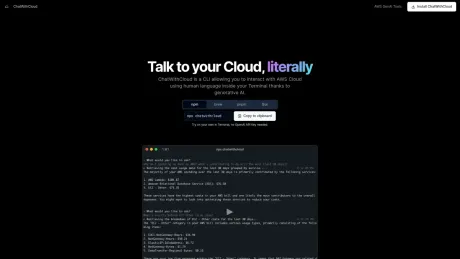
CLI to Chat with your AWS Cloud from Terminal using generative AI.
Frequently asked questions
What is ChatWithCloud used for?
ChatWithCloud - Chat with your AWS Cloud from Terminal.Is ChatWithCloud free?
ChatWithCloud is free to use.What are alternatives to ChatWithCloud?
Where can I get ChatWithCloud?
ChatWithCloud is available at https://chatwithcloud.ai.What category is ChatWithCloud in?
ChatWithCloud is listed in Coding Assistant.How does it work?
ChatWithCloud uses OpenAI (more models coming soon) to interpret human language, create scripts to interact with AWS services, and execute against your AWS environment these to provide contextual answers.Can I try for free?
Yes, simply run npx chatwithcloud to get started. First 15 runs are on us. You even don't need an OpenAI Key to get started.Is it secure?
The tool runs locally on your machine reading credentials from ~/.aws directory, ensuring that your AWS credentials and data do not leave your environment. We do not store, use, or share your data for any purpose, including training our models. The only third party involved is OpenAI, used for processing natural language queries, but all sensitive AWS-related interactions are contained within your local setup.Do I need AWS knowledge to use it?
No, you do not need extensive programming knowledge. The application is designed to be user-friendly, allowing you to interact with your AWS environment using everyday language. It handles the complexity of scripting and interacting with AWS services, making cloud management accessible even to those with minimal technical background. However, having basic understanding of AWS services and how cloud environments work will enhance your experience and the effectiveness of your queries.How is better than Amazon Q?
Unlike Amazon Q, which provides general knowledge answers without insights into your specific AWS account, our application is designed to understand and interact with your unique AWS environment, offering tailored and context-aware responses. This makes it a more effective and user-friendly solution for managing and querying your AWS resources.Can I only read data or also modify it?
You can do both. The tool allows you to read and modify your AWS environment, including creating, deleting, and updating resources. You can also use it to manage your AWS resources, including starting and stopping instances, creating and deleting buckets, and more. If you don’t want to modify your environment, use an IAM role with read-only permissions to ensure that the tool cannot modify your AWS environment.
Compare ChatWithCloud with…
Pick any tool to see a structured side-by-side: pricing, deployment, capabilities, and content policy.