- Category
- Accounting & Finance
- Pricing
- Paid
- Alternatives
- 6 similar tools
- Last updated
- 3 weeks ago
- Source
- Official site ↗︎
AI Collection Top Picks

Accounting & Finance Category Picks



About COUNT
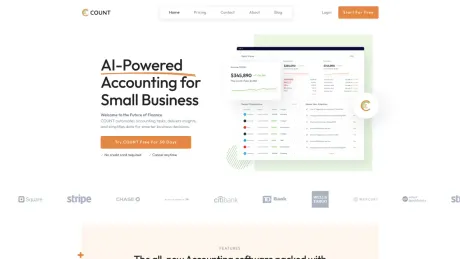
Automate expenses, send invoices, manage bills, track time, store docs, and generate real-time reports with COUNT AI.
COUNT's Pricing Plans
COUNT may change prices at any time. Here's our latest information:
Transparent Pricing Tailored to Your Growth
Enterprise
Talk with a Specialist
- Everything in Pro, plus….
- Manage uncapped income and expenses
- Invite unlimited teammates
- Accept online payments at a discounted rate and capped bank transfer (ACH) fees
- Hands on US based support with migration and account setup
- Remove COUNT branding from marketing and receipt emails
- Dedicate account executive and support team
- SSO & Saml
Professional
$29.99
/monthly
- Manage income and expenses (up to $1 million in annual revenue)
- Send unlimited invoices to an unlimited number of customers
- Send unlimited estimates and proposals
- Track unlimited bills
- COUNT AI auto-categorization, vendor creation, discrepancy alerts and personalized insights
- Setup unlimited workflows and bank rules to automate your accounting
- Run financial and accounting reports
- Invite your team and accountant (up to 5 people)
- Integration with 12,000+ financial institutions
What you get
Additional Information
COUNT is an AI-driven accounting software that simplifies accounting for business owners and entrepreneurs by using plain English prompts and the automation of routine tasks. It's designed to make accounting intuitive, enabling users to manage their finances without needing extensive training or expensive professionals.
Unlike traditional accounting software that can be full of complex jargon and require specialized knowledge, COUNT uses AI to handle tasks like vendor assignment, duplicate detection, and fraud alerts with high accuracy and generates answers to user-prompted questions. It analyzes finances to predict future expenses, warns of potential cash flow issues, and identifies areas for cost savings. These actionable insights empower business owners to make informed decisions so their businesses can thrive.
COUNT leverages detailed business information to tailor its processes and ML models. It tackles common manual and back-office tasks like automatic categorization of expenses. We’re introducing collaborative tools, insights, forecasts, and automated workflows to enhance team interaction and operational efficiency.
Frequently asked questions
What is COUNT used for?
Accounting On Autopilot.Is COUNT free?
COUNT is a paid product. See the Pricing section for current plans.What are alternatives to COUNT?
Where can I get COUNT?
COUNT is available at https://getcount.com/.What category is COUNT in?
COUNT is listed in Accounting & Finance.How do bank connections work?
COUNT connects directly to banks and card issuers using read-only connections. We import transactions and statements, but cannot move money. Imported transactions are matched by our AI and can post to your ledger automatically.What happens if I exceed plan limits?
If you exceed Starter limits such as monthly transactions or storage, we prompt you to upgrade. Historical data remains intact. Importing new data may pause until you upgrade or the next cycle begins.How is payroll priced and what is included?
Payroll is an add-on: $40/month + $6 per employee. Time tracking and expense reimbursements can sync into payroll automatically. You are billed only for active people.Do my employees get access to COUNT?
Yes. You can invite unlimited team members. Employees can track time, submit expenses, and create estimates or invoices when enabled. They do not see accounting views or financial reports unless you grant access.Is COUNT suitable for my accountant or bookkeeper?
Yes. COUNT supports cash and accrual books, provides complete audit logs, and exports standard reports such as Profit and Loss, Balance Sheet, and Trial Balance. You can also invite your accountant with the right role.Does COUNT replace QuickBooks or Xero?
Yes. COUNT is a full general ledger with practice management. We provide one-click migration from popular systems so you can bring accounts, vendors, customers, products, and transactions.What support is included?
All plans include email and live chat support plus a searchable help center. Pro includes a dedicated account manager.How secure is my data?
COUNT is SOC 2 Type II compliant, uses 256-bit SSL encryption, and runs in secure Microsoft Azure data centers behind web application firewalls. Integrations are read-only unless explicitly authorized by you.What happens if I cancel?
You can export your data at any time, including transactions, reports, invoices, and documents. After cancellation you retain read-only access to historical data.Can I extend COUNT with automations and integrations?
Yes. COUNT supports custom automation rules, AI-assisted transaction matching, and revenue integrations (e.g. Stripe, Square, Shopify, etc.). Pro adds continuous accuracy monitoring and receipt automatching.
Compare COUNT with…
Pick any tool to see a structured side-by-side: pricing, deployment, capabilities, and content policy.