Doc2Lang
AI Document Translator | PDF, Word, Excel, EPUB & Subtitles.
- Category
- Translation & Transcript
- Pricing
- Paid
- Alternatives
- 6 similar tools
- Last updated
- 3 weeks ago
- Source
- Official site ↗︎
AI Collection Top Picks

Translation & Transcript Category Picks


About Doc2Lang
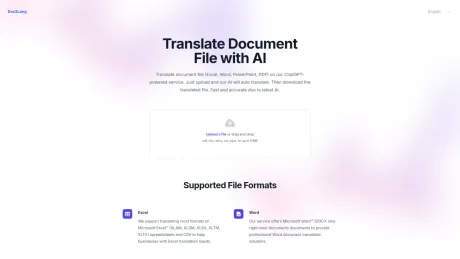
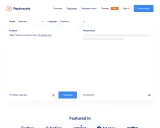
Translate PDF, Word, Excel, EPUB & subtitle files with AI while keeping the original layout. Free preview before you pay. No signup, no subscription — pay per file.
Doc2Lang's Pricing Plans
Doc2Lang may change prices at any time. Here's our latest information:
Pricing
Default
$2.90
per month
What you get
Additional Information
Doc2Lang is an AI-powered document translation service designed to handle various file formats including PDF, Word, PowerPoint, Excel, EPUB, and videos. It uses advanced AI technology to ensure that translations are context-aware and maintain the original layout of the documents. Users can upload files of up to 50MB, and the system automatically recognizes the file type for seamless processing.
The platform features built-in Optical Character Recognition (OCR) which allows users to translate scanned pages or images effectively. It supports a wide range of formats including common subtitle files, enabling accurate translation while preserving the timing and style of subtitles. The AI translation engine works with over 100 languages, catering to diverse translation needs across industries.
Pricing is based on a token system; users pay only for the actual length of text translated, not a flat fee. Tokens are calculated based on the length of the document, and discounts apply for larger translations. Users can preview translations for free before making a payment, ensuring complete satisfaction with the service. Bulk credits can be purchased for further savings on translations.
Doc2Lang is ideal for individuals and businesses that require high-quality translations without compromising on formatting or layout integrity. The user-friendly process allows for quick uploads, easy previews, and instant downloads, making it a convenient choice for professional translation needs.
Frequently asked questions
What is Doc2Lang used for?
Doc2Lang – AI Document Translator | PDF, Word, Excel, EPUB & Subtitles.Is Doc2Lang free?
Doc2Lang is a paid product. See the Pricing section for current plans.What are alternatives to Doc2Lang?
Where can I get Doc2Lang?
Doc2Lang is available at https://doc2lang.com.What category is Doc2Lang in?
Doc2Lang is listed in Translation & Transcript.Which languages do you support?
Our AI document translator can handle over 100 languages. Whether you need common languages like English, Spanish, and Chinese or more specialized ones, we’ve got you covered.Does layout stay the same?
Yes, our system preserves fonts, graphics, bullet points, and formulas. For PowerPoint slides, we also retain speaker notes and embedded media whenever possible.Is OCR available for scanned PDFs?
Our built-in OCR extracts text from image-based PDF documents, making it possible to translate scanned pages or text embedded in images seamlessly.How secure is the service?
All file transfers are encrypted via HTTPS, and you can delete your documents from our servers once you’re done. We also don’t use your content to train public AI models.Can I upload multiple files at once?
Yes! You can upload a ZIP archive containing multiple files. Our system will extract them automatically so you can choose which files to translate.How do I translate a PDF without losing the formatting?
Upload the PDF and the translation keeps its multi-column layout, fonts and graphics. Scanned or image-only PDFs are read with built-in OCR before translating, so text embedded in images is handled too.Can I translate an EPUB book and read it on Kindle?
Yes. EPUB translation preserves the table of contents and chapter structure, and the output opens on Kindle, Kobo and other major e-readers.How much does it cost to translate an Excel file?
Pricing is pay-per-file with no subscription. Lite starts at a $2.90 minimum per file and Pro starts at $5. Your exact price and a free translation preview are shown before you pay.Is it safe to upload confidential documents?
All file transfers are encrypted over HTTPS, you can delete your uploaded files at any time, and your content is never used to train public AI models.Which languages can I translate between?
The AI document translator handles over 100 languages, from common ones like English, Spanish and Chinese to more specialised pairs.Can I translate several files at once?
Yes. Upload a ZIP archive containing multiple files and the system extracts them automatically so you can choose which ones to translate.
Compare Doc2Lang with…
Pick any tool to see a structured side-by-side: pricing, deployment, capabilities, and content policy.