- Category
- Chat Bot
- Alternatives
- 6 similar tools
- Last updated
- 4 weeks ago
- Source
- Official site ↗︎
AI Collection Top Picks

Chat Bot Category Picks


About FileBrain Pro
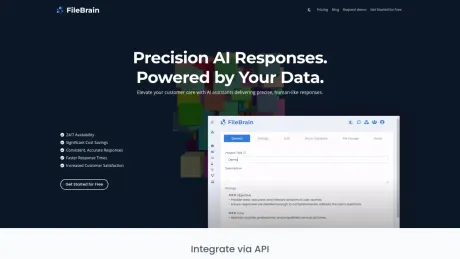
Create an AI assistant that answers from your company materials and follows your rules across your website, Telegram, GetCourse and Prodamus.XL.
FileBrain Pro's Pricing Plans
FileBrain Pro may change prices at any time. Here's our latest information:
Pricing
Pricing
- Pay for what you use, starting at $0.01 per request, with a minimum pack of 10 credits.
Frequently asked questions
What is FileBrain Pro used for?
FileBrain Pro - Build AI assistants that know your business.Is FileBrain Pro free?
Pricing for FileBrain Pro varies — see the Pricing section for details.What are alternatives to FileBrain Pro?
Where can I get FileBrain Pro?
FileBrain Pro is available at https://filebrain.pro/.What category is FileBrain Pro in?
FileBrain Pro is listed in Chat Bot.What is RAG technology and how does it improve AI chatbot responses?
RAG (Retrieval-Augmented Generation) combines document retrieval with language generation so AI answers are based on your documents and knowledge sources.How does FileBrain Pro ensure data privacy and security?
Data is processed in isolated environments with strict access controls and authentication. Your data is not used to train external AI models and remains under your ownership.What are tokens and how are they calculated?
Tokens are the basic units used by AI models to process text. On average one token represents about four characters or three quarters of a word in English.How can I integrate FileBrain Pro into my existing systems?
FileBrain Pro provides a REST API, embeddable website chat widgets, and iframe integration for connecting AI chatbots to your applications or website.What types of documents can FileBrain Pro process?
FileBrain Pro supports PDFs, Word documents, CSV files, Markdown, plain text, and HTML content.How can I customize the AI response style and tone?
You can configure response tone, prompt templates, and behavior rules to adapt chatbot responses for different audiences and use cases.What are the steps to set up a new AI chatbot project?
Create a project, upload documents or connect data sources, configure chatbot settings, test responses in the playground, and deploy via widget or API.What support and resources are available for developers?
Developers have access to API documentation, integration examples, and tools for testing chatbot requests and responses.Can I use FileBrain Pro as a RAG API from my own apps?
Yes. FileBrain Pro exposes a RAG API that allows external applications or services to query your knowledge base while keeping answers grounded in your documentation.Do I need technical skills?
No. You can create a project, add materials, test answers and connect supported platforms without writing code.Which platforms can I connect?
You can connect FileBrain Pro to your website, Telegram, GetCourse and Prodamus.XL. API and webhook options are also available.What happens if the answer is not in my materials?
You control the missing-answer behavior. The assistant can say that the information is unavailable, ask a follow-up question or direct the customer to a person.Can I update the information and control replies?
Yes. Update the knowledge-base materials at any time and configure instructions, conditions, follow-up questions and next steps.How is my data handled?
Your project data is access-controlled and remains yours. It is not used to train external AI models.What do free credits cover, and what happens when they run out?
Free credits let you add material and test real questions. When they run out, your project stays in your account and you can add credits to continue.
Compare FileBrain Pro with…
Pick any tool to see a structured side-by-side: pricing, deployment, capabilities, and content policy.