- Category
- Text to Image
- Alternatives
- 6 similar tools
- Last updated
- 2 days ago
- Source
- Official site ↗︎
AI Collection Top Picks

Text to Image Category Picks
About Image 2
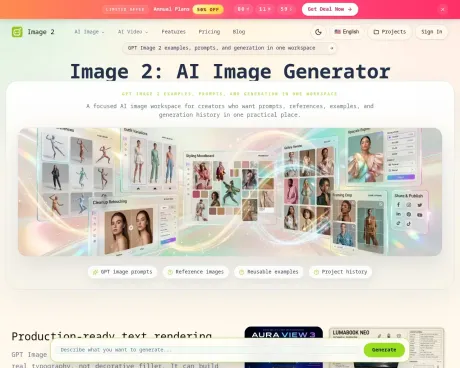
Create, edit, and refine AI images with Image 2, a focused GPT Image 2 workspace for prompts, references, examples, credits, and projects.
Frequently asked questions
What is Image 2 used for?
Image 2 AI Image Generator, GPT Image 2 & Video Tools.Is Image 2 free?
Pricing for Image 2 varies — see the Pricing section for details.What are alternatives to Image 2?
Where can I get Image 2?
Image 2 is available at https://image2.to/.What category is Image 2 in?
Image 2 is listed in Text to Image.What is Image 2?
Image 2 is a focused workspace for GPT Image 2 that helps creators write prompts, add references and examples, generate images, and save project history.Is Image 2 the same as GPT Image 2?
Image 2 is a dedicated interface/workspace built around the GPT Image 2 model to streamline prompt, reference, example, and project workflows.Why does GPT Image 2 need a focused workspace?
A focused workspace helps manage prompts, reference images, reusable examples, generation history, and credits so creators can iterate toward production-ready visuals.Can I start generation from an example?
Yes — the workspace supports reusable examples so you can begin a session using a prior example as a starting point.Can GPT Image 2 use a reference image?
Yes — you can provide reference images to anchor style, composition, or specific visual details during generation.What prompts work best?
Prompts that describe subject, scene, style, lighting, and intended use tend to work best; the site recommends clear, specific instructions for accurate results.Does the generator create more than one style?
Yes — the model supports multiple styles and can produce varied outputs for comparison and iteration.How do credits work with GPT Image 2?
The site mentions a credit system for generation but does not list exact costs on the public pages. Check the pricing/credits page for current details.Can outputs be saved for later?
Yes — generated outputs and iterations can be saved into projects for later review and continued work.Why build a site around GPT Image 2?
The site aims to provide a practical workspace combining prompts, references, examples, and project history to produce production-ready, text-rich, and photorealistic images.
Compare Image 2 with…
Pick any tool to see a structured side-by-side: pricing, deployment, capabilities, and content policy.