KitOps
Simplify your AI pipeline with standardized packaging and deployment.
- Category
- Other
- Alternatives
- 6 similar tools
- Last updated
- 2 days ago
- Source
- Official site ↗︎
AI Collection Top Picks

Other Category Picks


About KitOps
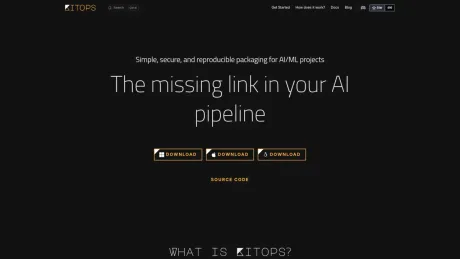
Discover KitOps: an open-source DevOps tool that packages and versions your AI/ML models, datasets, code, and configurations into reproducible artifacts called ModelKits. Simplify your AI pipeline with standardized packaging and deployment.
KitOps's Pricing Plans
KitOps may change prices at any time. Here's our latest information:
Pricing
Pricing
- KitOps is open-source and free to use, licensed under the Apache 2.0 license.
What you get
Additional Information
KitOps is designed to manage the entire AI stack by creating a unified system for packaging and versioning models, datasets, agent skills, and configurations. This tool aims to eliminate disorganization that often arises from using multiple repositories and deployment methods in AI projects. It enables teams to store everything as standard OCI artifacts, which are compatible with existing container registries.
The solution provides built-in security and compliance features. By signing packages with tools like Cosign and generating Software Bill of Materials (SBOM), KitOps ensures that every component is verifiable, tamper-proof, and adheres to security best practices. It supports various workloads and allows organizations to leverage their existing CI/CD pipelines seamlessly, integrating easily with popular tools and workflows.
By using KitOps, teams can experience increased efficiency as they no longer must grapple with managing multiple files and storage locations. All necessary components of a project can be bundled into a single ModelKit, which simplifies the process of sharing and deploying models across different teams. Furthermore, KitOps promotes speed and reduced risk through version-controlled packages, enhancing collaboration among data scientists, developers, and operations engineers.
KitOps is open-source and adheres to the CNCF ModelPack specification, ensuring vendor neutrality and compatibility. As a result, organizations can be confident in their choice to implement KitOps without concerns of vendor lock-in or unsupported proprietary formats.
Frequently asked questions
What is KitOps used for?
Simplify your AI pipeline with standardized packaging and deployment.Is KitOps free?
Pricing for KitOps varies — see the Pricing section for details.What are alternatives to KitOps?
Where can I get KitOps?
KitOps is available at https://kitops.ml.What category is KitOps in?
KitOps is listed in Other.Are ModelKits a versioning solution or a packaging solution?
ModelKits do both. With a ModelKit, you can package all the parts of your AI project in one shareable asset, and tag them with a version.Is KitOps open source and free to use?
Yes, it is licensed with the Apache 2.0 license and welcomes all users and contributors.Are ModelKits a replacement for Docker containers?
No, ModelKits complement containers - in fact, KitOps can take a ModelKit and generate a container for the model automatically.How do I get started with Kit?
The easiest way to get started is to follow our Quick Start, where you’ll learn how to package up a model, notebook, and datasets into a single ModelKit.Can I see if something changed between ModelKits?
Yes, each ModelKit includes SHA digests for the ModelKit and every artifact it holds so you can quickly see if something changed between ModelKit versions.What are the benefits of using Kit?
Increased speed, reduced risk, and improved efficiency in AI project coordination.What tools are compatible with Kit?
ModelKits store their assets as OCI-compatible artifacts, making them compatible with nearly every development and deployment tool.Why would I use KitOps for versioning instead of Git?
Git is not efficient for large files that models and datasets often require, making KitOps a better option for versioning and packaging.Is enterprise support available for Kit?
Enterprise support for ModelKits and the Kit CLI is available from Jozu.How does KitOps implement the CNCF ModelPack standard?
KitOps can package and version AI/ML projects as a ModelPack implementation using the kit pack --use-model-pack command.
Compare KitOps with…
Pick any tool to see a structured side-by-side: pricing, deployment, capabilities, and content policy.