- Category
- AI Art & Illustration
- Pricing
- Paid
- Alternatives
- 6 similar tools
- Last updated
- 2 weeks ago
- Source
- Official site ↗︎
AI Collection Top Picks

AI Art & Illustration Category Picks
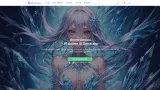
About Pixocto.ai
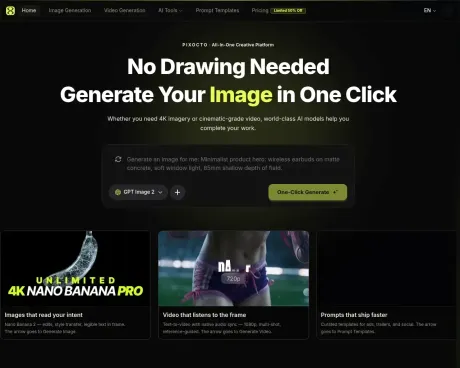
Create and edit images with GPT Image 2.5, Midjourney V8.2, Nano Banana 2, and more, or generate short videos with Seedance and Kling. Start from prompts, reference images, or the Pixocto Gallery.
Pixocto.ai's Pricing Plans
Pixocto.ai may change prices at any time. Here's our latest information:
Pricing
Default
$5.00
per month
What you get
Additional Information
Pixocto AI is designed for anyone looking to generate professional images and videos quickly. The platform offers a seamless experience by allowing users to describe their needs, and subsequently, the AI takes care of selecting the model, writing prompts, and producing the final visuals. Through the use of advanced models like Nano Banana 2 and GPT Image 2, users can create a wide range of outputs including still images, videos, and promotional materials without lengthy production times.
The interface provides a user-friendly workflow where users can upload references, write detailed prompts, and generate high-quality outputs in a matter of seconds to minutes. Features like text-to-image and image-to-image generation, along with high-resolution capabilities, cater to diverse creative needs such as e-commerce, social media advertising, and more. The tool emphasizes on maintaining consistent subjects and desired compositional elements across generated visuals.
In terms of cost, Pixocto operates on a pay-as-you-go basis, where users buy credits that never expire and can be utilized for various generations across multiple models. This flexibility is central to its offering, providing users with the freedom to create without being bound by subscription models or recurring fees. Additionally, products generated can be used commercially, allowing users to leverage their creations for business purposes.
Overall, Pixocto serves as a comprehensive platform suited for marketers, content creators, and anyone in need of quick, dynamic visual content creation.
Frequently asked questions
What is Pixocto.ai used for?
Pixocto — AI Image & Video Generator.Is Pixocto.ai free?
Pixocto.ai is a paid product. See the Pricing section for current plans.What are alternatives to Pixocto.ai?
Where can I get Pixocto.ai?
Pixocto.ai is available at https://pixocto.ai.What category is Pixocto.ai in?
Pixocto.ai is listed in AI Art & Illustration.What is Nano Banana 2 on Pixocto?
Nano Banana 2 (Gemini-class reasoning image) is Pixocto’s flagship still-image engine: text-to-image, image-to-image, edits, and style transfer. Describe a scene in words or upload references to keep characters or products consistent—great for posters, e-commerce hero shots, social creatives, and up to 4K-class frames.Text-to-image vs image-to-image with references?
Text-to-image uses only your prompt. Image-to-image also uses your uploaded reference(s) to better match layout, identity, product shape, or color grading. Pick the mode in the image workbench, then attach one or more references as guided in the UI.Which aspect ratios and resolutions are supported?
The workbench offers common aspect ratios (such as 1:1, 4:3, 16:9, portrait—see the UI for the full list) and multiple resolution tiers from fast drafts to sharper finals. Higher resolution and heavier scenes typically cost more credits and time.How are credits charged for images?
Per generation, based on the model, resolution, whether references/edits are involved, and job complexity. Sign in to review plans and credit packs on Pricing; new accounts usually include trial credits—details are shown in-product.Can it render readable text for posters or packaging?
Nano Banana 2 is tuned for on-image typography—headlines, short taglines, dates, and simple layout cues work best. Very long copy or tiny type may still drift; split lines and spell out exact wording and placement in your prompt.Can I use AI images commercially?
Yes, within Pixocto’s Terms of Service and upstream model restrictions. For client work, confirm licensing, third-party assets, and trademark rules yourself before delivery.How long does one image take?
Often tens of seconds to a few minutes, depending on queue, resolution, and prompt complexity. Retries or peak traffic can add delay. Results appear in My Creations for download.Where do I start with Nano Banana 2?
Open Generate Image, choose Nano Banana 2 (or enter from the Nano Banana 2 model page), write your prompt, add references if needed, then generate. You can also start from the prompt template gallery and jump into creation.
Compare Pixocto.ai with…
Pick any tool to see a structured side-by-side: pricing, deployment, capabilities, and content policy.