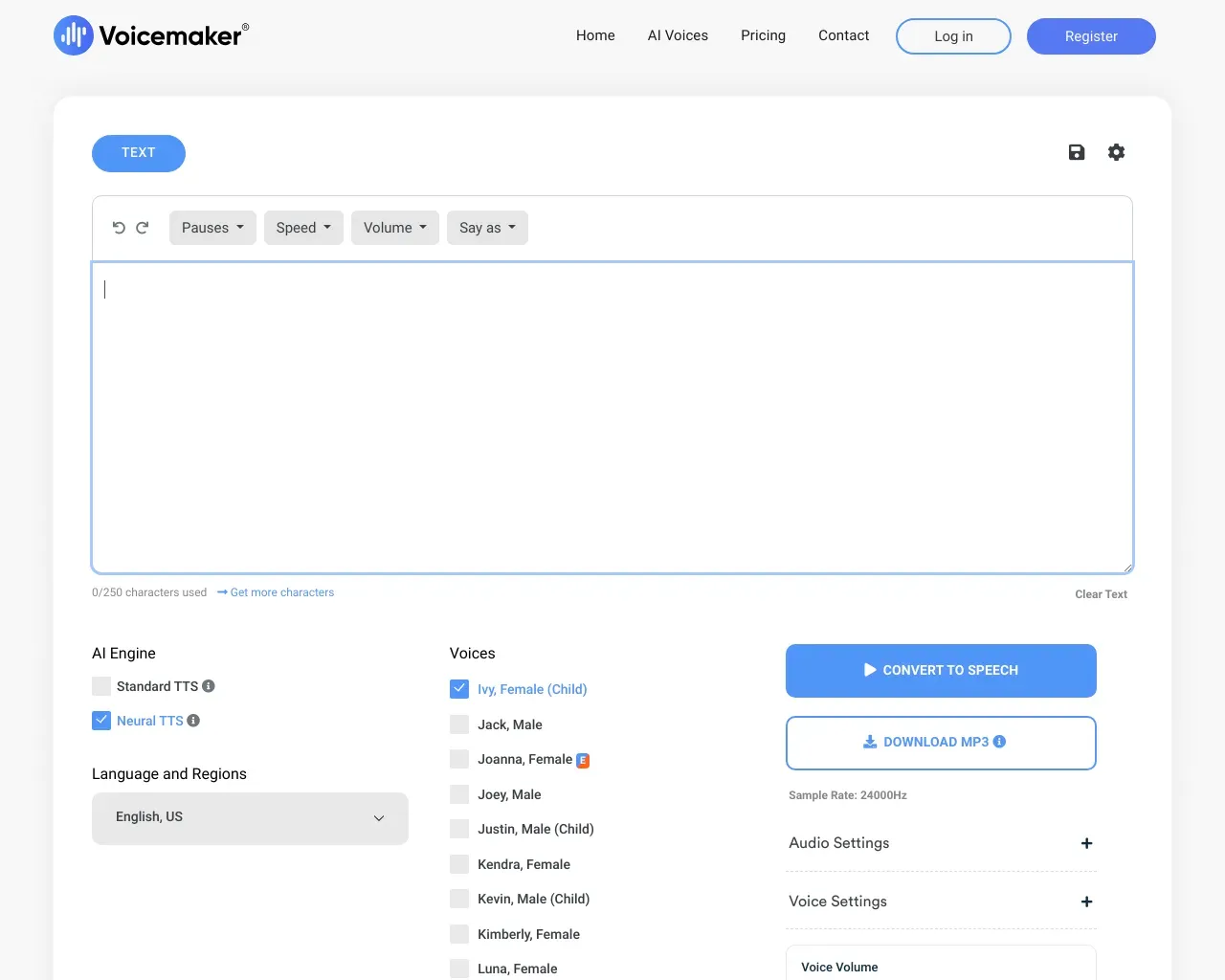
Read Aloud Reader
Free Online Tool to Read Text Out Loud.
- Category
- Text To Speech
- Alternatives
- 6 similar tools
- Last updated
- 2 weeks ago
- Source
- Official site ↗︎
AI Collection Top Picks

Text To Speech Category Picks

About Read Aloud Reader
Read aloud reader with premium AI voices — read text out loud free online. No signup, MP3 download, word-by-word highlighting & adjustable speed.
What you get
Additional Information
Read Aloud Reader is a free online tool that converts text into natural-sounding audio using premium AI voices. Users can paste any text, up to 20,000 characters, and listen instantly without the need for signup. The service features six natural-sounding voices powered by advanced text-to-speech technology, offering a more engaging listening experience compared to traditional robotic voices.
The tool includes word-by-word highlighting, allowing users to follow along with the audio for improved focus and comprehension. This makes it especially useful for students looking to convert textbooks or study materials into audio format, as well as writers and editors who want to proofread by ear.
Read Aloud Reader caters to a diverse audience, including individuals with dyslexia or ADHD, visually impaired users, busy professionals needing to listen to documents on the go, and language learners who benefit from hearing correct pronunciation in real-time. Furthermore, users can download the audio as an MP3 file for offline listening.
With no paywall and no account requirements, Read Aloud Reader makes it easy and accessible for anyone looking to enhance their reading experience.
Frequently asked questions
What is Read Aloud Reader used for?
Read Aloud Reader — Free Online Tool to Read Text Out Loud.Is Read Aloud Reader free?
Pricing for Read Aloud Reader varies — see the Pricing section for details.What are alternatives to Read Aloud Reader?
Where can I get Read Aloud Reader?
Read Aloud Reader is available at https://readaloudreader.com.What category is Read Aloud Reader in?
Read Aloud Reader is listed in Text To Speech.Is Read Aloud Reader really free?
Yes. The core read-aloud experience is free with no signup. You get up to 20,000 characters per day at no cost.Do I need to create an account?
No account required. Just paste text and click play.Can I download the audio?
Yes. Every generated read-aloud can be downloaded as an MP3 to listen offline.What languages are supported?
The AI voices support English natively and handle many other languages with reasonable pronunciation.What is Read Aloud Reader?
Read Aloud Reader is a free, browser-based read aloud tool that reads text out loud using neural AI voices. You paste text or import a PDF, DOCX, EPUB or article URL, choose a voice and speed, and listen — with each sentence highlighted as it plays.How do you read text out loud online for free?
Open readaloudreader.com, paste your text into the studio, pick one of the neural voices, then press play. Nothing is installed and no account is needed. To keep the audio, press download and you get an MP3.Is it free, and what are the limits?
Yes. The free tier gives 20,000 characters per day with the AI voices, MP3 export and sentence highlighting included. Paid plans exist for people who read long documents daily, but every core feature works free.Does it work on iPhone and Android?
Yes. It is a website, not an app, so the same read aloud reader runs in Safari on iPhone and Chrome on Android as well as on Mac, Windows and Chromebook. Downloaded MP3s play with the phone's lock-screen controls.Can it read a PDF aloud?
Yes. Upload the PDF in the studio and the text is extracted and read out loud. Scanned, image-only PDFs need OCR first, since there is no selectable text to read.Which file types can it read?
Typed or pasted text, PDF, DOCX and EPUB files, plus article URLs — paste a link and the article text is extracted for you.
Compare Read Aloud Reader with…
Pick any tool to see a structured side-by-side: pricing, deployment, capabilities, and content policy.