- Category
- Video Editing
- Pricing
- Paid
- Alternatives
- 6 similar tools
- Last updated
- 5 days ago
- Source
- Official site ↗︎
AI Collection Top Picks

Video Editing Category Picks


About RemoveFrom.Video
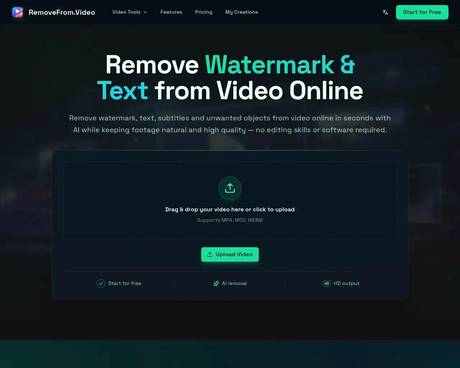
Remove text, watermark, subtitles and unwanted objects from video online with AI. Clean TikTok, YouTube and social media videos without complex editing software.
RemoveFrom.Video's Pricing Plans
RemoveFrom.Video may change prices at any time. Here's our latest information:
RemoveFrom.Video Pricing plans
Basic
Creators & everyday workflows
$19.90
/monthly
- Up to 15 minutes of video
- Up to 4K output resolution
Hobby
Light use & exploration
$9.9
/monthly
- Up to 6 minutes of video
- Up to 1080p output resolution
What you get
Additional Information
RemoveFrom.Video is an AI-powered online video cleanup platform built for users who want to remove watermark from video, remove text from video, remove subtitles from video, and remove objects from video in a faster and simpler way. It helps clean up logos, captions, overlay text, burned-in subtitles, icons, stamps, and distracting elements while keeping footage natural, smooth, and more usable for real video workflows.
Powered by AI video inpainting and smart scene reconstruction, RemoveFrom.Video is designed to preserve background continuity, motion consistency, and overall visual quality during processing. It is suitable for many common use cases, including social media video cleanup, content repurposing, tutorial and screen recording editing, product demo polishing, ecommerce video optimization, marketing video preparation, and general footage cleanup.
RemoveFrom.Video supports practical online processing without requiring heavy editing software or advanced editing skills. It is a useful solution for creators, marketers, ecommerce sellers, educators, agencies, and everyday users looking for an easier way to clean video content online. Whether users need a video watermark remover, video text remover, subtitle remover, or AI object remover, RemoveFrom.Video offers a focused and efficient workflow for producing cleaner and more professional-looking videos.
Frequently asked questions
What is RemoveFrom.Video used for?
Remove Text & Watermark from Video Online Free | RemoveFrom.Video.Is RemoveFrom.Video free?
RemoveFrom.Video is a paid product. See the Pricing section for current plans.What are alternatives to RemoveFrom.Video?
Top alternatives to RemoveFrom.Video include TheFluxTrain, SellerPic AI, VideoIdeas AI, Klap App, AI video editor.Where can I get RemoveFrom.Video?
RemoveFrom.Video is available at https://removefrom.video.What category is RemoveFrom.Video in?
RemoveFrom.Video is listed in Video Editing.How do I remove watermark from video online?
Upload your video and let AI detect and remove the watermark automatically. The tool preserves video motion and visual quality during processing, and works on TikTok watermarks, YouTube logos and brand marks.How do I remove text from video online?
Upload your video, choose the removal mode and let the online tool automatically erase watermark, text, subtitles or unwanted objects directly in your browser — no video editing software needed. AI detects and removes text overlays while preserving the original background.How do I remove subtitles from video online?
The tool detects burned-in subtitles and removes them using AI video inpainting. The background is reconstructed across frames to keep the video natural and consistent.How does AI remove objects from video automatically?
AI analyzes surrounding frames to understand motion, lighting and scene continuity. It then reconstructs the background to remove unwanted objects while keeping movement smooth and realistic.Will removing elements reduce video quality?
The system preserves clarity, motion and lighting balance during processing, keeping the final video natural, clean and visually consistent.What video formats are supported?
Common formats such as MP4, MOV and WEBM are supported. This makes it easy to upload videos from phones, cameras, screen recordings and social media downloads.How long does it take to process a video?
Processing time depends on video length and complexity. Most short videos are processed within a few minutes using fast cloud rendering.Do I need to install any software to use this tool?
No installation is required. You can remove unwanted elements from video online directly in your browser on desktop or mobile devices.
Compare RemoveFrom.Video with…
Pick any tool to see a structured side-by-side: pricing, deployment, capabilities, and content policy.