TurboDoc
AI-Driven Invoice Processing and Automation Tools.
- Category
- Accounting & Finance
- Alternatives
- 6 similar tools
- Last updated
- 3 weeks ago
- Source
- Official site ↗︎
AI Collection Top Picks

Accounting & Finance Category Picks



About TurboDoc
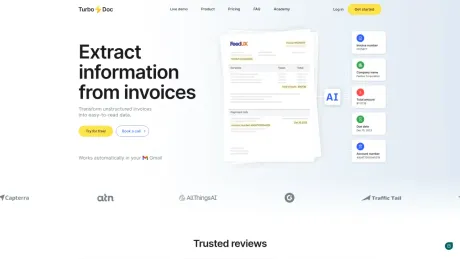
Save time on paperwork using intelligent document processing. Transform unstructured invoices and receipts into easy-to-read data.
What you get
Additional Information
TurboDoc provides AI-driven solutions for invoice processing, enabling users to efficiently extract information from relevant documents like invoices, receipts, and bank statements. The service automates the capture of data, allowing users to upload documents via email and receive structured data for accounting or auditing purposes. TurboDoc is designed to streamline workflows in accounts payable, enhancing the productivity of accounting teams.
With TurboDoc, organizations can centralize and secure their data, ensuring that all extracted documents are stored in one location. Users have the ability to view and edit data directly within the dashboard, providing insights for better management of accounts and payments. The platform also supports integration with Gmail and Outlook for seamless document processing, further simplifying the workflow.
TurboDoc employs advanced AI technology for precise data extraction and offers premium encryption to ensure the safety of user data. The platform provides various pricing plans to cater to different needs, making it accessible for businesses of all sizes. By automating invoice processing, TurboDoc helps organizations reduce manual data entry, mitigate the risk of errors, and ultimately save on costs related to late payments and missed discounts.
Frequently asked questions
What is TurboDoc used for?
TurboDoc: AI-Driven Invoice Processing and Automation Tools.Is TurboDoc free?
Pricing for TurboDoc varies — see the Pricing section for details.What are alternatives to TurboDoc?
Where can I get TurboDoc?
TurboDoc is available at https://turbodoc.io.What category is TurboDoc in?
TurboDoc is listed in Accounting & Finance.How can I try out data extraction feature?
To get a feel for how our invoice data extraction works, you can experiment with our demo on this page. For a more comprehensive experience, consider signing up for a free trial account. This will give you full access to our features and help you better understand the capabilities of our service.Can I compare extracted data with the original document?
Yes. Click a row in your dashboard table to open the document. You’ll see the original document and the extracted data together, so you can quickly verify everything and edit fields if something needs fixing.In what ways does automating invoice processing lead to cost savings?
Automating invoice processing streamlines the accounts payable workflow, eliminating the need for manual data entry. This not only frees up staff to concentrate on tasks that add more value but also reduces the likelihood of late payments or duplicates. Moreover, automation enables businesses to capitalize on early payment discounts, further reducing costs.Can the system process documents with poor image quality?
Our system is equipped with advanced image processing algorithms designed to handle documents for varying image qualities. However, for optimal results and accuracy in data extraction, we recommend using clear and legible images whenever possible.Is there technical support available for users?
Yes, all users receive comprehensive technical support. Pro tariff subscribers benefit from premium support, ensuring faster and prioritized assistance.What languages does the web service support for documents processing?
TurboDoc can process documents in English, Spanish, German, French, Italian, Dutch, Portuguese, and Catalan. For assistance with languages not listed, please contact our support team.
Compare TurboDoc with…
Pick any tool to see a structured side-by-side: pricing, deployment, capabilities, and content policy.