Twistly
AI Presentation Maker: Word & PDF Tables Stay Editable | Twistly.
- Category
- Slides & Presentations
- Pricing
- Paid
- Alternatives
- 6 similar tools
- Last updated
- 1 weeks ago
- Source
- Official site ↗︎
AI Collection Top Picks
Slides & Presentations Category Picks


About Twistly
A real, editable .pptx — not pictures of slides. ✓ Approve the outline first ✓ PDF or Word up to 300 MB ✓ 38 languages ✓ 51 templates →
Twistly's Pricing Plans
Twistly may change prices at any time. Here's our latest information:
Pricing
Default
$7.00
per month
What you get
Additional Information
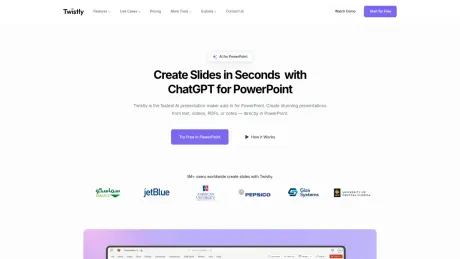
Twistly is an advanced AI presentation maker designed to enhance the user experience directly within Microsoft PowerPoint. It allows users to generate slides from various content sources, including prompts, PDFs, and videos, without switching applications. Twistly automates the structure and design of presentations, ensuring that users can focus on their content rather than formatting details. The AI capabilities include slide generation, content summarization, and speaker note creation, making it ideal for a diverse range of users, from students to corporate professionals.
One of the standout features of Twistly is its speed. Approximately 95% of presentations can be generated in under 30 seconds, streamlining the preparation process for any presentation. Users can import various document types, including text files, PDFs, Google Docs, and even YouTube links, turning them into professional slides effortlessly. This feature makes it a versatile tool for educational settings, business meetings, marketing strategies, and more.
Twistly also supports custom templates and design themes, allowing users to upload their own designs or use the included pre-designed templates tailored for AI-generated content. This flexibility ensures that presentations not only convey information effectively but also align with the user’s branding. With tools for AI image generation and real-time translations, Twistly is equipped to meet the demands of modern presentation needs while enhancing productivity.
Frequently asked questions
What is Twistly used for?
AI Presentation Maker: Word & PDF Tables Stay Editable | Twistly.Is Twistly free?
Twistly is a paid product. See the Pricing section for current plans.What are alternatives to Twistly?
Where can I get Twistly?
Twistly is available at https://twistly.ai/.What category is Twistly in?
Twistly is listed in Slides & Presentations.What makes Twistly the best AI presentation maker?
Twistly is not just another online slide builder — it’s an advanced AI add-in for PowerPoint that works directly inside Microsoft PowerPoint. No switching tools. Just faster, smarter presentation creation using AI.Is Twistly the fastest AI presentation generator?
Yes. Twistly is built for speed. Over 95% of presentations are generated in under 30 seconds, making it one of the best AI presentation generators available for real-time results in PowerPoint.Can I use AI inside PowerPoint with Twistly?
Absolutely. Twistly integrates the power of AI directly, so you can write slides, summarize content, generate speaker notes, and more — all without leaving your deck.What kind of presentations can I make with Twistly?
Twistly can create virtually any presentation: school projects, business pitches, training decks, sales proposals, educational lessons, and more. It’s the best AI PowerPoint generator for both students and professionals.Is Twistly a good AI PowerPoint maker for beginners?
Yes! No design experience or tech skills required. Just type what you need, and the AI PowerPoint presentation maker does the rest — from layout to design.Does Twistly support my own templates and design themes?
Definitely. Twistly includes stunning, pre-designed templates that are optimized for AI-generated content. You can also upload your own template and reuse it as many times as you want, making it the ideal AI PPT maker for polished results.What file types does Twistly convert into PowerPoint slides?
You can generate slides from text, PDFs, DOCX, YouTube links, Google Docs, and more. It’s a true AI PowerPoint generator that transforms different content formats into clean, professional slides.Do I need to install anything?
No. Everything on this page happens in the browser at app.twistly.ai.Is the download a real PowerPoint file or images of slides?
A real native .pptx with editable text boxes, shapes and placeholders.How much can I do on the free plan?
Generation from a topic, text, PDF or Word file, the outline step and a native .pptx download — free, no credit card.Can I use my company template?
Yes, on paid plans — upload it once and generated decks follow your fonts, colours and layouts.Which languages can Twistly generate in?
38+ languages, chosen before generating or applied to a finished deck with full-deck translation.Can I try something without creating an account?
Yes — the single-purpose converters in free tools run without sign-up, with tighter limits than the app.
Compare Twistly with…
Pick any tool to see a structured side-by-side: pricing, deployment, capabilities, and content policy.