Vizcom AI
Vizcom | Turn Sketches into Full-Fidelity 3D Renders, Instantly.
- Category
- AI Art & Illustration
- Pricing
- Freemium
- Alternatives
- 6 similar tools
- Last updated
- 1 weeks ago
- Source
- Official site ↗︎
AI Collection Top Picks

AI Art & Illustration Category Picks



About Vizcom AI
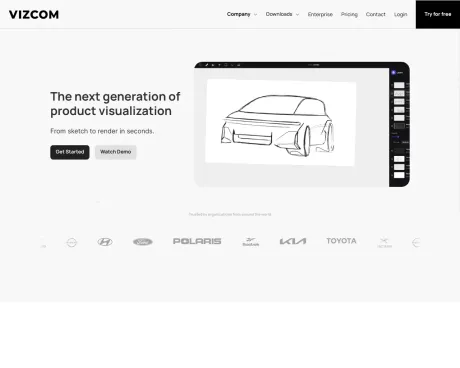
AI-powered design tool for real world product designers and their teams. Go from sketch to photorealistic 3D render in seconds. Start creating for free.
Vizcom AI's Pricing Plans
Vizcom AI may change prices at any time. Here's our latest information:
Start visualizing for free today. No credits, no limits. Upgrade to access more features and better collaboration tools
Starter
See what it’s all about with a free plan
Free
- Vizcom studio features
- Unlimited files
- Unlimited renderings
- Community support
Professional
Perfect for you and your team
$49
per editor/month
- Everything in Starter
- Collaborate with your team
- Unlimited exports
- Manage user roles
- AI model customizations
- Multiple image variations in one-click
- Access to topic-specific webinars
- Priority support from our team
Enterprise
Tailored for your organization. For advanced security, more flexible administrative control, and dedicated support, the Enterprise plan is custom built to help you scale your design processes company-wide.
Custom
- Everything in Professional
- Single Sign On (SSO)
- File organization tools
- Custom billing
- Dedicated onboarding
- Audit logs
What you get
Additional Information
Vizcom is designed to assist real-world product designers and their teams by transforming sketches into full-fidelity 3D renders in an instant. This tool streamlines the ideation process, allowing designers to visualize their concepts quicker than ever while maintaining their creative momentum.
With Vizcom, users can sketch, render, and iterate seamlessly. The platform provides a canvas for modifying design elements, ranging from forms and proportions to colors and materials. This extensive control allows designers to express their ideas fully and refine details in real time.
The platform is equipped with tools for animating designs, allowing users to bring their creations to life and visualize them in various environments. This capability is particularly beneficial for professionals in industries like industrial design, footwear, gaming, and automotive, where visual representation is crucial for development.
Vizcom offers several subscription tiers, catering to individuals, teams, and educators, ensuring that it meets the unique needs of different users. Whether for personal projects or large team collaborations, Vizcom provides the performance and features necessary to create and manage high-quality designs efficiently.
Frequently asked questions
What is Vizcom AI used for?
Vizcom | Turn Sketches into Full-Fidelity 3D Renders, Instantly.Is Vizcom AI free?
Vizcom AI has a free tier; paid plans unlock additional features.What are alternatives to Vizcom AI?
Where can I get Vizcom AI?
Vizcom AI is available at http://www.vizcom.ai.What category is Vizcom AI in?
Vizcom AI is listed in AI Art & Illustration.Can I use Vizcom for free?
Yes of course! Our starter plan is completely free, no credit card required.What payment methods can I use?
We accept all major credit and debit cards.Which roles are there and which are paid?
Admins (paid) – can edit files, manage workspace settings, billing, teams, and invite members. Editors (paid) – can edit files but not manage settings, billing, or teams. Viewers (free) – can only view files in read-only mode.How does team billing work?
Team billing is handled centrally by the Admin. All paid seats, whether Admins or Editors, are included in a single invoice under the same billing cycle, while Viewers remain free and do not affect the cost.Can I change my subscription from monthly to yearly?
Yes, you can. An Admin can update the plan in the billing settings, and the switch will take effect on the next billing cycle at the annual rate.Do I own the content I produce in Vizcom?
Yes, you own everything you create in Vizcom. For free users, while Vizcom may use generated images to improve its services, it does not claim ownership of your designs, concepts, or original ideas—you keep full rights to them.Does Vizcom use my data to train AI models?
Vizcom does not use your data to train AI models if you’re on a paid plan. Everything you create stays private and is only used to provide the service.
Compare Vizcom AI with…
Pick any tool to see a structured side-by-side: pricing, deployment, capabilities, and content policy.