- Category
- Text To Speech
- Pricing
- Freemium
- Alternatives
- 6 similar tools
- Last updated
- 3 weeks ago
- Source
- Official site ↗︎
AI Collection Top Picks

Text To Speech Category Picks


About Voicera
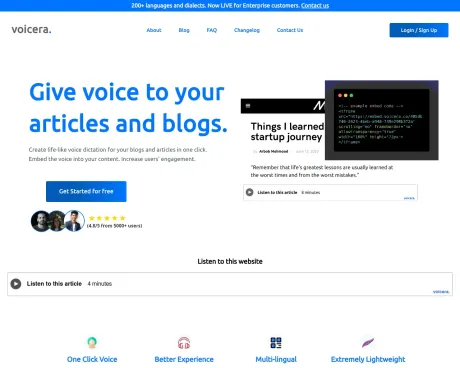
Give your articles a voice. Add speech to your article in 2 minutes.
Voicera's Pricing Plans
Voicera may change prices at any time. Here's our latest information:
Pay-as-you-go. No Monthly Subscriptions.
BASIC
Suited for Personal Blogs
FREE
5000 CREDITS
- Lifetime Validity
- Upto 5 Articles^
- Basic Support
- 10+ voice versions available.
PRO
Suited for Large Blogs
$9
100,000 CREDITS
- All FREE Features included
- Upto 50 Articles^
- Priority Support
- Early access to new features
ENTERPRISE
Suited for Organizations
EMAIL US
MILLIONS IN CREDITS
- All PRO Features included
- >1000 Articles^
- 200+ languages and dialects
- Dedicated Accounts Manager
Frequently asked questions
What is Voicera used for?
Give voice to your articles and blogs.Is Voicera free?
Voicera has a free tier; paid plans unlock additional features.What are alternatives to Voicera?
Where can I get Voicera?
Voicera is available at http://www.voicera.co.What category is Voicera in?
Voicera is listed in Text To Speech.What exactly is Voicera?
Voicera is an innovative platform that offers an alternative way for readers to engage with blogs by transforming written articles into audio content. This enables readers to listen to articles while multitasking.How can I incorporate voice into my blog using Voicera?
Voicera has streamlined the process of adding voice to your blog. Simply input your blog''s link and select your preferred accent on the dashboard. Our software takes care of the rest. Upon completion, you''ll receive an ''HTML Embed Code'' to insert into your blog. Note that your blog platform must support HTML embeds. Platforms like Medium and Substack do not support HTML embeds, but platforms like WordPress and Ghost do. Contact your service provider for HTML embed support details.What are the costs associated with using Voicera?
Voicera offers free usage up to 10,000 credits (or characters). Beyond that, there''s a charge of $9 for every 100,000 characters, and your subscription comes with lifetime validity.How can I get in touch with your team for support or suggestions?
You can reach out to us by sending an email to contact@voicera.co,
Compare Voicera with…
Pick any tool to see a structured side-by-side: pricing, deployment, capabilities, and content policy.