Work Fast AI
employees for small businesses, hired free.
- Category
- Workflow & Automation
- Alternatives
- 6 similar tools
- Last updated
- 3 weeks ago
- Source
- Official site ↗︎
AI Collection Top Picks

Workflow & Automation Category Picks

About Work Fast AI
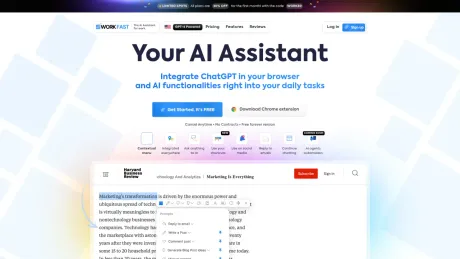
WorkFast finds where you lose money — missed calls, quiet quotes, unpaid invoices — and puts AI employees on it. Hiring is free; you pay for work done.
What you get
Additional Information
Workfast.ai is designed to streamline project and task management for teams looking to improve their workflow. The app integrates collaborative features that allow team members to work together seamlessly, ensuring tasks are completed efficiently. Designed for various teams, it focuses on enhancing engagement in the workplace by making project tracking simple and effective. Its intuitive interface allows users to organize their work, prioritize tasks, and monitor progress with ease, catering to diverse needs in a fast-paced working environment.
Frequently asked questions
What is Work Fast AI used for?
WorkFast — AI employees for small businesses, hired free.Is Work Fast AI free?
Pricing for Work Fast AI varies — see the Pricing section for details.What are alternatives to Work Fast AI?
Where can I get Work Fast AI?
Work Fast AI is available at https://workfast.com.What category is Work Fast AI in?
Work Fast AI is listed in Workflow & Automation.Is this just a chatbot on my website?
No. A chatbot waits on your site for someone to click it. WorkFast staff work in the channels your customers already use — text, missed calls, your inbox, your web forms — and they finish the job: booking the slot, sending the payment link, updating the calendar.What does the report actually look at?
Only what's publicly on your website: services, pricing pages, contact methods, response promises and booking flow. It doesn't touch your inbox, phone or customer data unless you connect those after signing up, and it never messages your customers.Will my customers know they're talking to AI?
That's your call, set per teammate. Most owners have staff introduce themselves by name as part of the business. Every conversation is visible to you, and anything a teammate is unsure about comes to you before it goes out.What happens when it gets something wrong?
You set the guardrails: which decisions need approval, what a teammate can never promise, and the dollar amount above which everything routes to a human. Every message is logged and editable, and you can take over a thread mid-conversation.Do I have to change the tools I use?
No. Your staff work in your existing inbox, calendar and phone number. Unpaid invoices can be pasted or forwarded as they are. If something you rely on isn't connected yet, tell us.Which tools and channels does it work with?
Where your customers reach you: phone calls and texts (on a number of the crew's own, or your line forwarded), missed calls (texted back), email, your website's contact form or a hosted enquiry page, and WhatsApp on your own business number. What your staff work in: Gmail and Google Calendar, plus Outlook, Slack, Google Sheets, Notion, HubSpot, Zoho and Salesforce when you connect them. None of it has to be connected on day one — you can paste or forward work and the crew starts on it straight away.How do I cancel?
There is nothing to cancel: you buy a month at a time, and it simply ends unless you buy another. Your conversation history and customer data export as a file you keep.
Compare Work Fast AI with…
Pick any tool to see a structured side-by-side: pricing, deployment, capabilities, and content policy.