Level Up Your Brand Story: The Complete Guide to AI Video Editing
By: Reena Aggarwal
As video consumption skyrockets, with 91.9% of internet users watching some kind of video every week, businesses must leverage videos to connect with customers.
 Image via DataReportal
However, to capture customers’ attention through brand videos, you need high-quality, professional videos that can communicate your brand identity and message. However, hiring a video production team to handle this can be expensive.
What if AI video editing tools can help you edit your videos to your desired taste?
In this guide, we’ll walk you through how to use AI video editing technology to level up your brand storytelling.
Let’s get started.
Getting Started with AI Video Editing
With the easy video editor for beginners, you can create high-quality videos that captivate audiences and enhance brand storytelling. These tools can improve the visual and aural appeal of videos and expedite the editing process by utilizing cutting-edge AI functions. To kickstart your brand video creation, use beginner-friendly video editing software if you do not want to outsource video editing to video production companies. Here is a step-by-step guide on AI video editing for brand storytelling.
1. Choose a Suitable AI Video Editing Tool
To start using Al for video editing, you need to select a dedicated Al video editing platform. Consider AI video editing tools that align with your needs and budget.
Popular options like Muse AI offer intuitive interfaces and professional workflows to generate and edit a range of videos.
The platform utilizes machine learning to automatically analyze your videos and can add human-like AI speech in several languages.
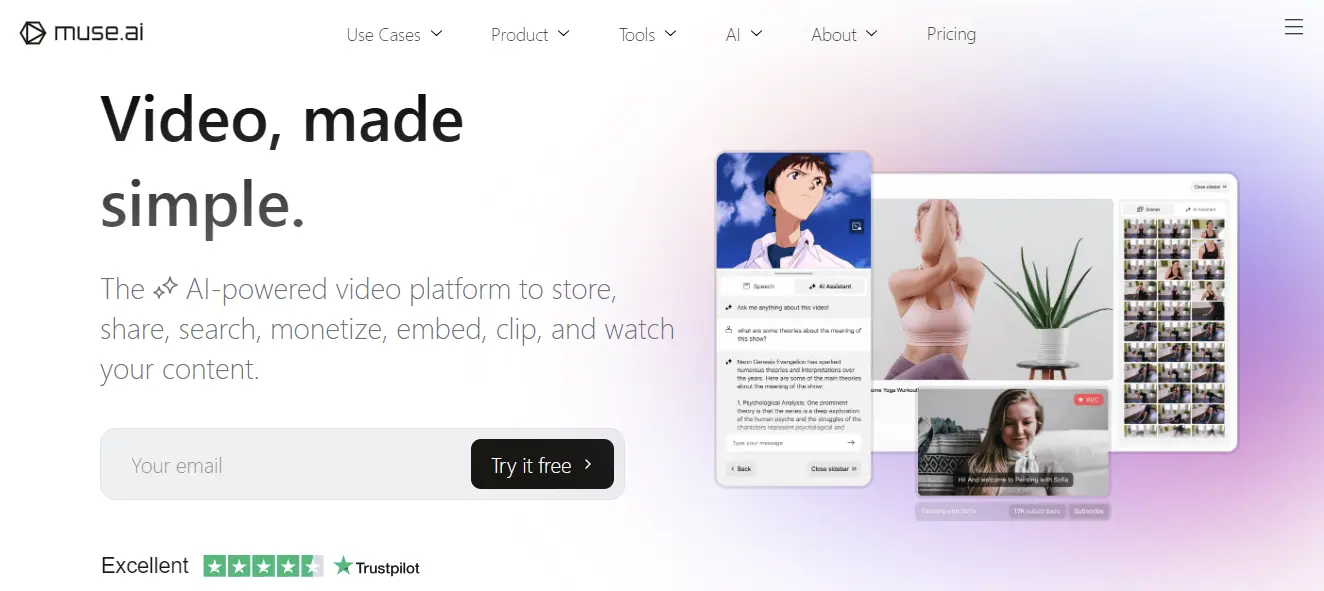 Image via Muse AI
There are several other AI tools for video editing with different features. When choosing a tool for AI video editing, here are some important factors to keep in mind.
- Editing features: Different tools offer various functionalities. Some excel at basic editing like trimming and transitions. Others provide advanced features like speech transcription, video tagging, and automated video creation from your footage and images. Select a tool that suits your needs.
- Video Content Type: Consider if the tool can help you make the type of video content you want, such as social media videos, marketing presentations, or product demos.
- Ease of Use: Choose a tool with an intuitive interface, especially if you're new to video editing. Look for tutorials or free trials to assess its user-friendliness.
- Pricing: AI video editing tools come at varying price points. Some tools have free options but may have more basic features, while others can offer advanced functionality but at a cost. Evaluate the pricing models to find the one that suits your needs and budget.
2. Gather and Upload Your Media
Once you've chosen an AI video editing tool, the next step is to gather all the media assets you want to include in your video. Select professional photos, illustrations, logos, videos, and any other media that visually represent your brand.
For example, you can include images of your product or service offerings, team members, office space, or company events and gatherings.
Carefully review all the media you have gathered. Remove any blurry, poorly lit, or low-resolution images. For videos, choose clips that are short, energetic, and convey a clear message or story.
Group your media into logical folders, such as "products," "team," "events," "graphics," and "video." This will make the content easy to find and navigate once uploaded into the Al video editing platform.
When uploading your media, pay attention to the tool's specific requirements regarding file format, size, and resolution to avoid compatibility issues.
3. Use AI Algorithm for Automatic Editing
With your media uploaded, use the automatic editing features in AI video tools to make initial edits. It increases the engagement of video content.
Here are some AI video editing functionalities that can help level up your brand story:
- Revamped Timeline for Easier Editing: AI powered video editing tools create more streamlined and clearer layouts.
This feature saves time by eliminating the need to manually check layouts hours of footage. Additionally, these features can also add some fun elements as well.
Here is an example of AI-suggested transitions between scenes.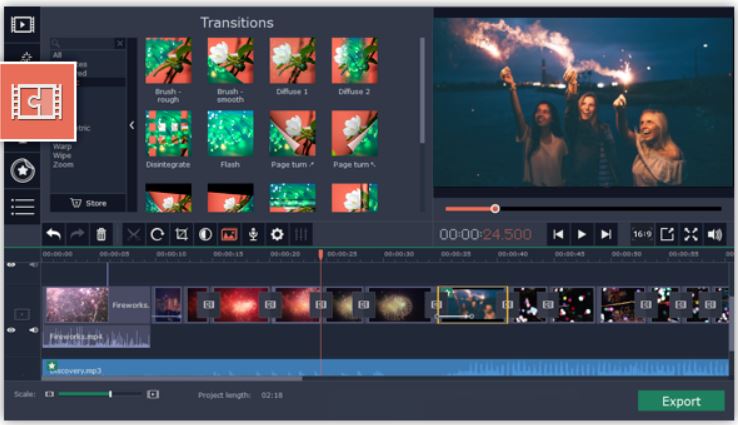 Image via Movavi
 - AI Motion Tracking: With AI video editing tools, you can enhance the reality in your videos. With the additional moving graphic feature it can add photos, videos, emoji and memes with the clicks.
By incorporating motion tracking you can create real looking videos that help you enhance fun with higher engagement from your videos. - AI background removal: AI video editing tools can automatically remove background from your videos without a green background.You can change anything.
4. Personalize AI-Generated Edits
While AI automates much of the video editing process, you still have creative control. Personalized video messages are one of the trends in video marketing that businesses use to communicate their brand identity.
Here are some ways you can creatively incorporate your brand elements into AI-generated videos:
- Integrate branding components from your business, such as the tagline, logo, and color schemes, to reaffirm your brand identity.
- Review the AI suggestions and adjust them to your liking. You can rephrase text, shorten or lengthen certain clips, rearrange the sequence, or even delete unnecessary sections to create the optimal flow for your video.
- Adjust color grading, brightness, and contrast to maintain brand consistency.
- Double-check all text for accuracy and consistency with your brand voice.
Review and Export Your Video
Once you have edited your video, watch the entire video to check for any issues with the flow, transitions, or content. Check if the video achieves your initial goals and tells a cohesive brand story.
You can export the video in several formats including MP4, MOV, and MKV. Select a resolution that aligns with your target platform. For compatibility across platforms and devices, formats like MP4 or MOV are recommended.
Click here to learn more: link to video converter
Ready to Leverage AI Video Editing in 2024?
Embracing AI technology in video editing not only saves time and resources. With AI video editing tools, you can create compelling brand videos with AI content recommendations.
You can also save valuable time by making use of AI automated editing features like automatic scene selection, music suggestions, and text overlays.
By following the steps outlined in this guide, you can harness the power of AI to streamline the video editing process for your brand.
Author Bio - Reena Aggarwal
Reena is Director of Operations and Sales at Attrock, a result-driven digital marketing company. With 10+ years of sales and operations experience in the field of e-commerce and digital marketing, she is quite an industry expert. She is a people person and considers the human resources as the most valuable asset of a company. In her free time, you would find her spending quality time with her brilliant, almost teenage daughter and watching her grow in this digital, fast-paced era.

Social connects: LinkedIn, Twitter
Published on: March 23, 2024