Gemma Guard review: on-device phishing detection for Android
By: AI Collection
At a glance
4.0 / 5
Gemma Guard
FreeA convincing phishing text does not announce itself. It borrows a bank's logo, copies the wording of a real account alert, and adds just enough urgency that you tap before you think. That gap between reading a message and acting on it is where most scams win, and it is exactly the moment Gemma Guard tries to interrupt.
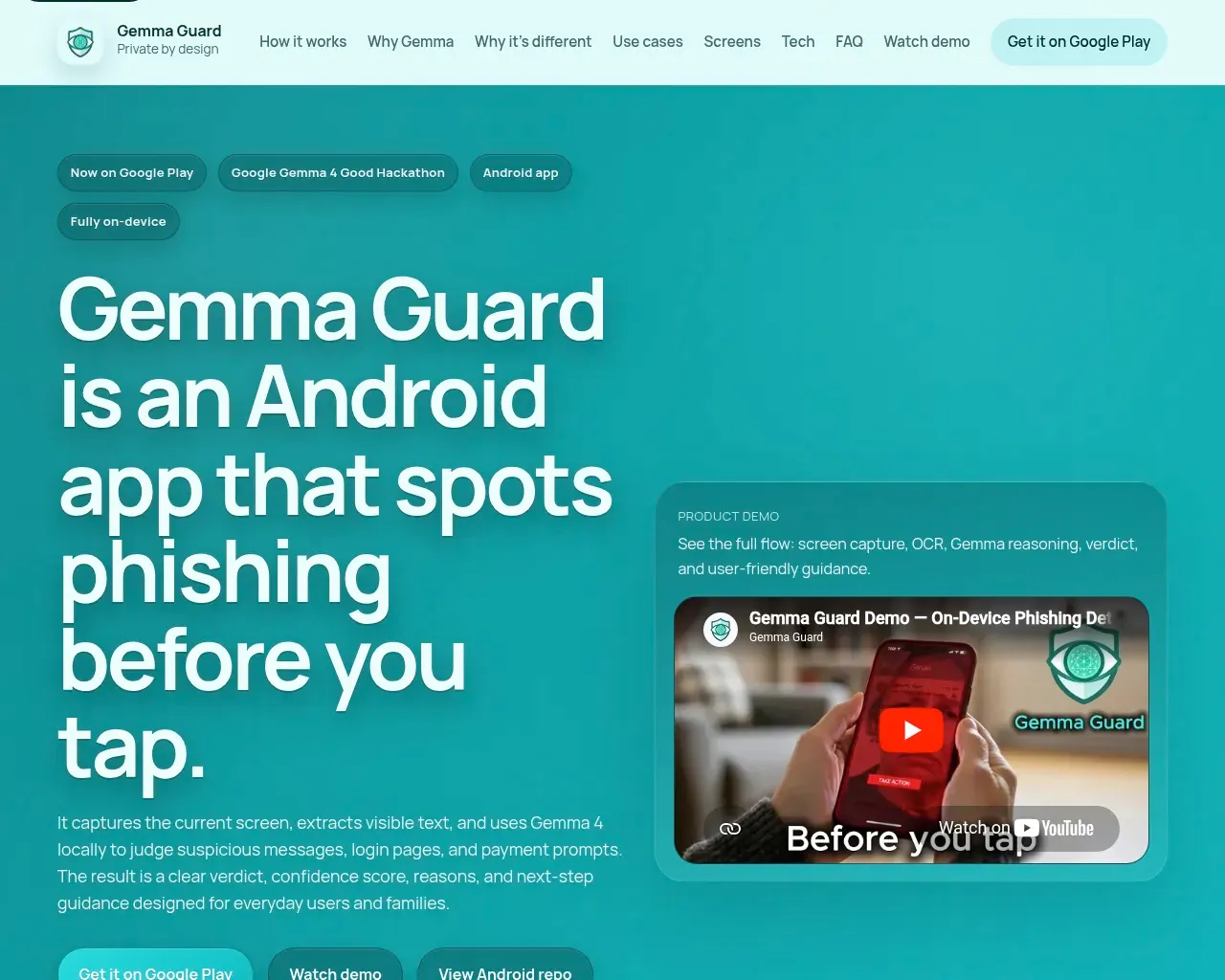
Gemma Guard is a free Android app that checks whatever is on your screen for signs of phishing. Tap a floating button, and it captures the current screen, reads the visible text, and runs both the image and the text through Google's Gemma 4 model running locally on the phone. A few seconds later you get a verdict: a risk level, a confidence score, the specific reasons behind the call, and a plain recommendation for what to do next. Nothing is uploaded, and there is no account to create.
What it actually does
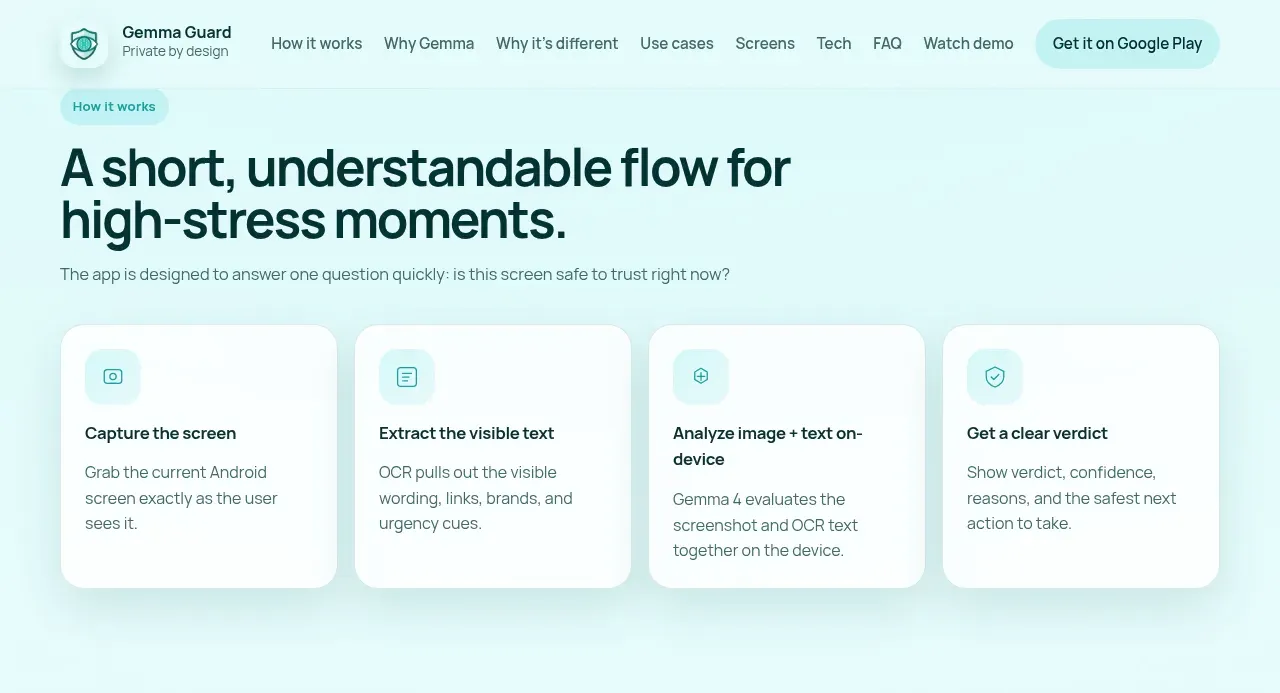
The workflow is deliberately short, because it has to work in a high-stress moment. A discreet trigger button floats over whatever app you are in. Tap it and three things happen in sequence: Android's MediaProjection takes a full screenshot of the current screen, ML Kit runs OCR on that image to pull out the visible wording and links, and then the screenshot and the extracted text are handed together to Gemma 4 through LiteRT-LM for analysis.
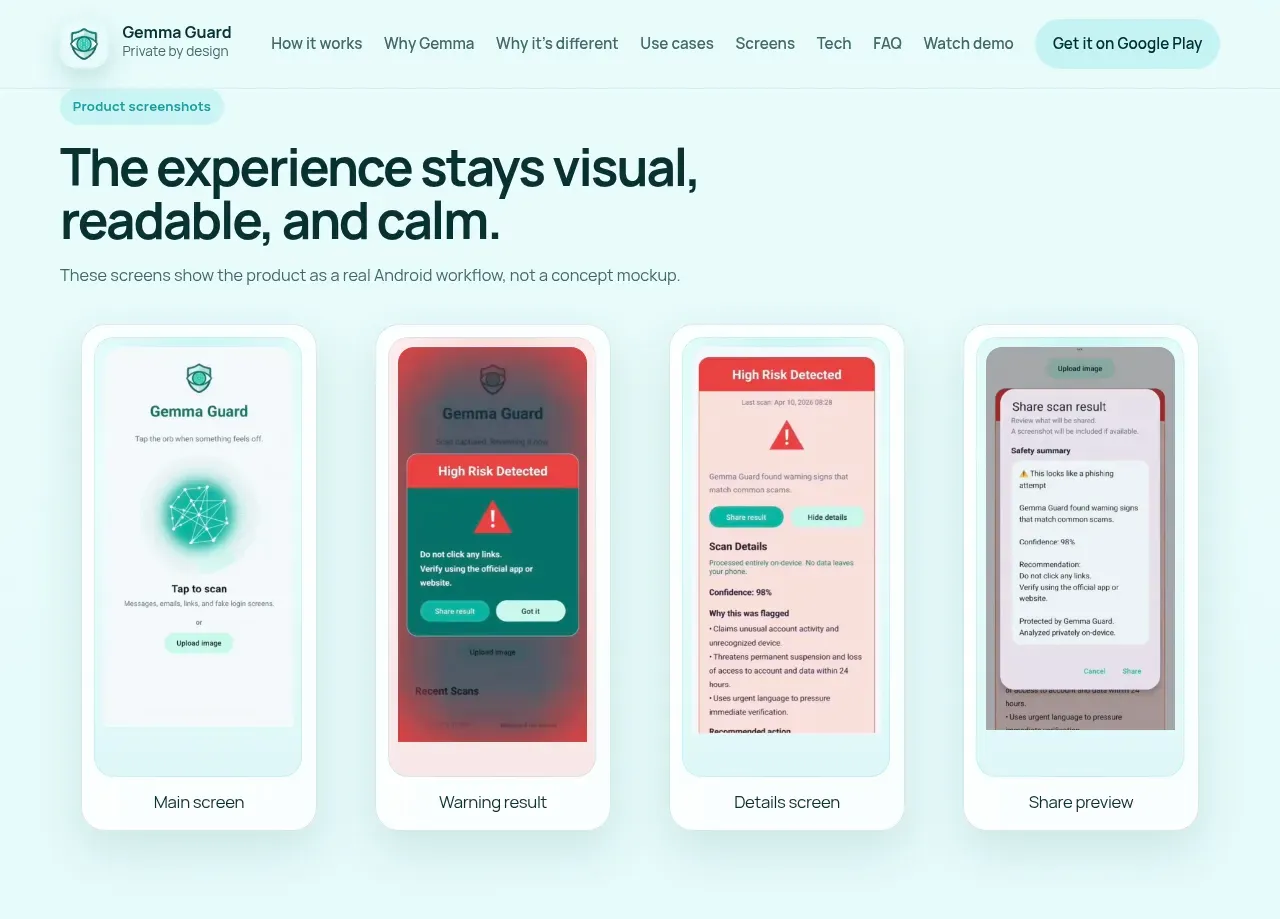
The output is meant to be read by someone who is not a security expert. The developers give an example: a fake PayPal message claiming an account is locked and pushing you to verify at a look-alike domain. Gemma Guard returns a HIGH risk level at 87% confidence, then lists why: urgent language, a request for credentials, brand impersonation, and a suspiciously formatted link. The recommendation is blunt and useful: do not reply or pay, and verify through the official app or a trusted contact instead.
Why the on-device part matters
Most consumer phishing defenses either live inside a single browser or send your screen contents to a server for scoring. Gemma Guard's whole pitch is the opposite: the analysis runs on the phone, so screenshots and personal messages never leave the device. Its Google Play data-safety section states that no data is collected and none is shared with third parties, which is consistent with an offline design rather than a marketing line bolted onto a cloud service.
There is a practical reason to feed Gemma both the picture and the text rather than text alone. Scammers lean on visual tricks, spoofed logos and layouts, that a text-only scanner never sees. Running a multimodal model locally means the app can weigh the fake branding in an image alongside the credential-harvesting sentence beneath it, without a network round trip. It also means the tool keeps working in low-connectivity situations or in places where cloud services are blocked or distrusted, which is a genuine advantage over browser extensions and web-based checkers.
Who it is built for
Gemma Guard is unusually clear about its intended user, and that clarity shows in the design. It was built by Milana and Pavel Kerbel after Milana's mother, who is nearly 70, was caught by a phishing message despite reading it carefully. The floating button exists because taking a screenshot on a modern Android phone is not obvious to someone who did not grow up with one, and the one-tap share exists so a cautious parent can send a scan result to their kids and say they checked first.
That framing makes the natural fit older adults and other non-technical users who want a quick second opinion, and the people who help them stay safe. It works across SMS, WhatsApp, Telegram, email, social apps, and any browser, so it is not tied to one messaging channel. Interface and explanations are available in English and Russian, with the app adapting to the device language. If you are comfortable spotting a spoofed domain on your own, you are not the target, though the visual-scam catching could still surprise you.
What to weigh before relying on it
The honest caveat is maturity. Gemma Guard is a first public release, built for the Gemma 4 Good Hackathon, and Google Play still shows it in the 10+ downloads bracket. The code is open source under a CC BY 4.0 license, which is good for auditability, but the GitHub repository is small and new. There are no independent third-party reviews yet, so the accuracy claims rest on the developers' own examples rather than outside testing. Treat it as a promising early tool, not a proven security product with a track record.
Two things follow from the design that a buyer should keep in mind. First, the app needs powerful permissions to do its job: screen capture and the ability to display over other apps. Those are reasonable for what it does, but they are exactly the permissions a careful user is trained to be wary of, so the trust has to come from the open-source code and the on-device processing. Second, any AI verdict is a judgment, not a guarantee. A confidence score can be wrong in both directions, so the tool is best treated as a prompt to slow down and verify rather than the final word. It is Android-only, with no iOS version.
Overall it is a 4 out of 5 for its intended audience: a thoughtful, privacy-first take on a real problem, held back for now only by how early it is. If you look after a parent or relative who is a likely phishing target, it is worth installing on their phone and walking them through the one-tap scan. If you want it battle-tested first, it is reasonable to wait for a larger user base and some outside scrutiny.
Sources consulted
- Gemma Guard homepage — product description, workflow, team background, and use cases
- gemma-guard-android on GitHub — technical stack (MediaProjection, ML Kit, LiteRT-LM), example output, license, and repository activity
- Gemma Guard on Google Play — download bracket, permissions, data-safety declarations, language support, and release status
Published on: July 5, 2026
Looking for alternatives to Gemma Guard? See all Gemma Guard alternatives →
Have an AI tool of your own? Submit it below and get a free, in-depth product review article — just like this one.
Add your AI tool in seconds
Paste your URL and we'll draft the listing. You review and edit every field before submitting.