Humata Review: Cited Answers From Your Own Documents
By: AI Collection
At a glance
4.0 / 5
HUMATA
FreemiumA due-diligence analyst opens a data room with two hundred PDFs in it. A grad student has forty papers to get through before a Thursday deadline. A support lead wants customers to stop emailing questions that are already answered on page nine of the manual. These are different jobs, but they share a shape: the answer exists inside a document nobody has time to read end to end. Humata is built for exactly that gap.
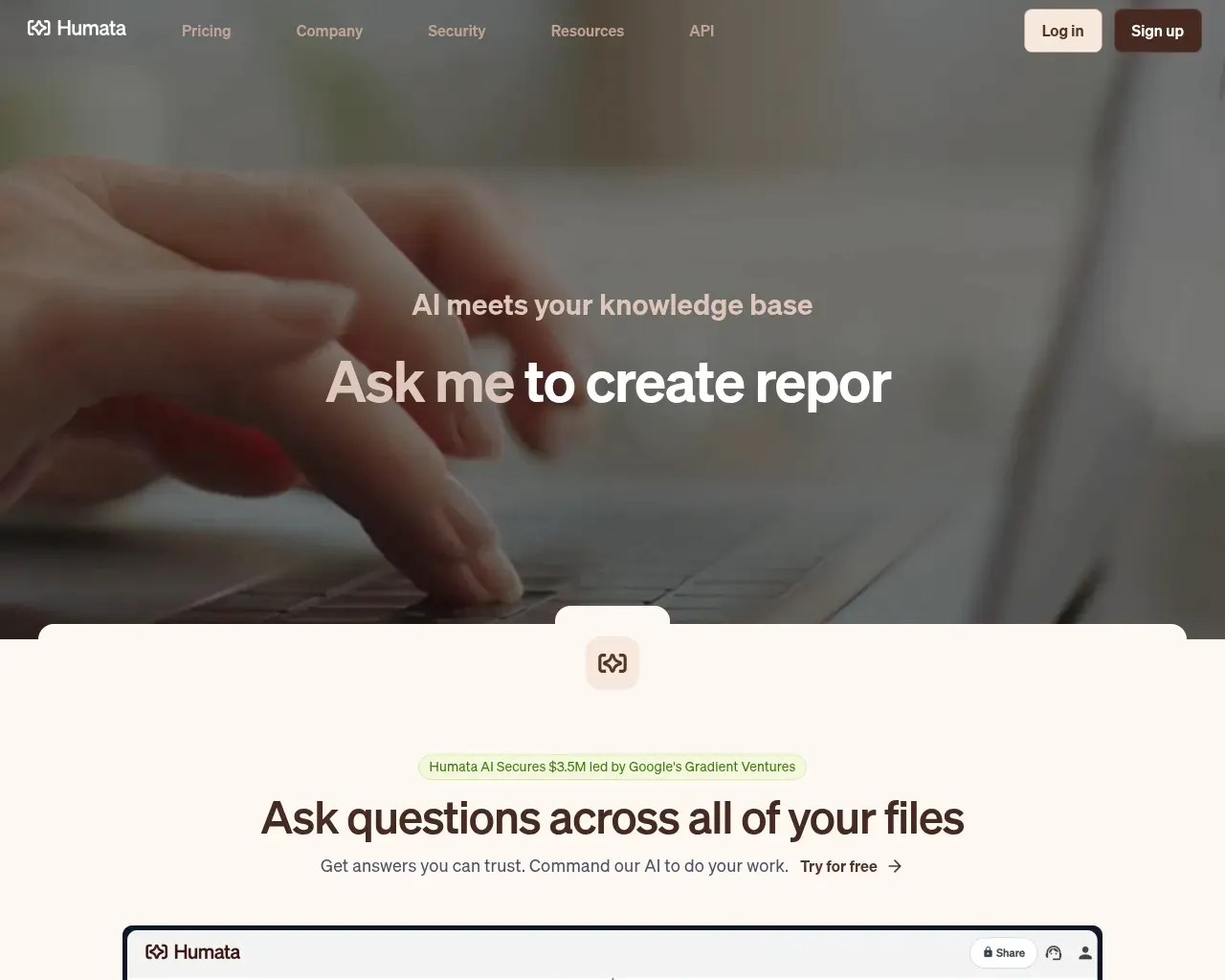
The company pitches itself as "AI meets your knowledge base," which is marketing shorthand for something concrete: upload your files, ask questions in plain language, and get answers drawn from the content of those files rather than from the open internet. The team calls it "ChatGPT for PDFs," and that comparison is fair as a starting point, though the differences are what make it worth a look.
What Humata actually does
You add documents, then ask. Humata reads each file and answers based on what is in it. You can ask it to summarize a long report, compare two documents, or find where a specific claim appears across everything you have uploaded. If a summary is too dense, you tell it to shorten and it rewrites until you are satisfied. There is no page limit on individual file size, and the paid tiers lift the caps on how much you can upload and how many questions you can ask.
One feature that reaches past the study-buddy use case is the embeddable widget. You can drop Humata's document Q&A into your own webpage so customers can query your documentation directly, which turns a static knowledge base into something people can actually interrogate. On the Team plan you also get OCR for scanned files and images, so a folder of photographed contracts or old scanned reports becomes searchable text.
The citation trail is the point
The feature that separates Humata from a generic chatbot is citations. Every answer links back to the exact section of the source file it came from, and it highlights the passage so you can check the machine's work in one click. When the question is "what did the vendor commit to on liability," a confident paragraph with no source is worthless; a confident paragraph with a jump-to link into clause 8.3 is something you can act on.
This is also the honest defense against hallucination. Grounding answers in uploaded files and showing the receipt does not make the model incapable of being wrong, but it makes wrong answers easy to catch, because the citation either supports the claim or it does not. For anyone using AI on documents where being wrong has consequences, that verifiability matters more than eloquence.
Where it fits: teams and shared document rooms
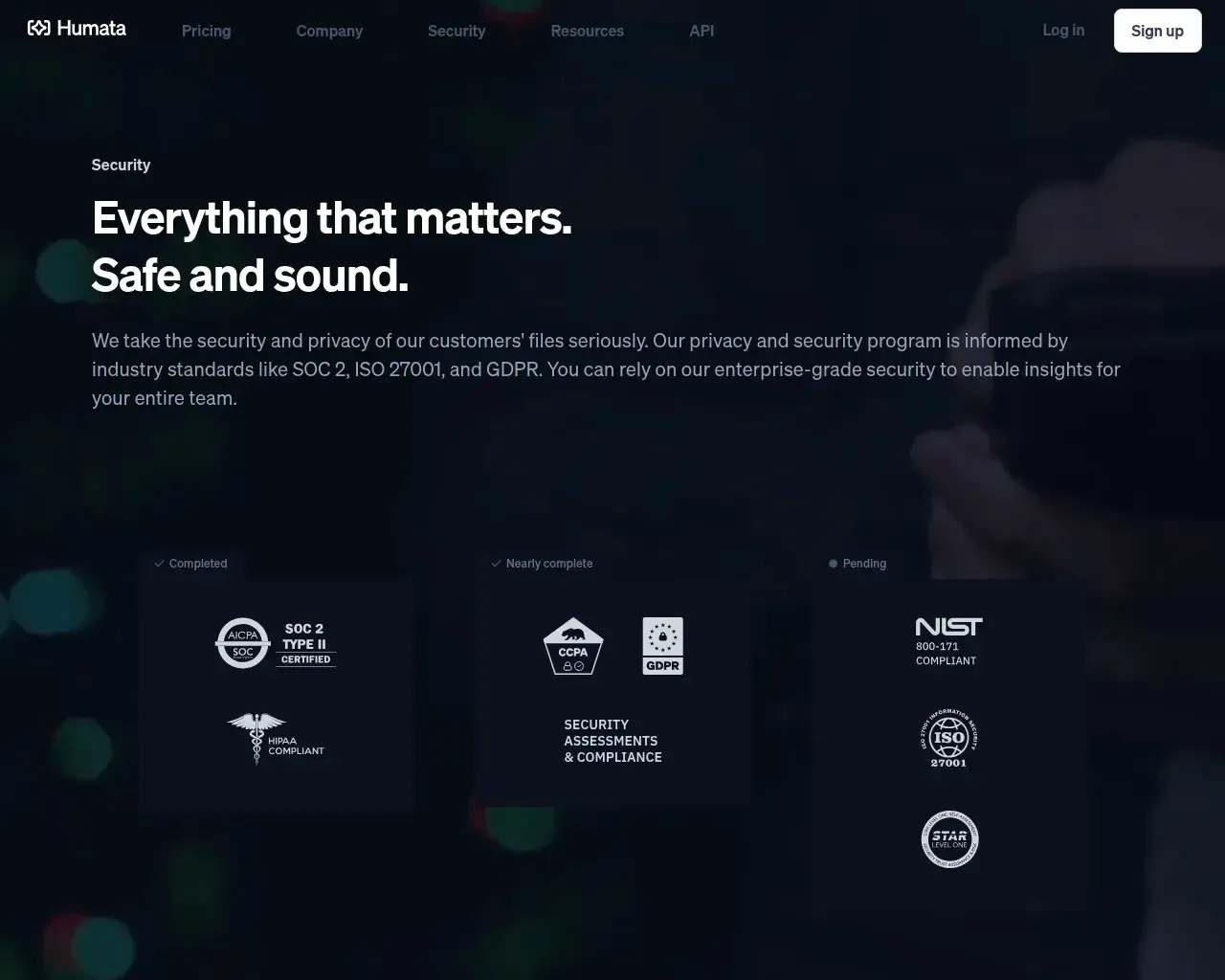
Humata leans harder into team use than most tools in the "chat with a PDF" category, and its security posture reflects that. Files are encrypted at rest with 256-bit SHA encryption and in transit over TLS 1.3, the company is SOC 2 Type II compliant, and its program is informed by ISO 27001 and GDPR. Access is role-based, with department- and folder-level permissions on the Team plan, and single sign-on through SAML 2.0 providers like Okta and Google.
None of this is exotic for enterprise software, but it is more than a solo-focused competitor usually bothers with, and it is the reason Humata shows up in team and internal-knowledge-base evaluations rather than only in "best tools for students" lists. The backing helps its credibility here too: Humata raised a $3.5M seed round in October 2023 led by Google's Gradient Ventures, with Cathie Wood's ARK Invest and M13 also participating.
How the pricing works, and where it bites
Pricing is built around pages, and this is the part to understand before you commit. The free tier gives you 60 pages and 10 answers, which is enough to decide whether you like it. Expert, the plan Humata flags as most popular, is $9.99 a month for 500 included pages, three users, and $0.02 per page beyond that. Team is $49 per user per month for 5,000 pages, ten users, the permissions and OCR features, and a lower $0.01 overage. There is also a student plan around $1.99 a month, and Enterprise pricing on request.
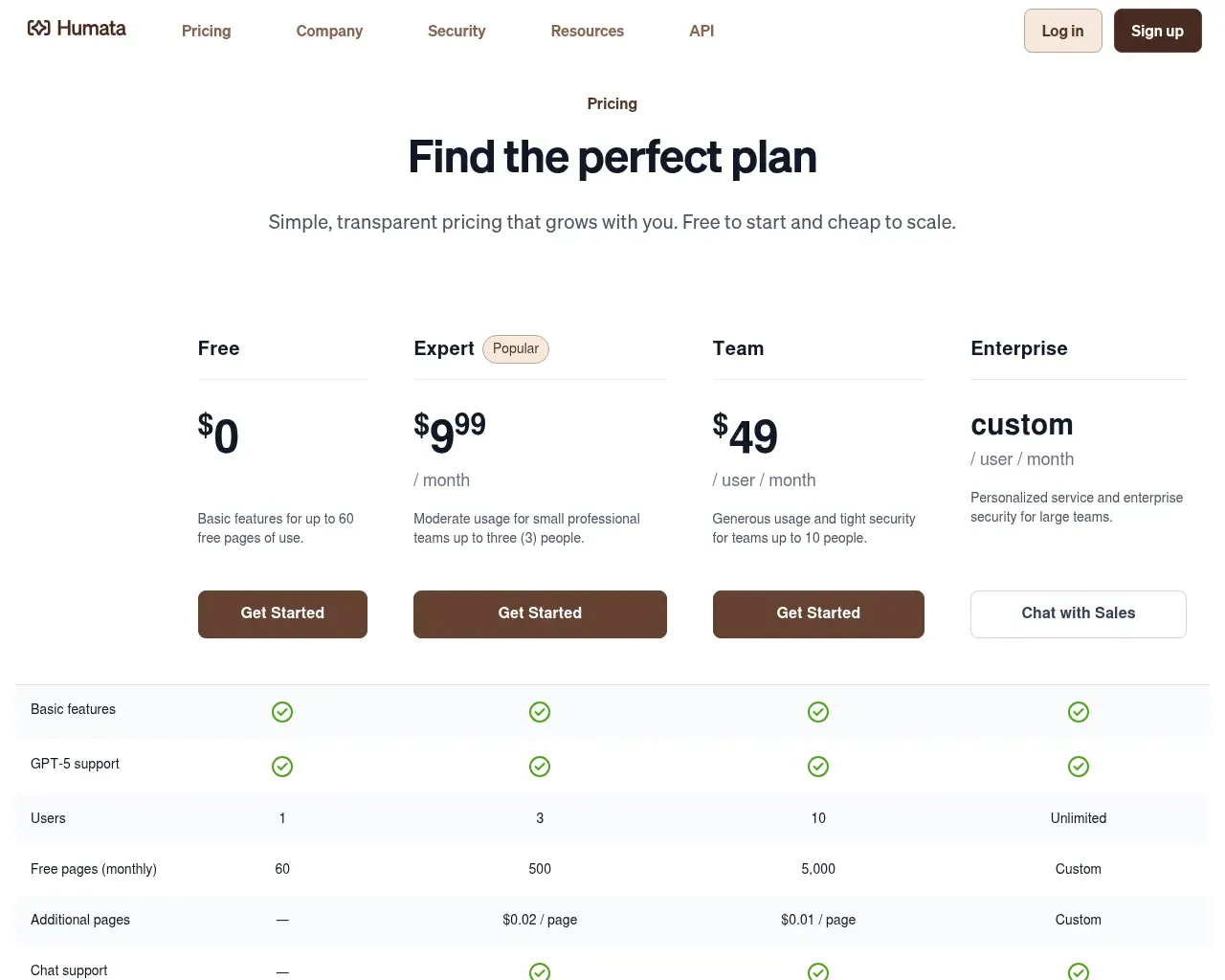
The per-page model is clean on paper and cheap to start, but it is where user complaints cluster. Heavy users burn through page allowances faster than they expect, partly because reprocessing or re-uploading a document can consume pages again. A researcher pushing dozens of papers through it every month can end up paying more than a flat ChatGPT Plus subscription would cost. If your usage is bursty or high volume, model your real page count before you assume the $9.99 tier covers you.
Honest limitations
The accuracy is good, not magic. Independent reviews and a middling Trustpilot score around 3.2 out of 5 point to the same soft spots: summaries can miss detail or slip on highly technical, specialized material, which is precisely the content researchers most want it for. The citations make those misses catchable, but you still have to do the catching.
It is also narrow by design. Humata answers questions about documents; it is not a writing tool, so there is no grammar checking, no plagiarism detection, and no real content creation beyond paraphrasing what you feed it. And for a quick, no-account, one-off "summarize this PDF" errand, a lighter tool like ChatPDF is genuinely faster. Humata's advantages, the team permissions, security, and shared document rooms, only start paying off once more than one person is querying a shared library.
Who should use it
Humata is a strong fit for teams and organizations that need to ask questions across a shared, sensitive document set and want cited, checkable answers with real access controls behind them. It is a reasonable fit for individual researchers and students who value the citation trail, as long as they watch the page meter. It is probably overkill for someone who just wants to summarize the occasional PDF.
Overall it lands at 4 out of 5 for team document Q&A: a credible, well-secured, citation-first tool with a clear niche, held back from the top mark by a page-based pricing model that can surprise heavy users and accuracy that wobbles on the most specialized material. Start on the free tier, throw your hardest real documents at it, and check the citations before you trust the summaries.
Sources consulted
- Humata homepage — product positioning, core features, citations, embeddable widget, pricing summary
- Humata security page — SOC 2 Type II, ISO 27001/GDPR, encryption, SSO/SAML, role-based access
- Humata: $3.5M funding announcement — seed round, investors, founder, and company location
- Humata pricing page — Free, Expert, Team tiers and the per-page overage model
- ComputerTech: Humata AI Review — Trustpilot score, page-consumption complaints, accuracy on technical documents
- Digital Software Labs: Humata AI review — real-world performance, OCR and pricing limitations
- Toolify: ChatPDF vs. Humata — competitive comparison for individual vs team use
Published on: July 16, 2026
Looking for alternatives to HUMATA? See all HUMATA alternatives →
Have an AI tool of your own? Submit it below and get a free, in-depth product review article — just like this one.
Add your AI tool in seconds
Paste your URL and we'll draft the listing. You review and edit every field before submitting.