SpeedPainter AI review — AI Speedpaint Generator
By: speedpainter
At a glance
4.0 / 5
SpeedPainter AI
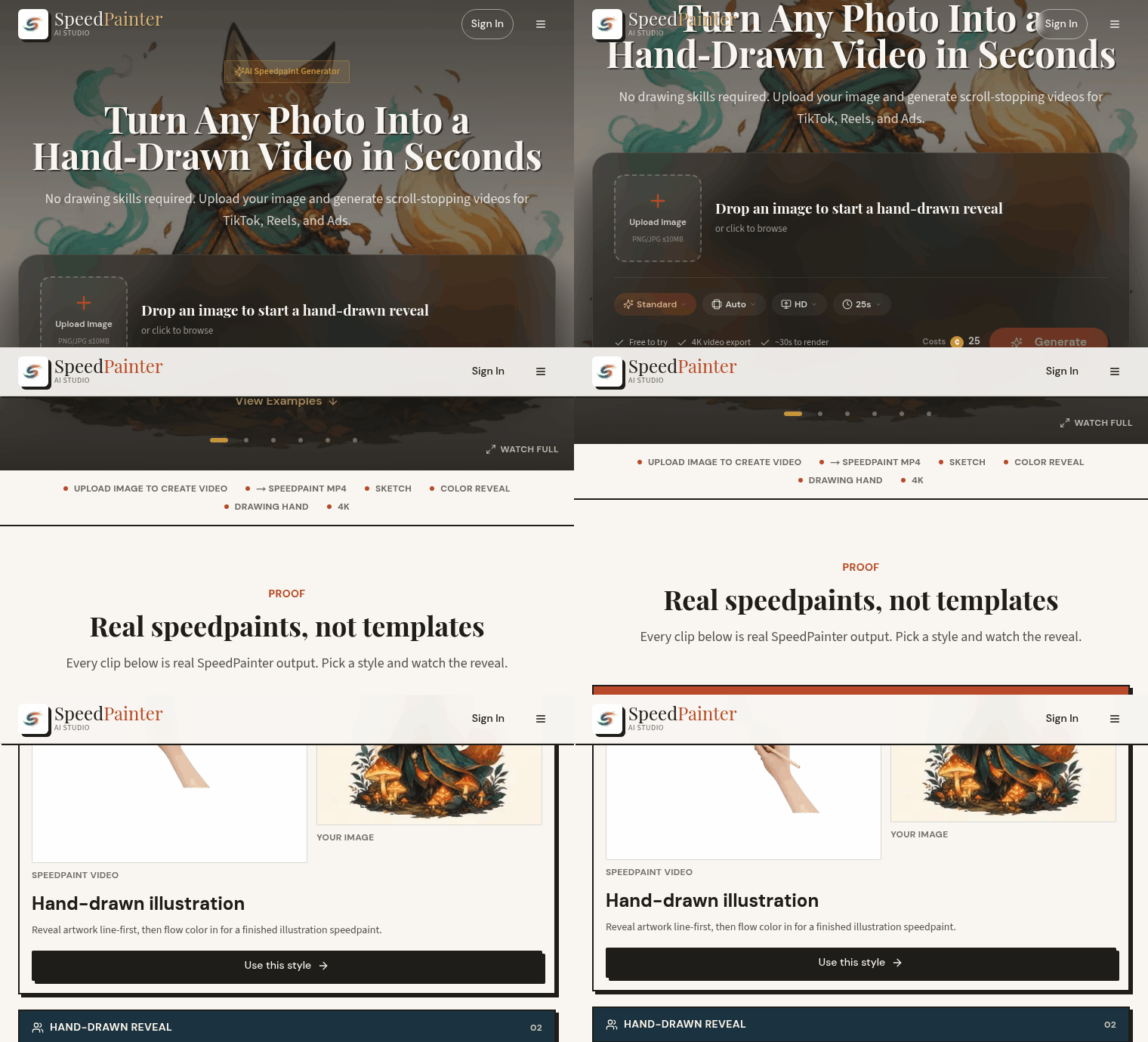
PaidSpeedPainter AI turns a static JPG or PNG into a hand-drawn reveal video — the short clips that work well on TikTok, Reels, Shorts and ads. The tool builds the animation line-first, then fills color, shows a drawing hand, and offers several canvas styles and presets so you get a ready-to-post MP4 without recording or editing.
What it is
SpeedPainter AI is a web app that converts images into speedpaint MP4s. The workflow is straightforward: upload an image, pick a speedpaint style (sketch, color reveal, whiteboard, logo reveal, and others), choose an aspect ratio and a drawing-hand effect, then generate the clip. The site emphasizes quick production — "No timeline, no tablet, no recording setup." It preserves transparency for PNGs and supports export up to 4K.
Key features
Upload JPG or PNG (transparent PNGs stay transparent through the render).
Multiple speedpaint styles aimed at portraits, product shots, logos, whiteboards, and other content types (examples: sketch + color reveal, whiteboard animation, poster draw-on).
Preset aspect ratios for social video: 9:16 for Reels/TikTok, 1:1 for feeds, 16:9 for YouTube, plus an Auto option.
Customizable drawing-hand effects, timing of line versus color, and canvas styles to tune the reveal look.
Export-ready MP4 output (workflow shows 2K; exports up to 4K are available).
Credit-based monthly plans with higher tiers offering faster processing and priority support.
Pricing
SpeedPainter's published plans are billed annually (the site shows a 17% saving) and listed as monthly-equivalent prices:
Starter: $16.58/month (billed annually $199/yr) — 700 credits per month (~116 videos at 6s each), all effects included, personal + social media use, email support, 2 months free.
Plus: $33.25/month (billed annually $399/yr) — 2000 credits per month (~333 videos at 6s each), everything in Starter plus priority processing and priority support.
Ultra: $49.92/month (billed annually $599/yr) — 4000 credits per month (~666 videos at 6s each), maximum monthly credits, priority processing and priority support.
Pricing notes on the page: 1 credit = 1 second of video, higher tiers provide faster processing and priority support, and the site highlights "Cancel anytime" and no-login previews of styles.
Who it's for
SpeedPainter is aimed at creators and teams who want hand-drawn reveal videos without learning to draw, set up recording, or edit: short-form video creators, marketers making ad hooks, e-commerce sellers adding motion to product shots, artists who want a quick promo, and educators building whiteboard-style explainers.
Highlights
Produces shareable hand-drawn reveal MP4s from any JPG/PNG with no drawing required.
Social-first exports (9:16, 1:1, 16:9) and up to 4K resolution for polished posts.
Flexible styles and drawing-hand effects tailored to portraits, products, logos, and whiteboard lessons.
Best for: Creators and marketers who need fast, polished draw-on reveal videos for social and promos.
Considerations
Plans do not add a separate rights grant; the site advises checking how you can use generated videos for your intended commercial purposes.
SpeedPainter reproduces the look of a hand-drawn speedpaint rather than recording a human artist's live process — it creates the appearance of a drawing build.
Credit accounting is per second (1 credit = 1s), so estimate typical clip lengths and monthly credit needs before choosing a plan.
Priority processing and priority support are available only on higher tiers; factor that in if you need faster turnaround regularly.
FAQ
Do I need any drawing skill to make a speed paint?
No. You upload a finished image and SpeedPainter generates the hand-drawn reveal for you — line work first, then color. No drawing, recording, or editing required.
What images and formats can I upload?
JPG and PNG are supported. The site notes that transparent PNGs remain transparent through the render, so logos and layered graphics can keep their background removed.
What video sizes and aspect ratios can I export?
SpeedPainter offers ten aspect-ratio presets, including 9:16 for TikTok/Reels, 1:1 for feed posts, 16:9 for YouTube, and an Auto option to preserve your image's original ratio. The page notes exports up to 4K.
How do credits and pricing work?
Pricing is credit-based: the site states 1 credit = 1 second of video. Plans list monthly credit allocations (Starter 700, Plus 2000, Ultra 4000) and show annual billing with stated savings. Higher tiers include priority processing and priority support.
Can I preview styles without signing up?
Yes. The site highlights that you can preview styles without logging in, and the workflow language on pricing mentions "No credit card" and "Cancel anytime" for flexibility.
Is the output really hand-drawn?
The output recreates the look and pacing of a speedpaint: line-first drawing, then color fill, and a visible drawing hand. The site shows full examples labeled as real SpeedPainter output. That said, the tool produces a generated animation rather than a live recording of an artist drawing.
Published on: September 10, 2026
Looking for alternatives to SpeedPainter AI? See all SpeedPainter AI alternatives →
Have an AI tool of your own? Submit it below and get a free, in-depth product review article — just like this one.
Add your AI tool in seconds
Paste your URL and we'll draft the listing. You review and edit every field before submitting.