Vidnoz AI review: a genuinely usable free AI video generator
By: AI Collection
At a glance
4.0 / 5
Vidnoz AI
PaidIf you need a talking-head video by the end of the afternoon and you don't have a camera, a studio, or anyone willing to be on screen, Vidnoz AI is built for exactly that moment. You paste a script, pick an avatar and a voice, and it renders a person speaking your words with synced lip movement. No shoot, no editing timeline. The pitch is speed, and a free plan that actually lets you test the thing before you pay.
What Vidnoz actually does
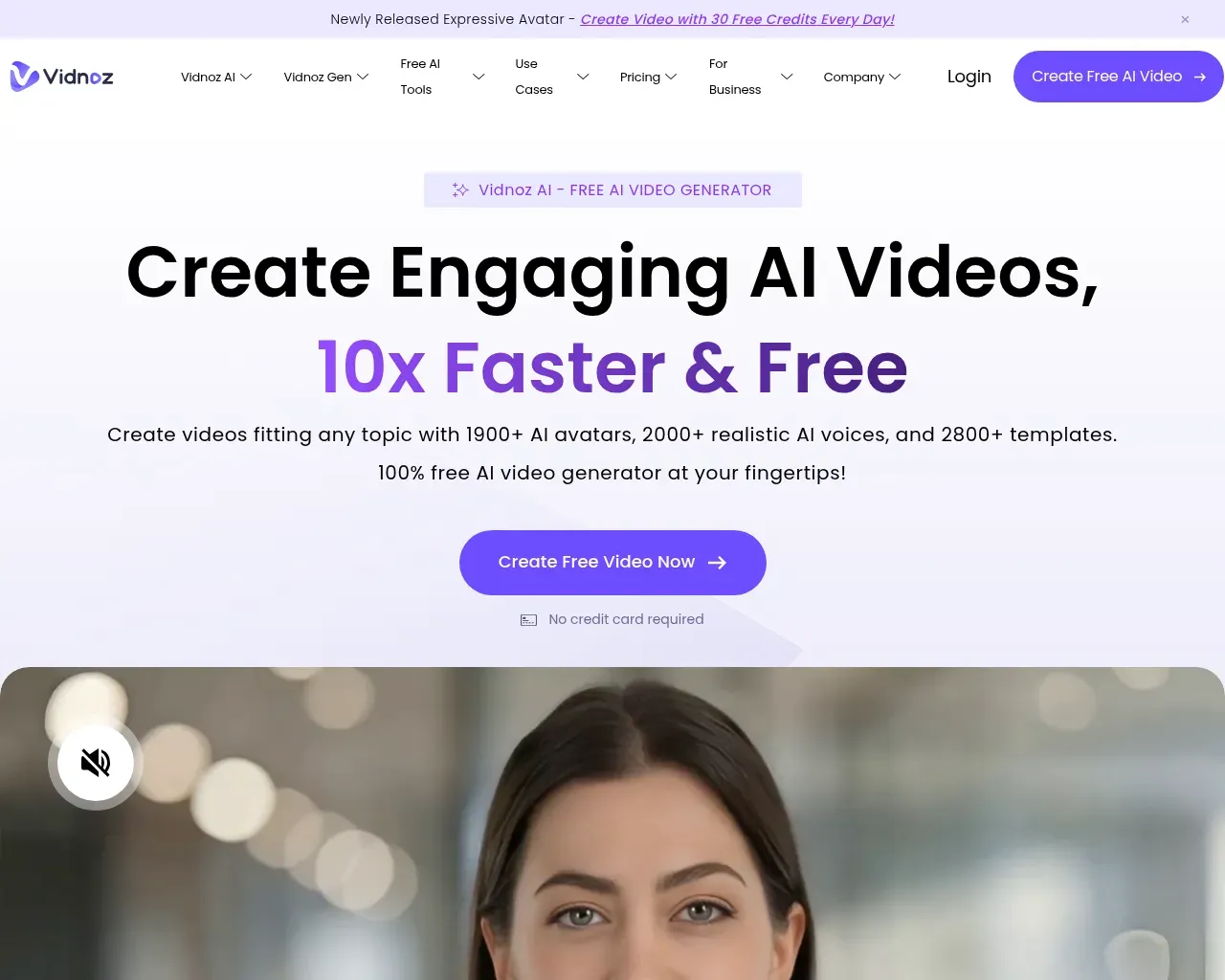
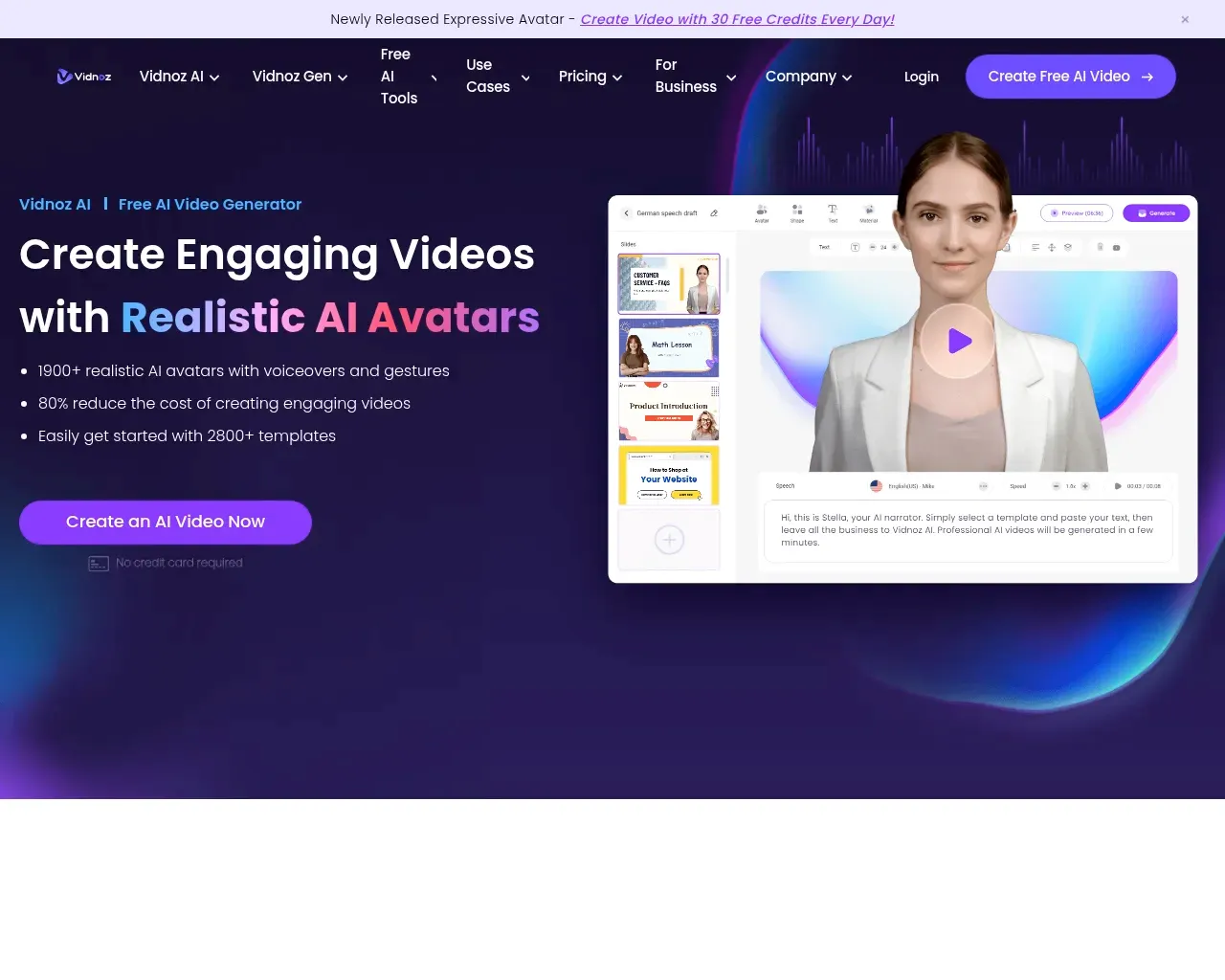
Vidnoz turns typed text into a video of a realistic AI avatar delivering it. You choose from a library the company puts at 1,900+ avatars, drop in your script, pick one of thousands of voices across 140+ languages, and the render comes back as a finished clip. That covers the bread-and-butter use cases the site leans on: training and onboarding videos, e-learning, product marketing, sales outreach, and internal communication.
Around that core sits a wider toolkit. A separate module, Vidnoz Gen, adds image-to-video and text-to-video generation, an AI photo editor, and image tools, wired to a rotating set of third-party models (Google Veo, Sora, Kling, Seedance and others). There's also a growing pile of free single-purpose utilities that share the same account and credit balance: a video translator, lip-sync, a talking-photo maker, and a set of voice tools.
Two named users on the site give a sense of who reaches for it. The University of Halle describes building avatars from a photo to create communication-training material for medical students, and Universitat Politècnica de Catalunya uses it to translate academic videos into English and values that the language list stretches to Catalan. That skews toward education and localization rather than polished brand advertising, which fits what the tool is good at.
The free plan, and where it stops
The free tier is the reason Vidnoz gets tried at all, and it is genuinely usable, with a few specifics worth knowing before you build a workflow on it. You get 30 credits a day, which works out to roughly a minute of finished avatar video, and those credits reset at midnight without rolling over. So the free plan rewards someone who dips in daily, not someone who wants to batch a month of content in one sitting. Every free export also lands at 720p with a visible Vidnoz watermark.
For personal experiments or figuring out whether AI avatars suit your material, that's fine. For anything client-facing, the watermark alone pushes you to a paid plan.
Pricing: what each tier actually unlocks
Vidnoz prices by credits and by which features a plan turns on, and the feature gating matters more than the headline price.
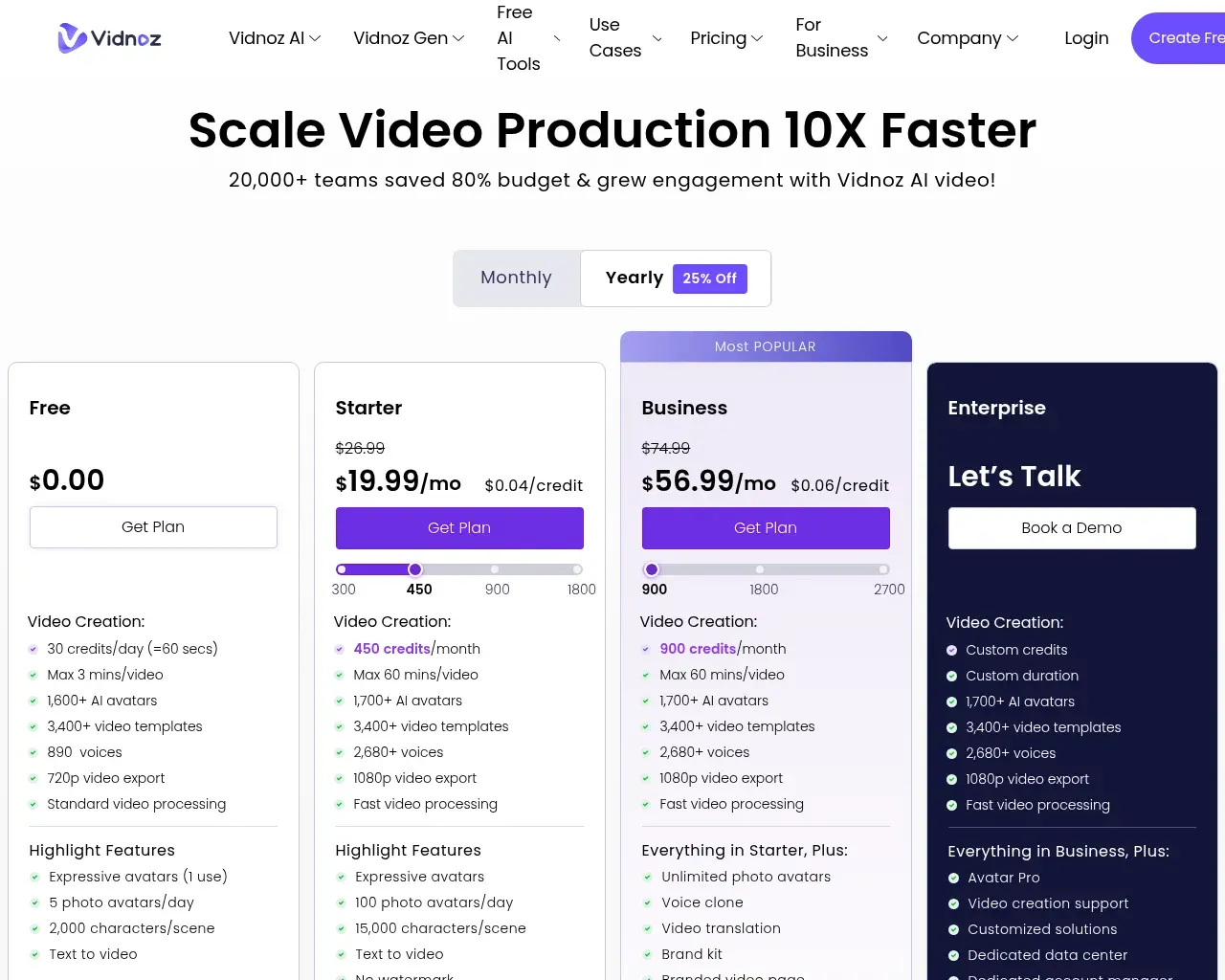
Starter runs about $19.99 a month on the annual plan (billed higher monthly). It removes the watermark, unlocks 1080p export, raises the per-video length cap, and includes SCORM export for learning platforms. It's the plan most solo creators will actually want. The catch is what it leaves out: voice cloning and lip-synced video translation are not on Starter. Both live on Business, around $56.99 a month annually, which also adds a brand kit, branded and embeddable video pages, team collaboration, and SAML/SSO. Enterprise is quote-based and brings custom credit volumes, Avatar Pro, a dedicated data center, and a dedicated account manager. Yearly billing knocks about 25% off across the board.
The practical read: if you only need clean, unbranded avatar videos, Starter is enough. If your reason for being here is multilingual video or a cloned voice, a common need for educators and international teams, you're looking at the Business tier, not the entry price, so budget accordingly.
Where it trails the premium tools
Vidnoz competes on generosity and breadth, not on being the single most lifelike renderer. Independent testing puts its lip-sync accuracy a notch below the premium end of the market; against HeyGen, reviewers describe the sync and gesture range as slightly less natural. If you're producing a flagship brand film where every frame is scrutinized, that gap is real.
Where Vidnoz pulls ahead is the trial experience. HeyGen's free tier caps you at three videos a month; Vidnoz resets credits daily, so you can keep experimenting day after day without paying. For iterating on scripts, testing avatars, or churning out internal and social clips at volume, that daily reset is the more forgiving model.
The rating gap worth knowing about
One thing stands out across third-party reviews and deserves a flag. On G2, Vidnoz sits near the top at 4.9/5; on Trustpilot it drops to about 2.1/5. That's a wide spread, and the explanation isn't that the product suddenly falls apart — it's billing. The low Trustpilot scores cluster around cancellation and charging complaints, a documented enough pattern that it's fair to go in with your eyes open. Read the current cancellation terms before you subscribe, keep an eye on renewal dates, and treat the annual commitment as a real commitment.
Who it's for, and the verdict
Vidnoz AI is a strong fit for solo creators, educators, and small marketing or enablement teams who need talking-head and avatar videos quickly, can live within a daily credit budget, and don't need broadcast-grade realism. The free plan is one of the more honest ones in this category: no credit card, and real access to the avatar library. The paid tiers are priced sensibly for what they do, as long as you check whether the feature you actually came for sits on Starter or Business.
Overall it lands at about 4/5: capable, unusually generous on the free tier, and broad enough to cover most everyday video needs, with the billing reputation and the mid-tier feature gating as the two things to weigh before you commit.
Sources consulted
- Vidnoz AI homepage — product overview, avatar/voice/template counts, use cases, and customer testimonials
- Vidnoz AI pricing — current Free, Starter, Business and Enterprise plan tiers and feature gating
- AI Tools Police — Vidnoz review (2026) — independent scoring, the HeyGen comparison, and the G2 vs Trustpilot rating gap
Published on: October 22, 2026
Looking for alternatives to Vidnoz AI? See all Vidnoz AI alternatives →
Have an AI tool of your own? Submit it below and get a free, in-depth product review article — just like this one.
Add your AI tool in seconds
Paste your URL and we'll draft the listing. You review and edit every field before submitting.