Zust AI Review: AI Product Photography Without the Studio
By: AI Collection
At a glance
3.0 / 5
Zust AI
PaidIf you sell online, you already know the gap. Your product is fine, but the photo of it on a plain kitchen table is not doing it any favors, and a booked studio shoot costs more than the margin on the next fifty orders. Zust AI is built for exactly that gap: you hand it one photo of your product and it hands back studio-style shots you can drop straight onto a listing.
What Zust AI actually does
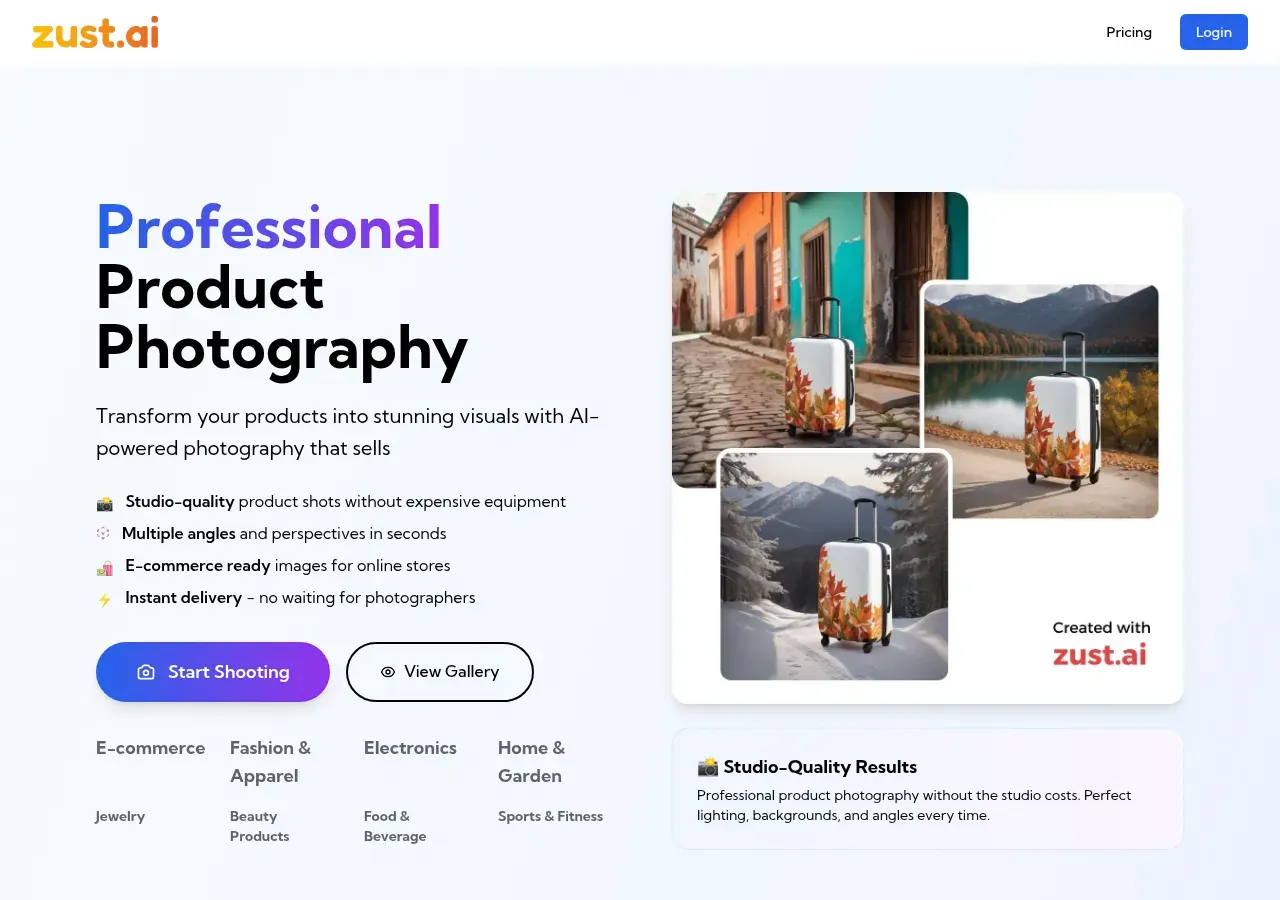
The pitch is narrow, which is a good sign. Zust takes a product image and generates new versions of it with different backgrounds, lighting, and camera angles. On the homepage the demo runs a rolling suitcase through a sunlit cobblestone street, a lakeside in autumn, and a snowy mountain pass, all from what looks like the same source shot. The idea is that you get several usable scenes in the time it takes to describe one.
It leans toward physical e-commerce goods rather than people. The site groups examples by category: fashion and apparel, electronics, home and garden, jewelry, beauty, food and beverage, and sports. More recently it added short video, priced separately, so a listing hero can be a five-second clip instead of a still.
How the workflow goes
You upload a product image, tell Zust the kind of scene you want, and it produces multiple angles and backgrounds from that single input. There is no equipment step and no scheduling. For a solo seller uploading from a phone, the appeal is obvious: the slow, expensive part of catalog photography is the part Zust removes.
That simplicity cuts both ways. AI product photography is still weakest on the things e-commerce cares about most: exact label text, brand marks, and how light behaves on glass, chrome, or gemstones. If you sell reflective or heavily-branded items, treat the first batch as a test rather than a finished catalog, and check that the generated packaging still reads as yours.
The credit model, and what twenty dollars really buys
Zust made a deliberate choice here, and it is the part I most want buyers to understand. There is no subscription. You buy a pack of credits, they sit in your account for a year, and you spend them as you go. The site is blunt about the reasoning: it does not want to lock you into a recurring plan, and would rather keep you on quality than on a billing cycle. For anyone who has forgotten to cancel a SaaS trial, that stance is refreshing.
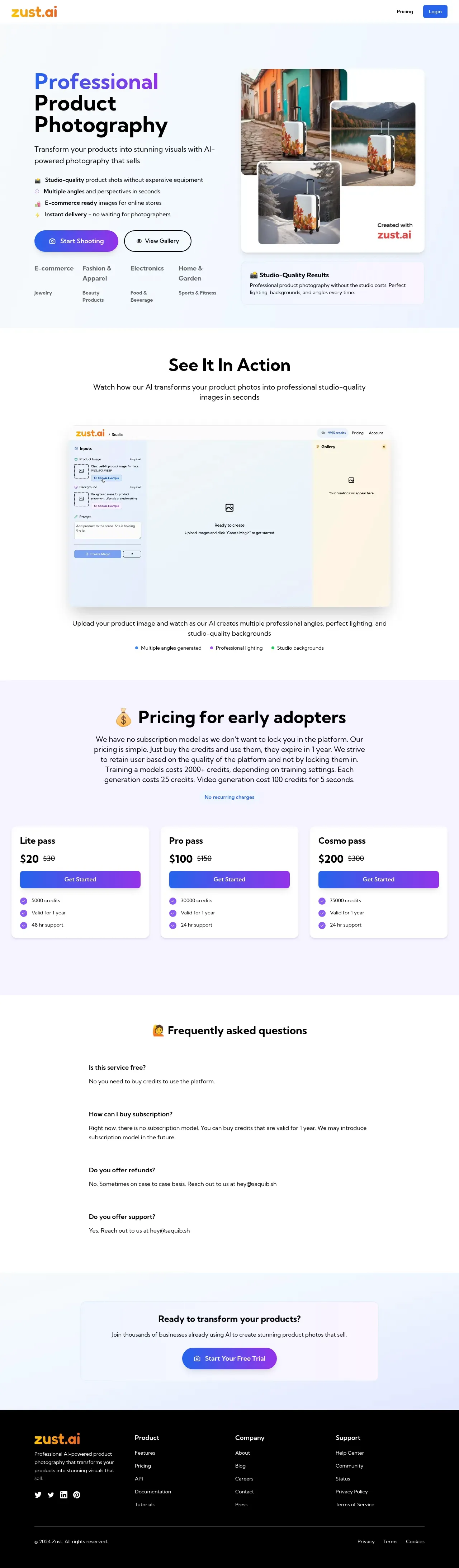
The packs, at the promotional prices shown on the site, run from a $20 Lite pass (5,000 credits) to a $100 Pro pass (30,000 credits) and a $200 Cosmo pass (75,000 credits). Credits are valid for one year. What matters is the burn rate underneath, because it is not one credit per image. Each generation costs 25 credits, a short video costs 100 credits per five seconds, and training a custom model of your own product runs 2,000 credits or more depending on settings.
Do that math on the entry pack and the picture sharpens. Skip training and $20 buys roughly 200 generated images. Train one model first and you have closer to 120 left. That is still a lot of catalog for the money, but if you imagined 5,000 images for $20, adjust the expectation before you buy. The pricing is fair for what it is; it just rewards reading the fine print.
Two smaller notes belong here. Refunds are officially a no, softened to case-by-case, and there is no genuinely free tier despite a "Start Your Free Trial" button near the footer, so confirm what a fresh account actually grants before you count on it.
Who is behind it
Zust is a small, independent operation, run under the TheFluxTrain banner and reachable through a single founder address, Saquib Alam, for both sales and support. That is not a knock. Plenty of the best niche tools are one person who cares. It does set expectations, though: support is an email to a person, not a 24/7 desk, and the site shows its seams in places. The founder page, at the time I looked, was still an unfinished template reading "Hello! I'm Saquib Alam, a [Your Profession]." A rough corner on a marketing page is not a rough product, but it is a fair reason to run your own test before wiring Zust into a storefront you depend on.
Where it fits, and my verdict
Zust AI is a good fit for a small or mid-size seller who needs clean, varied product shots without a studio budget and likes the idea of paying once for credits instead of renewing a subscription. It is a weaker fit for teams that need guaranteed label fidelity, a formal support SLA, or a deep bench of independent reviews to point to before they commit. Its third-party footprint is mostly directory listings on the likes of Capterra and GetApp rather than a body of detailed user reviews, so the honest move is to buy the smallest pack, run your own SKUs through it, and judge the output on your actual products.
Overall I would put it at 3 out of 5: a capable, sensibly-priced tool with a genuinely likeable no-lock-in model, held back from higher by thin independent validation and the polish gaps of a solo operation. Worth a paid trial run; worth testing before you bet a catalog on it.
Frequently asked questions
Is Zust AI subscription-based? No. You buy credit packs that stay valid for a year, and the company says it may add subscriptions later but has not yet.
How many images can I get from the cheapest pack? At 25 credits per generation, the $20 Lite pack's 5,000 credits is about 200 images, fewer if you also train a custom model, which costs 2,000-plus credits.
Can it make video? Yes. Short clips are supported at 100 credits per five seconds, on top of the still-image generation.
Sources consulted
- Zust AI homepage — product description, feature and category list, credit-pack pricing, video pricing, refund and support FAQ
- Zust AI founder page — founder identity (Saquib Alam) and the unfinished placeholder state noted
- Zust AI demos page — TheFluxTrain brand and the shared toolset behind the site
- Zust ai on Capterra — third-party directory listing used to gauge independent footprint
- Zust ai on GetApp — third-party directory listing used to gauge independent footprint
Published on: July 19, 2026
Looking for alternatives to Zust AI? See all Zust AI alternatives →
Have an AI tool of your own? Submit it below and get a free, in-depth product review article — just like this one.
Add your AI tool in seconds
Paste your URL and we'll draft the listing. You review and edit every field before submitting.