- Category
- Email Assistant
- Alternatives
- 6 similar tools
- Last updated
- 1 weeks ago
- Source
- Official site ↗︎
AI Collection Top Picks

Email Assistant Category Picks

About EmailTriager
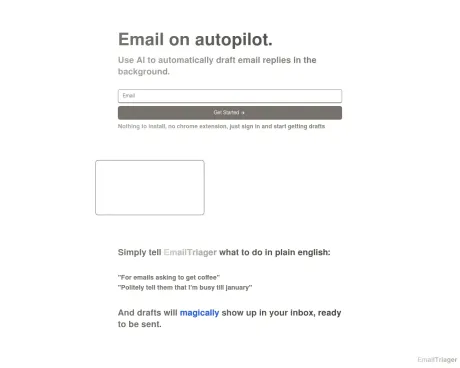
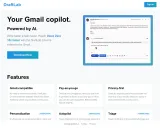
EmailTriager is an AI assistant that automatically organizes your incoming emails and drafts ready to send replies in the background. Get started with one click.
EmailTriager's Pricing Plans
EmailTriager may change prices at any time. Here's our latest information:
Pricing
Pricing
- Pricing details are not provided on the website.
What you get
Additional Information
EmailTriager helps users manage their email more efficiently by organizing incoming messages and crafting draft replies automatically. With its seamless integration into Gmail, the tool eliminates the burden of sifting through emails, allowing users to focus on reviewing and sending prepared responses.
The assistant learns from users' past emails, utilizing a unique feature called True Voice to ensure that the drafts it creates sound like the user. This personalization means that the replies are authentic and retain the user's tone. EmailTriager is designed not just for heavy email users but for anyone looking to declutter their inbox and improve productivity.
Security is a priority for EmailTriager, as it has been audited by a third-party security expert and ensures that users’ email content is never used to train general AI models. Users have control over their data, including the ability to oversee and delete the Knowledge Base that is formed during training.
With its straightforward approach, EmailTriager offers a user-friendly solution for managing email overload, promising to streamline email communication without imposing a learning curve.
Frequently asked questions
What is EmailTriager used for?
EmailTriager: Get Through Your Emails 10x Faster.Is EmailTriager free?
Pricing for EmailTriager varies — see the Pricing section for details.What are alternatives to EmailTriager?
Where can I get EmailTriager?
EmailTriager is available at http://emailtriager.com.What category is EmailTriager in?
EmailTriager is listed in Email Assistant.What is an Accepted Draft?
An Accepted Draft is a draft that EmailTriager creates for you that you send with less than 20% of the words changed. You only pay for Accepted Drafts.What should I see when EmailTriager is live?
Once EmailTriager is live, you should start to see drafts for any new email that needs a response. These drafts will show up directly in Gmail and take a little over a minute to appear.Does EmailTriager send emails on my behalf?
No. EmailTriager will never send emails on your behalf. It only drafts responses for you to review and send.How does EmailTriager train on my emails?
To train on your emails, EmailTriager reads your past emails once and creates a Knowledge Base that contains everything it needs to draft responses to new emails.If EmailTriager doesn’t work for me how do I remove it? Will my Gmail be affected?
You can remove EmailTriager at any time. Your Gmail account will go back to normal and no more drafts will be created for you.What about privacy and security?
We take your privacy and security very seriously. To train EmailTriager, we need to read your emails. But, we don’t save or store any email read during training. Everything EmailTriager needs to draft emails is stored in the Knowledge Base that is created during training. You can view and delete this Knowledge Base at any time.What about Privacy & Security?
We take your privacy and security very seriously. To train EmailTriager, we need to read your emails. But, we don't save or store any email read during training. Everything EmailTriager needs to draft emails is stored in the Knowledge Base that is created during training. You can view and delete this Knowledge Base at any time.If EmailTriager doesn't work for me how do I remove it? Will my Gmail be affected?
You can remove EmailTriager at any time. Your Gmail account will go back to normal and no more drafts will be created for you.How does EmailTriager handle privacy and security?
We take your privacy and security very seriously. To train EmailTriager, we need to read your emails. But, we don't save or store any email read during training. Everything EmailTriager needs to draft emails is stored in the Knowledge Base that is created during training. You can view and delete this Knowledge Base at any time.What privacy and security measures does EmailTriager take?
We take your privacy and security very seriously. To train EmailTriager, we need to read your emails. But, we don’t save or store any email read during training.
Compare EmailTriager with…
Pick any tool to see a structured side-by-side: pricing, deployment, capabilities, and content policy.