
- Category
- Video Editing
- Pricing
- Free
- Alternatives
- 6 similar tools
- Last updated
- 2 weeks ago
- Source
- Official site ↗︎
AI Collection Top Picks

Video Editing Category Picks



About AI Video Cut
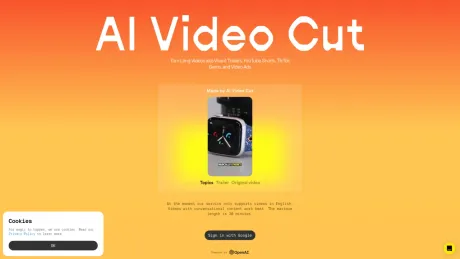
Transform lengthy videos into viral YouTube Shorts, TikToks, or ads effortlessly using AI Video Cut. Repurpose with ease and captivate your audience!
What you get
Additional Information
Use Cases
Content Creators and Influencers
Individuals who consistently produce video content for platforms like YouTube, TikTok, Instagram, and Facebook, as well as influencers aiming to elevate the quality of their content.
Digital Marketers
Professionals managing online advertising campaigns, including video ads, who are looking to optimize their content across various platforms.
Social Media Managers
Experts responsible for overseeing social media accounts, seeking tools to efficiently produce engaging content.
E-commerce Businesses
Online retailers looking to create captivating product videos and advertisements for their websites and social media channels.
Event Planners
Professionals organizing events, conferences, or webinars who wish to repurpose event recordings for promotional use.
Podcasters
Able to create highlight reels or visual summaries of episodes to offer potential listeners a quick preview.
Frequently asked questions
What is AI Video Cut used for?
AI Video Cut: Create Viral Content with AI-Prompts.Is AI Video Cut free?
AI Video Cut is free to use.What are alternatives to AI Video Cut?
Top alternatives to AI Video Cut include Klap App, AI video editor, Atlabs AI, Topview AI URL to Video, Colossyan.Where can I get AI Video Cut?
AI Video Cut is available at https://www.aivideocut.com/.What category is AI Video Cut in?
AI Video Cut is listed in Video Editing.Content Creators and Influencers
Individuals who consistently produce video content for platforms like YouTube, TikTok, Instagram, and Facebook, as well as influencers aiming to elevate the quality of their content.Digital Marketers
Professionals managing online advertising campaigns, including video ads, who are looking to optimize their content across various platforms.Social Media Managers
Experts responsible for overseeing social media accounts, seeking tools to efficiently produce engaging content.E-commerce Businesses
Online retailers looking to create captivating product videos and advertisements for their websites and social media channels.Event Planners
Professionals organizing events, conferences, or webinars who wish to repurpose event recordings for promotional use.Podcasters
Able to create highlight reels or visual summaries of episodes to offer potential listeners a quick preview.How do you calculate video upload minutes?
We calculate video upload minutes based on the duration of videos you upload in a month. Each paid plan provides a set of monthly upload minutes. The duration of each uploaded video is deducted from this monthly limit.Where can I see my remaining upload minutes?
You can view your remaining upload minutes in the Usage section of your account profile.Do my upload minutes refresh every month?
Yes, for paid plans, your upload minutes refresh at the beginning of each billing cycle. On the Free plan, you have a one-time set of 50 minutes that doesn't refresh.What does 'Regeneration' mean?
The regeneration feature allows you to create new clips from the same uploaded video. By applying different prompts or caption styles, you can generate fresh results without having to upload the video again.How can I cancel my subscription?
Go to your account profile and click the Cancel Plan button to cancel your subscription.How can I upgrade from Starter to Pro?
Navigate to your account profile, click the Upgrade Plan button, and then select the Pro plan.What does "Regeneration" mean?
The regeneration feature allows you to create new clips from the same uploaded video. By applying different prompts or caption styles, you can generate fresh results without having to upload the video again.
Compare AI Video Cut with…
Pick any tool to see a structured side-by-side: pricing, deployment, capabilities, and content policy.








