Buildin.AI
Workspace for Docs, Projects & Paid Subscriptions.
- Category
- Note Taking & Second Brain
- Alternatives
- 6 similar tools
- Last updated
- 2 weeks ago
- Source
- Official site ↗︎
AI Collection Top Picks
Note Taking & Second Brain Category Picks


About Buildin.AI
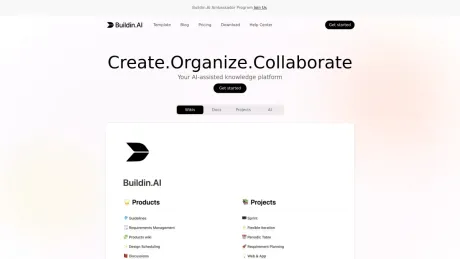
The all-in-one AI workspace that combines docs, wikis, mind maps, databases, and paid subscriptions. Create, collaborate, and monetize your content in one place.
What you get
Additional Information
Buildin is an AI workspace designed to facilitate the building, managing, and selling of knowledge-based assets. With a focus on empowering users to create and publish content efficiently, Buildin integrates advanced AI tools to enhance the publishing process. This platform is ideal for content creators, businesses, and anyone looking to manage information effectively. By leveraging AI, Buildin simplifies complex workflows, allowing users to focus on their creative output rather than administrative tasks.
Frequently asked questions
What is Buildin.AI used for?
Buildin: AI Workspace for Docs, Projects & Paid Subscriptions.Is Buildin.AI free?
Pricing for Buildin.AI varies — see the Pricing section for details.What are alternatives to Buildin.AI?
Where can I get Buildin.AI?
Buildin.AI is available at https://buildin.ai.What category is Buildin.AI in?
Buildin.AI is listed in Note Taking & Second Brain.1. What makes Buildin different from other tools?
Buildin is an AI-native workspace that uniquely combines docs, mind maps, and databases. Unlike Notion or Obsidian, Buildin allows you to launch paid subscriptions for your content and offers private deployment for enterprises.2. How do Paid Subscriptions work in Buildin?
You can gate any page, wiki, or template behind a paywall. Buildin handles the paid subscription management, payments, and access delivery automatically—no third-party tools needed.3. How does the AI integration work?
Buildin AI is embedded throughout the platform. You can use it to generate text in docs, summarize wikis, brainstorm in mind maps, and automate tasks within your projects.4. Can I migrate my data from Notion?
Yes. Buildin offers a lossless import tool that moves your databases, relations, and pages accurately, making the switch seamless.5. Is Private Deployment available?
Yes. For teams requiring strict data sovereignty, we offer private deployment options to host Buildin on your own infrastructure.
Compare Buildin.AI with…
Pick any tool to see a structured side-by-side: pricing, deployment, capabilities, and content policy.