AI Photos Editor review: a pay-per-photo take on the Photo AI model
By: AI Collection
At a glance
3.0 / 5
AI Photos Editor
PaidMost AI headshot tools ask for a monthly subscription before you have seen a single result. AI Photos Editor goes the other way. You put $10 into an account, pay $5 to train a model on your own photos, then $0.10 for each image you generate. Nothing recurs, there is no plan to cancel, and the cost of trying it is roughly the price of a coffee. That pricing is the clearest thing about the product, and it turns out to be a useful lens for deciding whether the tool is worth your photos.
What it actually does
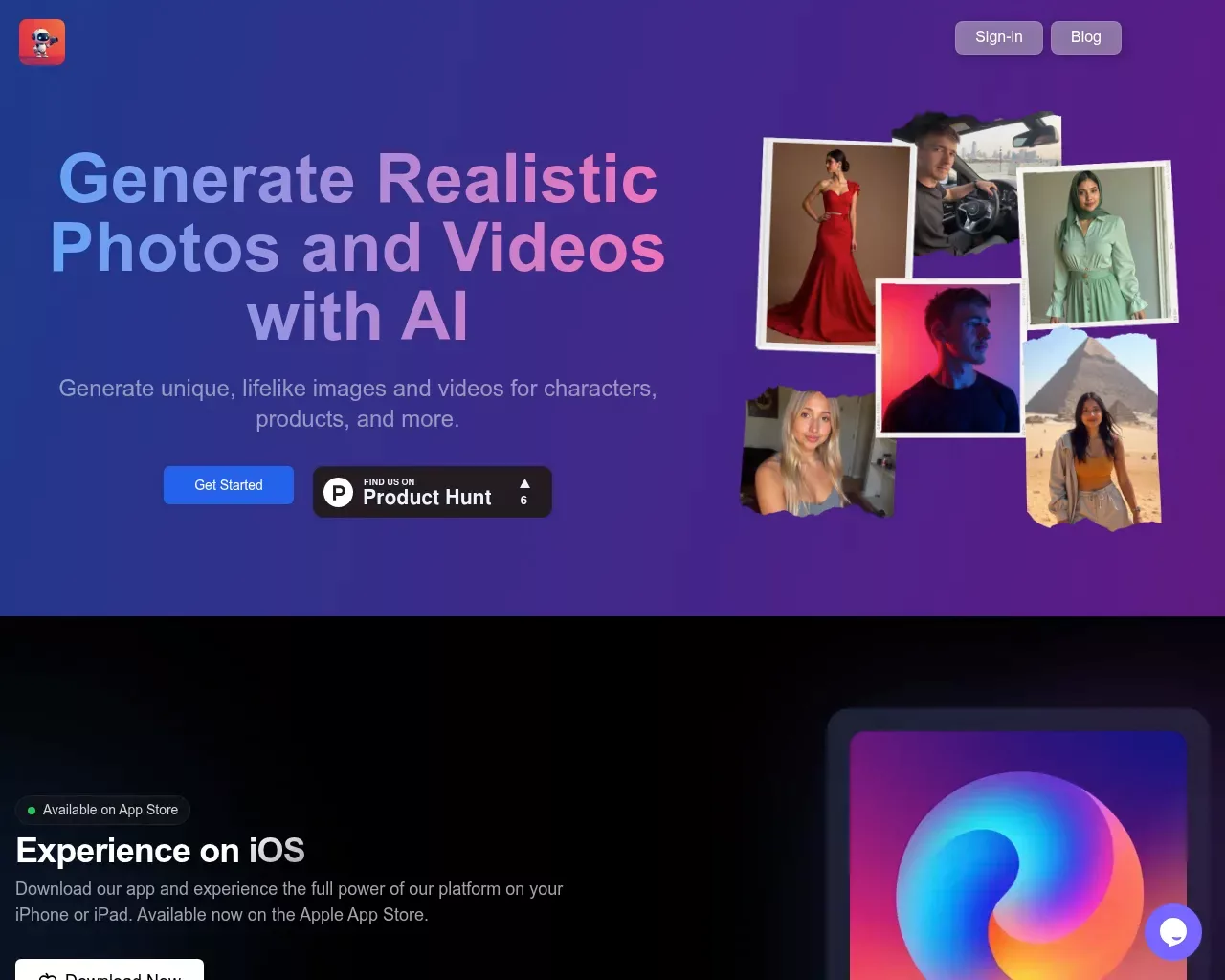
AI Photos Editor, which also brands itself realphotoai.com in its footer, is a personal "Photo AI" generator. You upload a small set of photos of a subject, usually yourself, the service trains a model on them, and then you type a text description to produce new, realistic images of that subject. A more recent feature animates stills into short moving clips, so the same trained model can output video as well as photos.
It is the same core idea behind a crowd of train-your-own-model tools that appeared over the past two years. What sets this one apart on paper is the price structure and how little it asks of you up front.
How the workflow runs
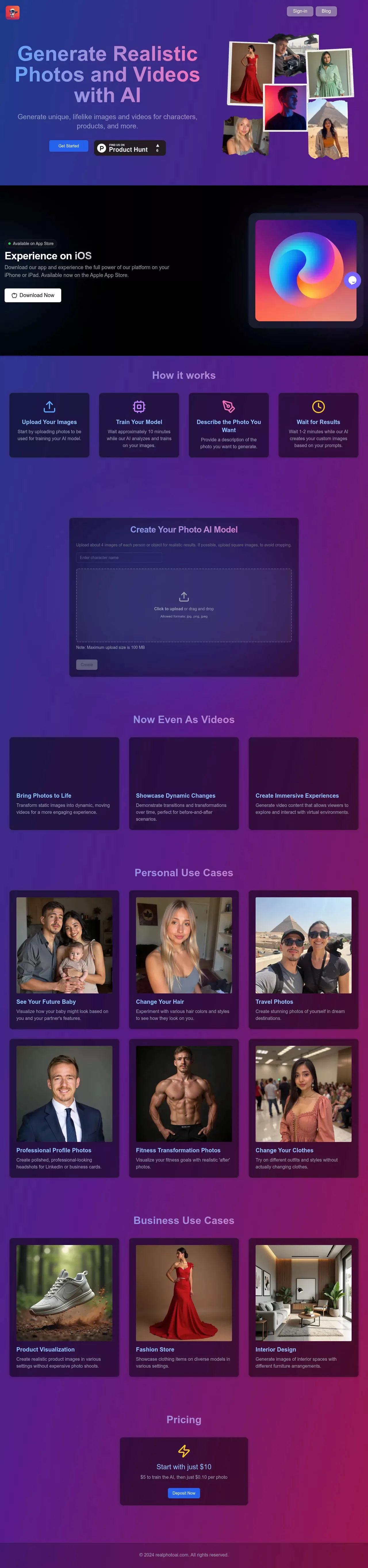
The site lays the process out in four steps, and it is genuinely that short. You upload your images, wait about ten minutes while the model trains, describe the photo you want, and get results in one to two minutes. The upload panel asks for roughly four photos of each person or object, ideally square to avoid awkward cropping, in JPG or PNG, up to 100 MB.
That four-photo ask is worth pausing on. Several established rivals want twenty or thirty varied selfies before they will train a usable model, so a four-image minimum lowers the barrier for anyone who does not have a large, well-lit photo library sitting around. The trade-off, which the category as a whole has learned the hard way, is that fewer and lower-variety training photos tend to produce less flexible results, so your mileage will track the quality of what you feed it.
Where people point it
The gallery on the page suggests the tool is aimed squarely at everyday consumer use rather than studios. The personal examples include professional headshots for LinkedIn or a business card, travel photos of yourself in places you have not been, hair-color and hairstyle experiments, fitness "after" shots, virtual outfit try-ons, and a "see your future baby" novelty. There is a business section too, covering on-model product and fashion shots and interior-design mockups, pitched as a way to skip a physical photo shoot.
What it costs
Pricing is refreshingly legible. As of November 2026 the page lists a $10 minimum deposit, $5 to train one model, and $0.10 per generated photo, with the option to regenerate part of an image, say a different hair color, for another $0.10. There is no subscription tier on the page at all. There is also a native iOS app on the Apple App Store for people who would rather work from a phone than a browser.
For a quick, one-off need, this is one of the cheaper ways to test whether AI headshots are good enough for your purpose. You are not locked into a recurring charge you have to remember to kill.
Things to weigh before uploading your face
The caveats here are less about features and more about trust, which matters more than usual for a tool that wants photos of your face.
The presentation is thin and a little anonymous. The site is a single marketing page with a bare-domain title and empty meta description, it carries a 2024 copyright, and it runs under two names (aiphotoseditor.com and realphotoai.com) with no visible About page, company details, or named team. Its Product Hunt badge shows only single-digit upvotes, and I could not find an independent, hands-on review of it anywhere. For a service you are handing training images of yourself, that absence of a track record is the thing to sit with. Read whatever privacy and terms text you can find before you upload, and think about whether you are comfortable with where those photos might live.
The credit model adds a smaller risk. You pre-fund the account, and the page does not publish a refund policy, so treat the deposit as money you are prepared to spend rather than park.
For honesty's sake: I did not run a training job or generate images, so I cannot vouch for the realism of the output. Across this category, results range widely and depend heavily on the input photos. Reviews of comparable paid tools such as PhotoAI and PhotoGPT AI run from impressed to disappointed, with recurring complaints about billing on some of them, which is a useful reminder to start small.
Who it is for, and a verdict
AI Photos Editor is a good fit if you want a cheap, no-commitment way to try AI headshots, product shots, or a fun one-off, and you are comfortable working with a small, low-profile vendor. It is not the right pick if you need an auditable company behind your face data, team or workspace features, or the reassurance of an established brand and visible reviews.
Overall: 3 out of 5. The pay-as-you-go pricing and the low four-photo barrier are genuinely appealing, and the product does what it says. The missing trust signals and anonymous presentation are enough to hold it there rather than higher, so go in with modest expectations and a careful read of the terms.
Sources consulted
- AI Photos Editor homepage — product description, four-step workflow, use-case gallery, and pay-per-photo pricing (primary source, fetched)
- Wayback Machine CDX for realphotoai.com — first archived September 2024, a longevity signal for the brand
- ExpertPhotography: PhotoAI review and the Real Photo AI Product Hunt listing — category context for train-your-own-model Photo AI tools, surfaced via web search
Published on: November 29, 2026
Looking for alternatives to AI Photos Editor? See all AI Photos Editor alternatives →
Have an AI tool of your own? Submit it below and get a free, in-depth product review article — just like this one.
Add your AI tool in seconds
Paste your URL and we'll draft the listing. You review and edit every field before submitting.