- Category
- Study & Tutor
- Alternatives
- 6 similar tools
- Last updated
- 1 weeks ago
- Source
- Official site ↗︎
AI Collection Top Picks

Study & Tutor Category Picks


About Classroom Screen
Comprehensive guide to Classroom Screen - the free web-based classroom management tool. Learn about features like timers, polls, random name pickers, noise monitors, and more.
What you get
Additional Information
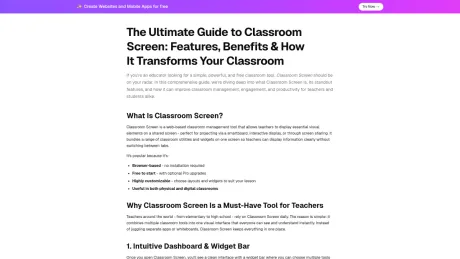
Classroom Screen is a web-based classroom management tool that allows teachers to project essential visual elements on a shared screen. It combines multiple classroom utilities and widgets in one interface, helping teachers manage their lessons effectively without the need for switching between different applications. This tool is particularly popular among educators from elementary to high school because it provides a straightforward yet powerful solution for classroom management.
With an intuitive dashboard, Classroom Screen offers a widget bar from which teachers can select and arrange various tools. Widgets are customizable, draggable, and resizable, catering to different lesson formats or teaching methods. Essential tools included are timers, clocks, and engagement features such as polling and random name selection. Its ability to create visual routines using traffic light signals and noise meters aids in maintaining classroom order and fosters student self-regulation.
Classroom Screen’s versatility extends to remote learning, enabling teachers to share their screens during virtual classes through platforms like Zoom or Google Meet. It includes multimedia integration, allowing educators to play videos directly from YouTube, maintaining context and focus without navigating away from the classroom interface. The Pro version enhances functionality with advanced features like saving layouts and lesson organization, targeting teachers who require more substantial planning tools.
Overall, Classroom Screen serves as an essential resource for teachers, streamlining classroom management while promoting interactive and engaging lessons. It addresses the diverse needs of educators, whether in traditional or hybrid learning environments, making it a preferred choice globally.
Frequently asked questions
What is Classroom Screen used for?
ClassroomScreens.net - Classroom Screen.Is Classroom Screen free?
Pricing for Classroom Screen varies — see the Pricing section for details.What are alternatives to Classroom Screen?
Where can I get Classroom Screen?
Classroom Screen is available at https://classroomscreens.net.What category is Classroom Screen in?
Classroom Screen is listed in Study & Tutor.What is classroom screen?
Classroom screen is an online classroom management tool that allows teachers to display timers, instructions, noise meters, random name pickers, and other widgets on a single interactive screen during lessons.How does classroom screen work?
Classroom screen runs directly in your web browser. Teachers select and arrange widgets on a digital board that can be projected onto a smartboard, whiteboard, or shared during virtual classes.Do I need to install classroom screen?
No installation is required. Classroom screen works entirely online through Chrome, Safari, Edge, or other modern browsers.Can I save my classroom screen layouts?
Yes. With a Pro subscription, you can save, duplicate, and organize multiple classroom screen layouts for different lessons or subjects.What widgets are available in classroom screen?
Classroom screen typically includes: Timer and stopwatch, Traffic light, Random name generator, Work symbols, Text box, Drawing tool, Sound level meter, Exit poll, QR code generator, and Video embed.Can classroom screen be used for online teaching?
Yes. Teachers can share their classroom screen via Zoom, Google Meet, or Microsoft Teams to guide remote students.Is classroom screen suitable for elementary and high school?
Absolutely. Classroom screen is flexible enough for kindergarten through high school classrooms.Does classroom screen work on Chromebooks?
Yes. Classroom screen works smoothly on Chromebooks, laptops, tablets, and interactive whiteboards.Can students access classroom screen individually?
Classroom screen is primarily teacher-controlled and displayed on a shared screen. Some interactive tools like polls may allow student participation.Does classroom screen track student data?
Classroom screen focuses on classroom management tools and does not function as a student grading or LMS system.Is classroom screen secure?
Yes. It operates through a secure browser environment and is widely used by educators globally.Can I duplicate screens for different classes?
Yes. The Pro version allows you to duplicate and organize screens for multiple sections or subjects.Does classroom screen include a noise monitor?
Yes. One of the most popular features is the sound level meter that visually shows classroom noise levels.Is classroom screen good for classroom behavior management?
Yes. Tools like traffic lights, timers, and noise meters make classroom screen highly effective for behavior management.Can I embed videos in classroom screen?
Yes. Teachers can embed YouTube or other videos directly into their classroom screen layout.Does classroom screen work offline?
No. Classroom screen requires an internet connection to function.Is classroom screen worth upgrading to Pro?
If you regularly teach and want reusable templates, saved screens, and advanced widgets, upgrading provides significant value.What makes classroom screen unique?
Its simplicity. Everything teachers need — timer, instructions, noise monitor, random selector — is available on one single, customizable screen.Can I customize the background in classroom screen?
Yes. Teachers can choose from various backgrounds and themes to match their classroom style.How is classroom screen different from Google Slides?
Google Slides is a presentation tool, while classroom screen is specifically built for live classroom management with dynamic widgets like timers and noise meters.
Compare Classroom Screen with…
Pick any tool to see a structured side-by-side: pricing, deployment, capabilities, and content policy.