- Category
- AI Art & Illustration
- Pricing
- Paid
- Alternatives
- 6 similar tools
- Last updated
- 3 days ago
- Source
- Official site ↗︎
AI Collection Top Picks

AI Art & Illustration Category Picks



About Canvora
Paste content once, get the whole batch of on-brand visuals in your client's language: 150+ languages, 100+ formats, in about a minute. Start free.
Canvora's Pricing Plans
Canvora may change prices at any time. Here's our latest information:
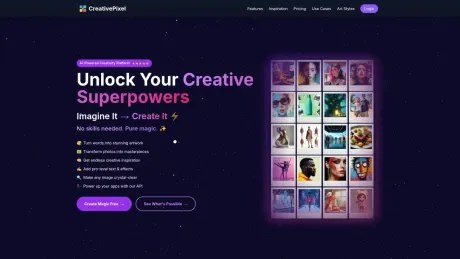
CreativePixel Pricing Plans
Pay-as-you-go
Buy credits as low as $1 for 10 visuals
$1-$200
Lifetime
- Image generator
- Reimagine Image tool
- Visual Muse tool
Subscription - Starter
$19
Monthly
- 200 AI images(credit)
- Image generator
- Reimagine Image tool
- Visual Muse tool
- Personal use license
Subscription - Pro
$39
Monthly
- 1000 AI images(credit)
- Image generator
- Reimagine Image tool
- Visual Muse tool
- Image Upscale
- Commercial use license
What you get
Additional Information
Canvora is an AI-powered visual platform that allows users to create professional visuals from any content, whether by describing, pasting, or uploading. It is designed for various users, including content marketers, social media managers, startups, and e-commerce professionals. With over 100 output formats and support for 150+ languages, Canvora ensures brand consistency and efficient visual production. Users can generate visuals for social media, presentations, marketing materials, and more in minutes, eliminating the need for design skills.
Frequently asked questions
What is Canvora used for?
Canvora: Every client. Every language. On-brand.Is Canvora free?
Canvora is a paid product. See the Pricing section for current plans.What are alternatives to Canvora?
Where can I get Canvora?
Canvora is available at https://canvora.ai.What category is Canvora in?
Canvora is listed in AI Art & Illustration.Can I edit or refine the results?
Yes! Edit directly in the canvas — change text, colors, images, and layouts.How do credits work?
Each visual uses 10 credits. Multi-slide formats use 15 credits per slide.How is this different from Canva?
Canvora takes a different approach — just describe what you want or paste your content, and AI generates complete, professional visuals.Do I need design skills?
Not at all. If you can describe what you want in plain English, you can create professional visuals.Can I use these for commercial purposes?
Absolutely. You own full commercial rights to everything you create.Is my content private and secure?
Yes. Your content is encrypted, never shared, and never used to train AI models.What formats can I export?
PNG, JPG, PDF, WebP, and PPTX (PowerPoint). Download in up to 4K resolution.What if I need more credits?
Upgrade your plan anytime for more monthly credits, or buy one-time credit packs.I already have Canva. Why this?
Keep Canva. Canvora is for the part Canva makes you do by hand: the content-to-visual step, the brand consistency across everything you publish, and above all the second-language version you currently rebuild layout by layout.Will non-Latin and right-to-left scripts look right?
Yes. Visuals are generated natively in the target language, not translated onto an existing layout. Direction, alignment, and punctuation are handled, including right-to-left scripts.Is the output good enough to publish?
That’s the test that matters. Take something you already wrote, generate it free in about a minute, and judge. The visual editor covers the last 5% before it goes out, and paid plans export watermark-free in 4K.
Compare Canvora with…
Pick any tool to see a structured side-by-side: pricing, deployment, capabilities, and content policy.