
- Category
- Video Editing
- Pricing
- Paid
- Alternatives
- 6 similar tools
- Last updated
- 2 weeks ago
- Source
- Official site ↗︎
AI Collection Top Picks

Video Editing Category Picks



About Depthify AI
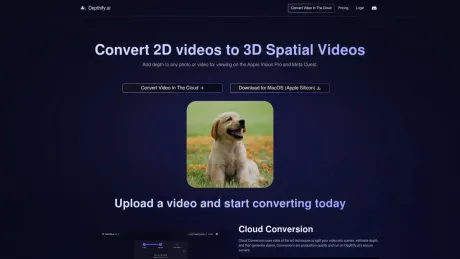
Convert your 2D photos and videos into 3D Spatial photos and videos with our cloud service or locally on your desktop. Our AI tool adds depth, stereo, and MV-HEVC encoding for Apple Vision Pro and Meta Quest.
Depthify AI's Pricing Plans
Depthify AI may change prices at any time. Here's our latest information:
Simple pricing based on the number of frames converted.
1080p
High-quality 1080 spatial video on demand
$1.50
/ minute (at 30FPS)
- 1080p video
- $0.00083333 / frame
- Bulk Upload
- Commercial License
4K
High-quality 4K spatial video on demand
$3.00
/ minute (at 30FPS)
- 4K video
- $0.00166667 / frame
- Bulk Upload
- Commercial License
Enterprise
Custom pricing and pipelines
Custom
- 8K video
- Custom pricing
- Bulk Upload
- Upscaling
- Segmentation
- Fisheye undistortion
- Commercial License
Frequently asked questions
What is Depthify AI used for?
Depthify.ai.Is Depthify AI free?
Depthify AI is a paid product. See the Pricing section for current plans.What are alternatives to Depthify AI?
Top alternatives to Depthify AI include Klap App, AI video editor, Atlabs AI, Topview AI URL to Video, Colossyan.Where can I get Depthify AI?
Depthify AI is available at https://www.depthify.ai/.What category is Depthify AI in?
Depthify AI is listed in Video Editing.What's the rationale behind converting 2D photos and videos into 3D Spatial counterparts?
The conversion of 2D RGB photos into Spatial photos holds immense utility across various domains, including computer vision and 3D modeling applications. This process facilitates the generation of depth maps, stereo images, and HEIC files, specifically tailored for utilization with Apple Vision Pro and Meta Quest.Could you clarify what a SBS 3D video entails?
SBS 3D video denotes the side-by-side 3D video format, where the video is split down the middle. The left side accommodates the video for the left eye, while the right side contains the video for the right eye. For optimal viewing, these videos necessitate special equipment or conversion into MV-HEVC format for direct 3D visualization on Apple Vision Pro and Meta Quest.Is Depthify.ai compatible with all types of photos and videos?
Certainly! Depthify.ai is compatible with a wide array of photos and videos. However, it's worth noting that the accuracy of depth estimation may vary depending on the nature of the content being processed.What is Depthify.ai?
Depthify.ai is the best tool to convert 2D RGB images and videos into 3D which is compatible with the Apple Vision Pro or Meta Quest. You can use either the Cloud Conversion service or download the Desktop app to run the processing locally.Why should I convert 2D photos and videos to 3D Spatial photos and videos?
Converting 2D RGB photos to Spatial photos is useful for various computer vision and 3D modeling applications. It enables the creation of depth maps, stereo images, and HEIC files for use with Apple Vision Pro and Meta Quest.What is a SBS 3D video?
SBS 3D video refers to the side-by-side 3D video format. This video is split down the middle, with the left side holding the video for the left eye, and the right side holding the video for the right eye. The videos should be played and viewed with special equipment, or processed into MV-HEVC for direct 3D viewing on Apple Vision Pro and Meta Quest.Does Depthify.ai work on any photo or video?
Yes, Depthify.ai works on any photo or video, though you may notice that the depth estimation performs better on types of content than other types.How does Cloud Conversion work?
Depthify.ai Cloud Conversion can be used to convert .mp4 or .mov videos into 3D: You first upload the video to our secure servers. Next our pipeline converts the video into a depth map video, and then a stereo video by computing the estimated disparity between the left and right eyes. Finally, we encode the stereo video to an MV-HEVC video which is compatible with the Apple Vision Pro and Meta Quest.How does the Desktop app work?
Depthify.ai Desktop can be used to convert .jpg or .png images or .mp4 or .mov videos into a variety of downstream spatial formats: It first converts from the RGB image or video to a depth map using a monocular depth estimation network. You can then visualize that depth network in a three.js viewer where we project the image onto a 3D mesh. Next it converts the RGB image and the depth map into a stereo image by computing the estimated disparity between the left and right eyes. The result of this step can be viewed as an anaglyph or a left and right eye stereo image. Finally, we encode the stereo image or video into a HEIC image or MV-HEVC video which is compatible with the Apple Vision Pro and Meta Quest.What depth estimation models are supported in Depthify.ai Desktop?
We support the following monocular depth estimation models: Depth Anything Small, Depth Anything Base, dpt-hybrid-midas, and dpt-large.Does Depthify.ai Desktop work offline?
Yes, Depthify.ai Desktop works offline, as all processing happens locally on your device.Can I provide my own depth map along with the 2D image or video?
Yes, in Depthify.ai Desktop you can provide a depth map along with a 2D RGB image or video.Can Depthify.ai convert 3D video to 2D video?
No, we currently do not support conversion from 3D video to 2D video.
Compare Depthify AI with…
Pick any tool to see a structured side-by-side: pricing, deployment, capabilities, and content policy.








