- Category
- Coding Assistant
- Pricing
- Paid
- Alternatives
- 6 similar tools
- Last updated
- 3 days ago
- Source
- Official site ↗︎
AI Collection Top Picks

Coding Assistant Category Picks



About DocuWriter AI
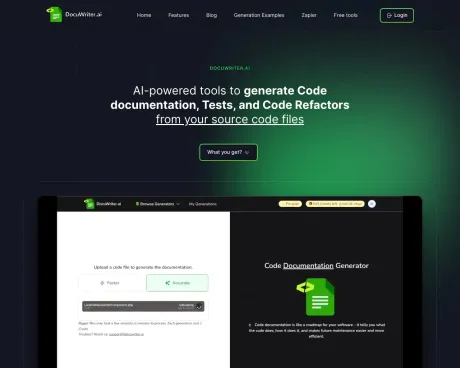
Connect repositories, generate complete codebase documentation, manage it in Spaces, and keep it current with Autopilot. Built for individuals and teams.
DocuWriter AI's Pricing Plans
DocuWriter AI may change prices at any time. Here's our latest information:
Pricing
Default
$49.00
per month
What you get
Additional Information
DocuWriter.ai is an AI-powered documentation tool designed to assist engineering teams in generating comprehensive documentation from their codebase. By connecting to repositories such as GitHub, GitLab, Bitbucket, or Azure DevOps, DocuWriter reads the code and creates a complete hierarchical documentation tree, including code documentation, API documentation, and UML diagrams. The tool ensures that all documentation remains accurate and up-to-date with its Autopilot AI Agent, which monitors code changes and suggests necessary updates.
This solution addresses common challenges faced by engineering teams, such as documenting complex legacy systems and providing clear onboarding materials for new hires. It enables users to review and publish documentation instantly without needing to maintain separate documentation teams. The implementation process is straightforward: connect your repository, let the AI parse the code, and manage documentation updates through a user-friendly editor.
DocuWriter.ai supports multiple programming languages, ensuring compatibility with a wide range of projects. It generates various types of documentation, including architecture overviews, API references, and UML diagrams. The platform is particularly beneficial for teams that require accurate documentation for compliance and auditing purposes, as well as for those looking to streamline knowledge transfer within their organizations.
Frequently asked questions
What is DocuWriter AI used for?
DocuWriter: AI code documentation tool for any codebase.Is DocuWriter AI free?
DocuWriter AI is a paid product. See the Pricing section for current plans.What are alternatives to DocuWriter AI?
Where can I get DocuWriter AI?
DocuWriter AI is available at https://www.docuwriter.ai.What category is DocuWriter AI in?
DocuWriter AI is listed in Coding Assistant.What is DocuWriter.ai?
DocuWriter.ai is an AI code documentation tool that automatically generates comprehensive code documentation, API documentation, UML diagrams, and technical knowledge from your source code.How does the AI code documentation generator work?
Connect your repository on GitHub, GitLab, Bitbucket, or Azure DevOps. DocuWriter reads your codebase, generates a full documentation tree, and the Autopilot AI Agent keeps it in sync as your code evolves.What programming languages does this documentation tool support?
DocuWriter supports Python, JavaScript, TypeScript, Java, PHP, C#, Go, Rust, Ruby, Swift, Kotlin, and many more. The AI understands code semantics across all major languages.Can DocuWriter generate API documentation and UML diagrams?
Yes. DocuWriter is also an API documentation generator (Swagger / OpenAPI) and a UML diagram generator (class, sequence, and other UML diagrams) from your code.Does DocuWriter generate architecture and module documentation?
Yes. DocuWriter generates architecture overviews, module documentation, API references, and UML diagrams from your repository.Does DocuWriter support multiple repositories?
Yes. DocuWriter supports both individual repositories and larger multi-repository systems. Connect repositories to a Space to keep their architecture, service, API, and module documentation together.Do I need a separate documentation host?
No. Documentation lives in Spaces inside DocuWriter. Teams can organize, search and edit the pages there, collaborate privately, or publish a Space for public readers. A separate documentation host is optional.Does Autopilot open pull requests?
No. Autopilot proposes focused updates to the affected documentation pages and places them in your Space for review. Your team applies or discards each suggestion, and eligible plans can auto-apply suggestions above a confidence threshold.Can AI coding assistants search DocuWriter documentation?
Yes. Connect a compatible client such as ChatGPT, Codex, Claude Code, Cursor or VS Code through DocuWriter's remote MCP connection, authorize your account, and choose a Space. Access follows your DocuWriter permissions.
Compare DocuWriter AI with…
Pick any tool to see a structured side-by-side: pricing, deployment, capabilities, and content policy.