
- Category
- Video Editing
- Alternatives
- 6 similar tools
- Last updated
- 3 weeks ago
- Source
- Official site ↗︎
AI Collection Top Picks

Video Editing Category Picks



About EditIQ AI
EditIQ is an all-in-one AI creative suite that enables you to generate and edit images and videos from text prompts with intuitive tools.
What you get
Additional Information
EditIQ is designed for creators who need comprehensive control over their image and video content without juggling multiple tools. It offers a powerful suite of features that includes text-to-image generation, image-to-video transformation, and video editing capabilities, all directly accessible in a browser. Users can enhance their media with effects, upscaling, and intuitive editing tools which streamline the content creation process.
The platform is particularly beneficial for casual creators, freelancers, and teams requiring a flexible and efficient workflow for generating visuals. It provides real-time results, making it convenient for those facing creative blocks or time constraints. The built-in editor allows straightforward adjustments, ensuring high-quality outputs with minimal effort.
EditIQ stands out by offering true editing tools for both images and videos, rather than just generative options. Its token-based pricing structure enables users to access the features according to their needs, whether they are experimenting with the platform or are seasoned professionals producing content at scale.
Frequently asked questions
What is EditIQ AI used for?
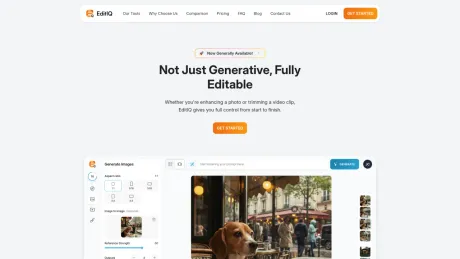
Not Just Generative, Fully Editable.Is EditIQ AI free?
Pricing for EditIQ AI varies — see the Pricing section for details.What are alternatives to EditIQ AI?
Top alternatives to EditIQ AI include Klap App, AI video editor, Atlabs AI, Topview AI URL to Video, Colossyan.Where can I get EditIQ AI?
EditIQ AI is available at https://www.editiq.ai/.What category is EditIQ AI in?
EditIQ AI is listed in Video Editing.What is EditIQ?
EditIQ is an all-in-one AI creative suite that lets you generate images and videos from text prompts — and then fine-tune them with built-in editing tools. It’s built for creators who want full control without juggling multiple tools.Can I edit the content after it’s generated?
Yes, you can edit the content after it’s generated using the built-in editing tools.Do I need any design or video editing experience?
No, you do not need any design or video editing experience to use EditIQ.What file formats can I export?
EditIQ allows you to export in various file formats, though specific formats are not listed.How does the credit system work?
EditIQ uses a credit system for generating images and videos. The details of the credit system were not explicitly explained.Does it work in the browser or do I need to download anything?
EditIQ works in the browser and does not require any downloads.
Compare EditIQ AI with…
Pick any tool to see a structured side-by-side: pricing, deployment, capabilities, and content policy.








