- Category
- Meeting Assistant
- Pricing
- Free
- Alternatives
- 6 similar tools
- Last updated
- 5 days ago
- Source
- Official site ↗︎
AI Collection Top Picks

Meeting Assistant Category Picks


About Fathom
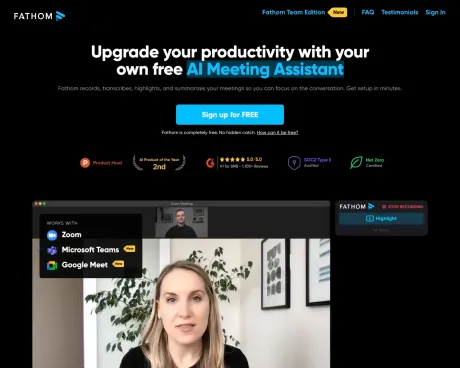
Fathom captures, transcribes, and summarizes Zoom, Google Meet, and Microsoft Teams calls. Free for individuals, with AI-powered CRM updates for teams.
Frequently asked questions
What is Fathom used for?
Fathom AI Notetaker - Never Take Notes Again.Is Fathom free?
Fathom is free to use.What are alternatives to Fathom?
Where can I get Fathom?
Fathom is available at https://fathom.video/.What category is Fathom in?
Fathom is listed in Meeting Assistant.How much does Fathom cost?
Fathom is available to you free of charge. We offer it as a no-cost service because it not only promotes user engagement but also boosts brand awareness, subsequently driving leads for our Team Edition product, which is very affordable.What is included in the Fathom Team Edition, and are there any limitations on the free version?
The Fathom Team Edition comes with additional features that facilitate the seamless implementation of Fathom across an organization, providing insights into activities across all customer calls within your company. With the free version of Fathom, there are no restrictions on usage. You can record as many calls as needed, and there is no limit on the number of users within your company who can utilize Fathom for free. You are not required to upgrade to the Team Edition; the free edition will remain free, and we are committed to enhancing it continuously. Rest assured, we will never sell your data to third parties.Who can access the recordings made with Fathom?
All recordings generated with Fathom remain completely private. They can only be viewed if you choose to share your recordings or specific highlights with others.Is privacy a concern with Fathom?
Privacy is a top priority for us. We have taken significant steps to eliminate third-party cookies and have crafted terms of service and a privacy policy that are comprehensible without requiring a legal background.Is Fathom a secure platform?
Absolutely. Fathom is hosted and developed according to the best security practices, including end-to-end encryption, robust monitoring, and regular third-party penetration testing. It has undergone a SOC2 Type 2 audit and an extensive security review by Zoom as part of being a Zoom Apps Launch Partner. You can find comprehensive details on our security practices at security.fathom.video.What integrations does Fathom offer?
Fathom integrates with Slack, enabling the real-time transmission of specific highlights, such as product feedback or technical questions, to Slack channels. Additionally, Fathom seamlessly integrates with Salesforce, HubSpot, and Close to synchronize your highlights and notes with matching Contacts, Accounts, and Opportunities (Salesforce only). Fathom also provides auto-generated call and action item summaries that can be effortlessly incorporated into platforms like Notion, Google Docs, Asana, Todoist, and Gmail with a single click.Will recording video calls make participants uncomfortable?
If you haven''t previously recorded calls, you might be more concerned about this than your attendees will be. In fact, for roles like Sales and Customer Success, over 90% of calls are already recorded, with exceptions generally relating to sensitive legal or enterprise sales discussions. Surprisingly, over 50% of attendees prefer access to call recordings, viewing it as a benefit. Instead of being uneasy, they are likely to appreciate that you are recording the call for their benefit. Rest assured, Fathom allows you to share the call recording without revealing your highlights and notes. Moreover, if at any point your attendees become uncomfortable, Fathom offers a convenient way to pause the recording.
Compare Fathom with…
Pick any tool to see a structured side-by-side: pricing, deployment, capabilities, and content policy.