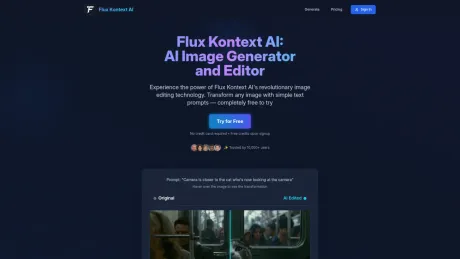
Flux Kontext: AI Image Generator
Flux Kontext AI - Revolutionary AI Image Editor.
- Category
- Image to Image Variation
- Pricing
- Paid
- Alternatives
- 6 similar tools
- Last updated
- 2 weeks ago
- Source
- Official site ↗︎
AI Collection Top Picks

Image to Image Variation Category Picks

About Flux Kontext: AI Image Generator
Flux Kontext AI: The ultimate AI-powered image editing platform. Transform your photos with natural language prompts using advanced FLUX.1 models. Edit backgrounds, styles, objects and more with Flux Kontext AI's revolutionary text-to-image editing technology. Commercial license included.
Flux Kontext: AI Image Generator's Pricing Plans
Flux Kontext: AI Image Generator may change prices at any time. Here's our latest information:
Flux Kontext: AI Image Generator Pricing Plans
Starter
$9.9
/monthly
- 500 credits per month
- High quality Flux AI images
- Access to all models (Kontext Pro & Max)
- Private generation
- Commerical license included
Frequently asked questions
What is Flux Kontext: AI Image Generator used for?
Flux Kontext AI - Revolutionary AI Image Editor.Is Flux Kontext: AI Image Generator free?
Flux Kontext: AI Image Generator is a paid product. See the Pricing section for current plans.What are alternatives to Flux Kontext: AI Image Generator?
Top alternatives to Flux Kontext: AI Image Generator include SDXL TURBO ONLINE, Photo to Anime, AI Anime Filter, Raphael AI, Simpedit.Where can I get Flux Kontext: AI Image Generator?
Flux Kontext: AI Image Generator is available at https://fluxkontext.io/.What category is Flux Kontext: AI Image Generator in?
Flux Kontext: AI Image Generator is listed in Image to Image Variation.What is Flux Kontext AI?
Flux Kontext AI is a web-based tool powered by the FLUX Kontext model. It lets you generate or edit high-quality images from text—no coding required.How is it different from other AI image tools?
Unlike most tools, Flux Kontext AI excels at **character consistency** and **in-context editing**. This means you can keep the same character across different scenes or refine details in an existing image with precision.Do I need to install anything?
No. Flux Kontext AI runs entirely in your browser. Just open the site and start creating.Can I use the images commercially?
Yes. You can use the generated images for commercial projects (please check the terms of use for details). ---Features
1. **Character-consistent generation** – Keep the same character across multiple scenes. 2. **Text-guided editing** – Modify existing images without starting from scratch. 3. **Fast rendering** – Powered by the FLUX 1 Kontext engine for near-instant results. 4. **Seamless iteration** – Refine outputs step by step until you get the perfect image. 5. **Simple web interface** – No downloads, no coding, just create. ---Use Cases
1. **Storytelling & character design** – Writers and illustrators can generate consistent characters for novels, comics, or visual narratives. 2. **Game & animation development** – Quickly prototype characters, scenes, and assets while keeping style continuity. 3. **Marketing & advertising visuals** – Brands can generate campaign-ready images without long production cycles. 4. **Creative art & fan projects** – Artists can edit or extend existing works with new details and styles. 5. **Rapid prototyping** – Designers can get high-quality visual references early in the creative process.What is FLUX Kontext AI and how does it work?
FLUX Kontext AI is a revolutionary image editing technology from Black Forest Labs that allows you to edit images using simple text descriptions. Just upload your image, describe the changes you want in natural language, and our AI will transform your photo while maintaining subject identity and image quality.What types of image edits can I make with FLUX Kontext?
FLUX Kontext supports a wide range of editing capabilities including: style transfer (convert photos to artistic styles like watercolor or oil painting), precision editing (change clothing, hairstyles, accessories, colors), text replacement (edit signs, posters, labels), background transformation (swap environments while preserving subjects), and character consistency (maintain facial features across multiple edits). You can also add or remove objects, modify lighting, and create portrait variations.How does FLUX Kontext compare to other AI image editing tools?
FLUX Kontext outperforms competing solutions including OpenAI's models in both quality and accuracy. Our models produce no unwanted color tints or artifacts, deliver consistent professional-grade outputs, and offer superior prompt adherence.What are the different FLUX Kontext model tiers?
We offer three model tiers: FLUX.1 Kontext [pro] provides state-of-the-art performance with excellent prompt following for professional use. FLUX.1 Kontext [max] is our premium model with maximum performance. FLUX.1 Kontext [dev] (coming soon) will be an open-weight version with community-friendly licensing for developers and researchers.Can I use FLUX Kontext AI for commercial projects?
Yes! FLUX Kontext includes full commercial usage rights with no royalties or attribution required. You can use generated images in applications, marketing materials, business projects, e-commerce, advertising campaigns, and even sell unlimited outputs.How do I get started with FLUX Kontext AI?
Getting started is simple: 1) Sign up for a Replicate account, 2) Choose your preferred Kontext model tier, 3) Upload your image (supports JPG, PNG and other common formats), 4) Describe your desired changes in clear, detailed text, and 5) Generate professional results in seconds.What file formats are supported and are there any limitations?
FLUX Kontext supports common image formats including JPG, PNG and maintains high quality throughout the editing process.Is there an API for developers?
Yes! FLUX Kontext offers developer-friendly API integration with comprehensive documentation and support for multiple programming languages.How do I write effective prompts for better results?
For best results: be specific with clear, detailed descriptions using exact colors and styles; preserve intentionally by specifying what should remain unchanged; and take an iterative approach by starting with simple edits and building complexity gradually.What industries and use cases is FLUX Kontext suitable for?
FLUX Kontext is ideal for marketing & advertising, entertainment & media, e-commerce, education, and any application requiring professional image editing at scale.
Compare Flux Kontext: AI Image Generator with…
Pick any tool to see a structured side-by-side: pricing, deployment, capabilities, and content policy.