
Fotor photo enhancer
AI Photo Enhancer - Improve Image Quality and Resolution | Fotor.
- Category
- Image Editing
- Pricing
- Free
- Alternatives
- 6 similar tools
- Last updated
- 1 months ago
- Source
- Official site ↗︎
AI Collection Top Picks

Image Editing Category Picks



About Fotor photo enhancer
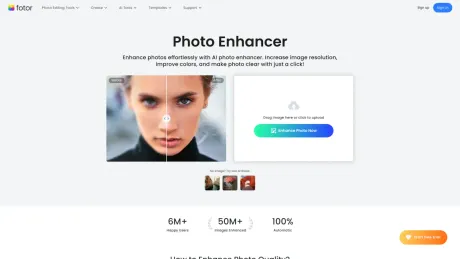
Use Fotor’s AI photo enhancer to improve image quality, reduce noise, fix blur, and upscale photos to HD and 4K—ideal for portraits, products, and prints.
What you get
Additional Information
FAQs on How to Enhance Images
Is Fotor AI photo enhancer free to use?
Yes. Our photo enhancer is completely free to use for anyone. Try it now to enhance image quality and size in seconds.
How to increase resolution of image?
Fotor AI image quality enhancer is an excellent choice if you are looking to increase the resolution of an image online for free. Utilizing advanced AI technology, Fotor automatically increases low resolution images to high resolution without compromising quality. Just upload your image to Fotor, and it will take care of the rest. It’s perfect for increasing photo resolution for printing and large-scale web design.
How to make a picture clearer?
It’s easy to unblur photos online using Fotor image enhancer:
- Upload your photo to Fotor.
- Select the AI Photo Enhancer feature. Fotor will automatically analyze your image and apply enhancements to improve clarity, sharpness, colors, and overall quality.
- You can also adjust the sharpness, brightness, contrast, shadows, highlights, and exposure to produce more details.
- When you’re satisfied with the result, save and download your photo in HD format.
Frequently asked questions
What is Fotor photo enhancer used for?
AI Photo Enhancer - Improve Image Quality and Resolution | Fotor.Is Fotor photo enhancer free?
Fotor photo enhancer is free to use.What are alternatives to Fotor photo enhancer?
Top alternatives to Fotor photo enhancer include ProductScope AI, PicTools.AI, AI Photos Editor, AVCLabs PhotoPro AI, Fotor.Where can I get Fotor photo enhancer?
Fotor photo enhancer is available at https://www.fotor.com/features/one-tap-enhance.What category is Fotor photo enhancer in?
Fotor photo enhancer is listed in Image Editing.Is Fotor AI photo enhancer free to use?
Yes. Our photo enhancer is completely free to use for anyone. Try it now to enhance image quality and size in seconds.How to increase resolution of image?
Fotor AI image quality enhancer is an excellent choice if you are looking to increase the resolution of an image online for free. Utilizing advanced AI technology, Fotor automatically increases low resolution images to high resolution without compromising quality. Just upload your image to Fotor, and it will take care of the rest. It’s perfect for increasing photo resolution for printing and large-scale web design.How to make a picture clearer?
It’s easy to unblur photos online using Fotor image enhancer: 1. Upload your photo to Fotor. 2. Select the AI Photo Enhancer feature. Fotor will automatically analyze your image and apply enhancements to improve clarity, sharpness, colors, and overall quality. 3. You can also adjust the sharpness, brightness, contrast, shadows, highlights, and exposure to produce more details. 4. When you’re satisfied with the result, save and download your photo in HD format.What is Fotor’s AI photo enhancer, and how does it work?
Fotor’s AI photo enhancer uses advanced deep-learning technology to analyze your image and intelligently restore lost details. Instead of simply sharpening, it enhances image quality by rebuilding clarity — delivering sharper, more natural-looking results in just seconds.
What is the best photo enhancer?
The best photo enhancer improves image quality without making photos look over-processed. Fotor’s AI photo enhancer focuses on delivering clean, natural results with minimal effort.
How can I use Fotor’s AI image enhancer?
Using Fotor’s AI photo quality enhancer is very simple. Just upload your photo, and the AI will automatically analyze and enhance the image quality, making your photo clearer and sharper. No manual editing is needed, and your improved photo is ready instantly.
Is Fotor’s AI photo enhancer free to use?
Yes, Fotor’s AI image enhancer is free to use online. If you need more advanced features, you can upgrade to Fotor Pro for additional capabilities.
What can I do with Fotor’s AI enhancer?
You can enhance image quality, fix blurry or low-resolution photos, and restore old images for various uses like social media, e-commerce, and printing.
Which photo formats can I enhance?
Our photo enhancer supports a wide range of common image formats, including JPG, PNG, WebP, PDF, and others.
Which image formats does Fotor support for enhancement?
Fotor’s image quality enhancer supports a wide range of common image formats, including JPG, JPEG, PNG, HEIF, HEIC, WebP, and others.
What types of images can I enhance with AI?
Fotor’s AI photo quality enhancer works for various photo types, including portraits, landscapes, product images, old photos, historical photos, night scenes, graphics, digital AI art, and other creative works.
Will AI enhancement make my photo look fake or over-sharpened?
No. Fotor’s AI photo enhancer improves clarity and sharpness naturally, keeping your photos realistic and true to life.
Can I use enhanced images for printing, e-commerce, or marketing materials?
Yes. Enhanced photos are clear and high-quality, suitable for prints, product images, social media, and marketing materials.
Can I enhance multiple pictures at once?
Absolutely. You can upload multiple photos at once, and our batch photo editor will automatically improve photo quality in bulk. This saves a lot of time, perfect for users who need to process many images quickly.
Does Fotor offer an API for image enhancement?
Yes, Fotor offers the Fotor AI image enhancer API that allows developers to automatically improve image quality at scale. It can be easily integrated into apps or workflows to enhance images with AI efficiently.
Compare Fotor photo enhancer with…
Pick any tool to see a structured side-by-side: pricing, deployment, capabilities, and content policy.








