
- Category
- Image Editing
- Pricing
- Paid
- Alternatives
- 6 similar tools
- Last updated
- 4 weeks ago
- Source
- Official site ↗︎
AI Collection Top Picks

Image Editing Category Picks



About AI Photos Editor
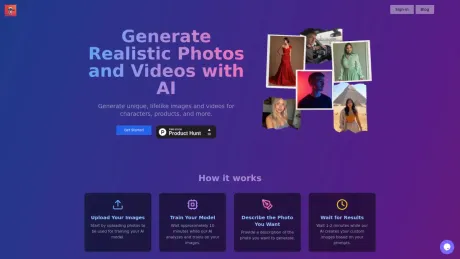
Generate unique, lifelike images and videos for characters, products, and more. Experience the full power of our platform on your iPhone or iPad.
AI Photos Editor's Pricing Plans
AI Photos Editor may change prices at any time. Here's our latest information:
Only $5 to train your AI model, then just $0.10 per photo
Generate Photo
Generate a photo form an existing Photo AI model
$0.10
per photo
- Photo ready in 20 seconds
- You can regenerate parts of it for $0.10 (e.g. change the hair color but keep the rest)
Photo AI Model
Train an AI model on your photos
$5
one-time per model
- upload 4 reference photos
- training completed after ~10 minute
What you get
Additional Information
aiphotoseditor.com specializes in generating realistic images and videos through AI technology. Users can start by uploading their own photos to train a personalized AI model. After a brief training period of approximately 10 minutes, users can describe the type of image they wish to generate, with results available within 1-2 minutes.
The platform is designed for both personal and professional use cases. Individuals can visualize different life scenarios, such as how a future baby might look or experimenting with various hairstyles. It is also useful for fitness enthusiasts looking to see potential transformation photos, as well as for travelers wanting to create scenic photos in dream locations.
For professional applications, aiphotoseditor.com helps users create high-quality product images without the need for costly photo shoots. Businesses in fashion and interior design can showcase their products realistically in various environments, enabling better customer engagement and visualization of different designs.
Frequently asked questions
What is AI Photos Editor used for?
Create Realistic Photos with AI.Is AI Photos Editor free?
AI Photos Editor is a paid product. See the Pricing section for current plans.What are alternatives to AI Photos Editor?
Top alternatives to AI Photos Editor include ProductScope AI, PicTools.AI, AVCLabs PhotoPro AI, Fotor, Unrealme.Where can I get AI Photos Editor?
AI Photos Editor is available at https://aiphotoseditor.com.What category is AI Photos Editor in?
AI Photos Editor is listed in Image Editing.
Compare AI Photos Editor with…
Pick any tool to see a structured side-by-side: pricing, deployment, capabilities, and content policy.







