
happyhorse ai
HappyHorse 1.0 AI Video Generator | Free Text-to-Video & Image-to-Video Online — Happy Horse AI.
- Category
- Video Editing
- Alternatives
- 6 similar tools
- Last updated
- 2 weeks ago
- Source
- Official site ↗︎
AI Collection Top Picks

Video Editing Category Picks



About happyhorse ai
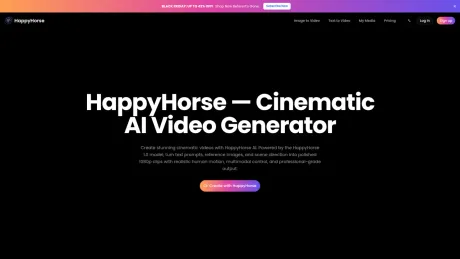
HappyHorse AI (Happy Horse) is a free AI video generator powered by HappyHorse 1.0. Create cinematic 1080p HD videos with text-to-video & image-to-video in seconds. Try HappyHorse free online — no credit card required.
What you get
Additional Information
HappyHorse AI is a powerful AI video generation platform that allows users to create high-quality videos from text prompts and reference images. Utilizing the HappyHorse 1.0 model, it offers realistic human motion and professional-grade output, enabling seamless video creation for various applications. Users can easily transform their ideas into visually captivating stories with multimodal control and human-centric features.
The platform’s standout capabilities include text-to-video and image-to-video generation, making it a go-to solution for creators, marketers, educators, and agencies looking to produce engaging content. With a suite of features such as one-click creative effects, lip sync, and sound integration, the AI caters to diverse creative needs, from ads to product storytelling.
Performance is optimized with rapid video generation, allowing users to produce clips in as little as 5 seconds under Turbo mode. HappyHorse employs a credit-based system for video creation, with free credits provided upon registration, making it accessible for newcomers while also accommodating higher volume users through various subscription plans. HappyHorse ensures all generated videos can be utilized for commercial purposes on paid plans, broadening their applicability in marketing and social media campaigns.
Frequently asked questions
What is happyhorse ai used for?
HappyHorse 1.0 AI Video Generator | Free Text-to-Video & Image-to-Video Online — Happy Horse AI.Is happyhorse ai free?
Pricing for happyhorse ai varies — see the Pricing section for details.What are alternatives to happyhorse ai?
Top alternatives to happyhorse ai include Klap App, AI video editor, Atlabs AI, Topview AI URL to Video, Colossyan.Where can I get happyhorse ai?
happyhorse ai is available at https://happyhorses.online/.What category is happyhorse ai in?
happyhorse ai is listed in Video Editing.What is HappyHorse?
HappyHorse is the product brand and AI video workspace. HappyHorse AI is the creative engine and HappyHorse 1.0 is the model name tied to the recent arena breakout and technical writeups around unified multimodal video generation. It creates stunning 1080p videos with physically accurate character motion, cinematic multi-shot transitions, and synchronized audio.Who should use HappyHorse?
HappyHorse is useful for creators, marketers, ecommerce teams, product launches, educators, agencies, and in-house studios that need controllable AI video for people-focused ads, social clips, product storytelling, explainers, and rapid creative testing.What features does HappyHorse offer?
HappyHorse offers a comprehensive suite of AI video tools: Text-to-Video, Image-to-Video, one-click Effects (like Venom Transformation), seamless Transitions and Multi-Transitions, Lip Sync, Sound Effects, Video Restyle, Extend, Swap, Mimic (motion transfer), and Fusion (reference-to-video compositing).How fast does HappyHorse generate videos?
HappyHorse with Turbo mode generates videos in an average of 10 seconds, with the fastest generation taking just 5 seconds. Generation time varies based on resolution, duration, and complexity of the prompt.How does the credit system work?
HappyHorse uses a credit-based system. Credits are consumed per second of video generated, with costs varying by resolution (e.g., 6 credits/s at 360p to 19 credits/s at 1080p). New users receive free credits upon registration, and subscription plans provide monthly credits.What are HappyHorse's signature Effects?
Effects are HappyHorse's viral feature that took social media by storm. Transform your images into stunning video effects like Venom Transformation, Muscle Surge, and more with just one click. Browse the Effect Center for dozens of creative templates.Can I use HappyHorse on mobile?
Yes! HappyHorse is fully accessible via mobile browsers with a responsive layout. You can create videos, apply effects, and manage your projects on any device. For assistance, reach our support team atIs HappyHorse free to use?
Yes, HappyHorse offers a free plan that includes credits for new users upon registration. You can generate AI videos using HappyHorse 1.0 without a credit card. For higher volume needs, HappyHorse offers Basic, Pro, and Premium subscription plans with more credits and priority generation.What video resolution does HappyHorse support?
HappyHorse generates videos in native 1080p HD resolution. Supported resolutions range from 360p to 1080p, with 8 aspect ratios including 16:9, 9:16, 1:1, 4:3, 3:4, 21:9, 2:3, and 3:2. HappyHorse 1.0 produces video clips up to 15 seconds long.Can I use HappyHorse videos for commercial projects?
Yes, all videos generated with HappyHorse on paid plans are licensed for commercial use. You can use HappyHorse AI-generated videos for ads, social media campaigns, product showcases, marketing content, and client work. Free plan videos are for personal use only.How does HappyHorse compare to other AI video generators?
HappyHorse 1.0 stands out with its unified single-stream architecture that processes text, video, and audio tokens together. Compared to other AI video generators, HappyHorse offers stronger prompt adherence, more realistic human motion, native 1080p HD output, audio-visual sync, and faster generation times — averaging ~10 seconds with Turbo mode.What is HappyHorse 1.0?
HappyHorse 1.0 is the AI video generation model powering the HappyHorse platform. It uses a unified multimodal architecture that learns text, video, and audio tokens in a single stream. HappyHorse 1.0 supports text-to-video, image-to-video, lip sync, sound effects, video restyle, and creative effects — all with native 1080p HD output and ~10-second generation times.
Compare happyhorse ai with…
Pick any tool to see a structured side-by-side: pricing, deployment, capabilities, and content policy.








