InstantMind
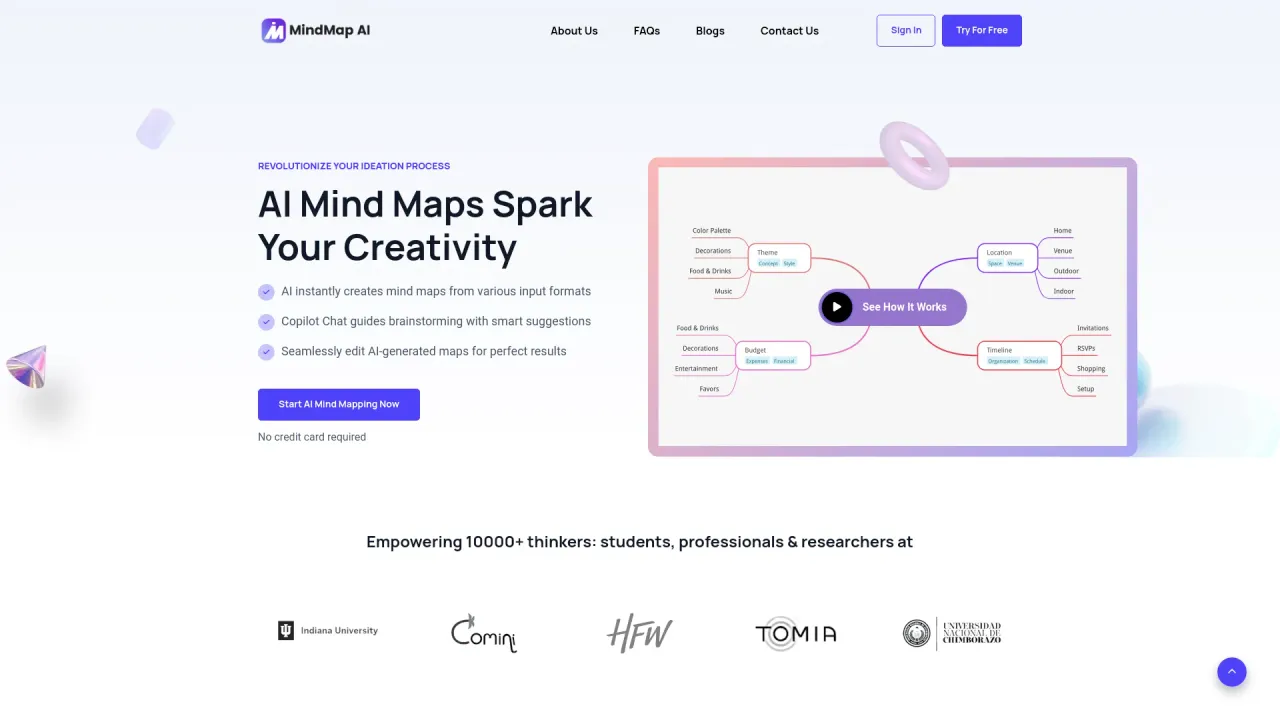
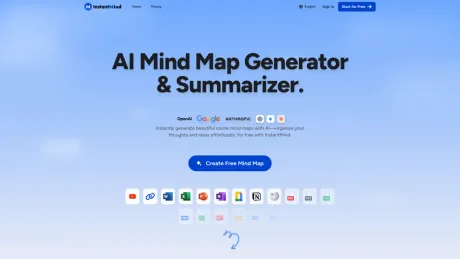
AI Mind Map Generator & Summarizer - MindMap AI.
- Category
- Note Taking & Second Brain
- Alternatives
- 6 similar tools
- Last updated
- 1 weeks ago
- Source
- Official site ↗︎
AI Collection Top Picks

Note Taking & Second Brain Category Picks


About InstantMind
InstantMind AI transforms text, documents, ppt, youtube videos, images, and web pages into AI-powered mind maps instantly. streamline ideas, boost productivity.
What you get
Additional Information
InstantMind is an AI-powered mind map generator that allows users to effortlessly create visual diagrams from various content types including text, documents, YouTube videos, web pages, and images. The tool supports over 30 file formats, allowing for diverse inputs such as PDFs, Word documents, Excel files, and presentations, among others. Users can transform complex information into easily digestible mind maps, enhancing their understanding and retention of the material.
With InstantMind, users can utilize advanced AI to analyze uploaded documents and automatically generate structured visual mind maps that highlight key points and concepts. Students, professionals, and researchers benefit from the ability to streamline their study processes, project planning, and academic research. The platform allows users to chat about their mind maps and documents, providing contextual insights and deep analysis based on the uploaded content.
The application is accessible on multiple devices, making it easy for users to create mind maps on the go. InstantMind also offers customizable features, allowing users to tailor the format and style of their generated mind maps according to their preferences. Enhanced privacy measures ensure that all uploaded content is encrypted and securely stored, prioritizing user data protection. This makes InstantMind not only a versatile tool for mind mapping but also a secure platform for sensitive information.
Whether for personal use, academic purposes, or professional projects, InstantMind accelerates the mind mapping process, saving users time while facilitating clearer visual representations of their ideas. The intuitive interface and robust functionality position InstantMind as a leading choice for anyone looking to leverage AI technology for improving productivity and creativity.
Frequently asked questions
What is InstantMind used for?
InstantMind: AI Mind Map Generator & Summarizer - MindMap AI.Is InstantMind free?
Pricing for InstantMind varies — see the Pricing section for details.What are alternatives to InstantMind?
Where can I get InstantMind?
InstantMind is available at https://instantmind.ai/.What category is InstantMind in?
InstantMind is listed in Note Taking & Second Brain.What is an AI mind map generator?
An AI mind map generator is an artificial intelligence tool that automatically transforms documents, text, and ideas into visual mind map diagrams. These AI-powered mind mapping tools help users quickly understand and organize complex information without manual work.How does InstantMind create mind maps from documents?
InstantMind uses advanced AI to analyze uploaded documents and automatically convert content into structured visual mind maps. Simply upload PDFs, Word documents, Excel files, PowerPoint presentations, or other formats and our AI mind map generator creates organized diagrams instantly.Can I create a mind map from a PDF with InstantMind?
Yes! PDF to mind map conversion is instant with InstantMind. Upload any PDF document and our AI automatically extracts key points, main topics, and document structure to generate a comprehensive visual mind map.Can I create mind maps for free?
Absolutely! Free mind map creation starts with 400 credits at signup. Create AI-powered mind maps from text, documents, PDFs, YouTube videos, and web pages using InstantMind's free plan with no upfront cost.What file formats are supported for mind map conversion?
InstantMind supports 30+ file formats for AI mind map generation including TXT, PDF, DOC, DOCX, XLS, XLSX, PPT, PPTX, MD, CSV, EPUB, HTML, XML, RTF, plus image formats (JPG, PNG, WEBP, GIF), YouTube videos, and web pages for comprehensive mind mapping.How do I turn a Word document into a mind map with AI?
Simply upload your DOC or DOCX file to InstantMind and our AI automatically scans the content, identifies key topics, and generates a clean visual mind map from your Word document. The Word document to mind map conversion process takes just seconds.Can I convert Excel data into a mind map?
Yes! Excel to mind map transformation works seamlessly with InstantMind. Upload your XLS or XLSX spreadsheet and our AI reads your data, identifies relationships, and creates a structured visual mind map from your Excel content.Does InstantMind work with PowerPoint files?
Absolutely! PowerPoint to mind map conversion supports both PPT and PPTX formats. Upload your PowerPoint presentation and InstantMind's AI extracts slide content, organizes information hierarchically, and creates a comprehensive mind map.Can I generate a mind map from a YouTube video?
Yes! YouTube video to mind map generation requires only the video URL. Paste any YouTube link into InstantMind and our AI extracts video content, identifies key topics, and creates an organized visual mind map from the video transcript.Can I convert a webpage into a mind map?
Definitely! Webpage to mind map conversion works with any URL. Input a website link and InstantMind's AI scrapes the main content, extracts key information, and transforms web page content into a navigable mind map.Can I turn images into mind maps?
Yes! Image to mind map conversion uses OCR technology to extract text from images, scanned documents, and screenshots. InstantMind's AI reads the text content and automatically generates structured mind maps from your image files.Can I convert Markdown files into mind maps?
Absolutely! Markdown to mind map conversion supports all .md files. Upload your Markdown document and InstantMind's AI parses the formatting, headers, and content structure to create organized visual mind maps from Markdown files.Can students use InstantMind for studying?
Definitely! Students benefit from AI mind mapping for study optimization. Transform class notes, textbooks, research papers, and lecture materials into visual mind maps for improved learning, better retention, and faster exam preparation.How does InstantMind help with academic research?
InstantMind makes academic research more efficient with AI mind mapping. Our tool summarizes research papers, academic articles, and scholarly documents into navigable mind maps, helping researchers quickly identify key findings and main concepts.Is InstantMind useful for business professionals?
Absolutely! Business professionals use InstantMind for project planning, content analysis, presentation preparation, and document organization. Teams leverage AI mind mapping for strategic planning, meeting summaries, and workflow visualization.Can I chat with my mind maps using AI?
Yes! AI-powered chat functionality lets you interact directly with your mind maps and original documents. Ask questions about the content, request summaries, expand specific topics, or get detailed explanations from both your mind map and the source material using InstantMind's intelligent chat feature.Can I export and share my mind maps?
Yes! Mind map export supports multiple formats including PDF, PNG, and other image formats. Download your AI-generated mind maps for personal use, presentations, or sharing via email and messaging platforms.Can I export my mind map as a PDF or image?
Yes! Mind map export options include PDF documents and high-quality image formats (PNG, JPG). Download your AI-generated mind maps for offline viewing, printing, or integration into presentations and reports.Does InstantMind work on mobile devices?
Absolutely! Mobile mind mapping works seamlessly across devices. InstantMind's cloud-based platform supports smartphones, tablets, and desktop computers through any modern web browser for on-the-go AI mind map creation.Can I customize how the AI builds my mind map?
Yes! Custom AI instructions allow personalized mind map generation. Guide InstantMind's AI with specific formatting preferences, content focus areas, and structural requirements to create mind maps tailored to your exact needs.Is my content secure on InstantMind?
Absolutely! Data security and privacy protection ensure your content remains completely safe. InstantMind encrypts all uploaded documents and stores files securely in the cloud with enterprise-grade security measures and strict privacy protocols.How fast does it take to generate a mind map?
AI mind map generation typically completes within seconds of document upload. Processing speed depends on file size, but most mind maps are ready instantly, making InstantMind one of the fastest AI mind mapping tools available.What's the best AI to turn documents into mind maps?
InstantMind ranks among the top AI mind mapping tools for document conversion. Our advanced AI technology instantly transforms any document format into structured, visual mind maps with superior accuracy and speed.How do I organize research papers into a mind map with AI?
Simply upload your academic paper to InstantMind and our AI automatically extracts key findings, methodology, and conclusions into a structured mind map for easier analysis. Research paper organization becomes effortless with AI mind mapping.Which AI tool converts YouTube videos into mind maps?
InstantMind specializes in YouTube video to mind map conversion. Simply paste any YouTube URL and our AI extracts video content, identifies main topics, and creates comprehensive mind maps from video transcripts.Can AI generate mind maps from any file format?
Yes! AI mind map generation supports extensive file format compatibility. InstantMind processes PDFs, Word documents, Excel spreadsheets, PowerPoint presentations, images, YouTube videos, web pages, and 30+ additional formats for comprehensive mind mapping.What's the easiest way to make mind maps from documents?
InstantMind offers the simplest document to mind map conversion with our one-click process. Upload any file format and receive a complete AI-generated mind map within seconds, requiring no manual formatting or design work.Can I use InstantMind for content planning?
Absolutely! Content planning and strategy development benefit from AI mind mapping. Bloggers, marketers, and content creators use InstantMind to organize articles, brainstorm ideas, plan campaigns, and structure content hierarchies visually.Can I use InstantMind for presentations?
Yes! Presentation mode enables seamless mind map presentations. InstantMind's built-in presentation feature helps you navigate through mind map sections during meetings, classes, workshops, and professional presentations with smooth transitions.Can I build mind maps using multiple documents?
Yes! You can create comprehensive mind maps from multiple sources by uploading documents one at a time. Each document generates its own detailed mind map, allowing you to build a complete understanding of complex topics across different materials and sources.Is InstantMind good for visual learning?
Perfect for visual learners! InstantMind transforms text-heavy content into engaging visual mind maps that improve information retention, comprehension, and learning efficiency for visual learning styles and educational needs.
Compare InstantMind with…
Pick any tool to see a structured side-by-side: pricing, deployment, capabilities, and content policy.